MCSkins.jar
16 Jan 2026
Client Not supported Server Required Dependencies No extras listed Listed on Project page
Check the setup 
CurseForge · Hytale mod
Apply Minecraft skins to players with /mcskin.
Quick answer
MCSkins.jar targets Hytale. Do not install it as a separate client mod. Enable it on the world host—the local server in singleplayer or the dedicated server in multiplayer. No required dependencies listed for this file.
Where it goes
Do not install it as a separate client mod. Enable it on the world host—the local server in singleplayer or the dedicated server in multiplayer.
Put Hytale mods on the world host or dedicated server. Singleplayer runs a local server too; Hytale does not use separate client mods.
MCSkins.jar. Change the file and its required mods may change too.
This file does not list any required mods. Do not add a library just because a different file uses it.
This file does not list any required or optional project dependencies. Check the creator notes before changing an existing world.
Before you install it
Built for MCSkins.jar. Pick another file and the loader, install side or required mods may change.
Use MCSkins.jar. It targets Hytale; another release may target a different game build or dependency set.
This file does not list any required mods. Do not add a library just because a different file uses it.
Do not install it as a separate client mod. Enable it on the world host—the local server in singleplayer or the dedicated server in multiplayer.
Use the “Get this file” button beside MCSkins.jar. It opens that exact file at the source.
About this project
THIS MOD IS BROKEN NOW!
IT USED TO WORK ON THE FIRST VERSION OF THE GAME BUT I AM NOT UPDATING IT.
A Hytale server plugin that allows players to apply custom Minecraft skins to their character.
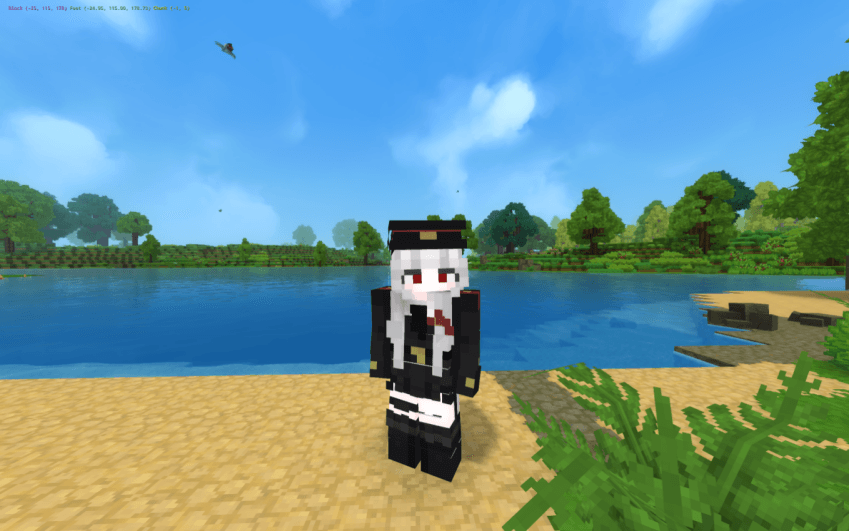
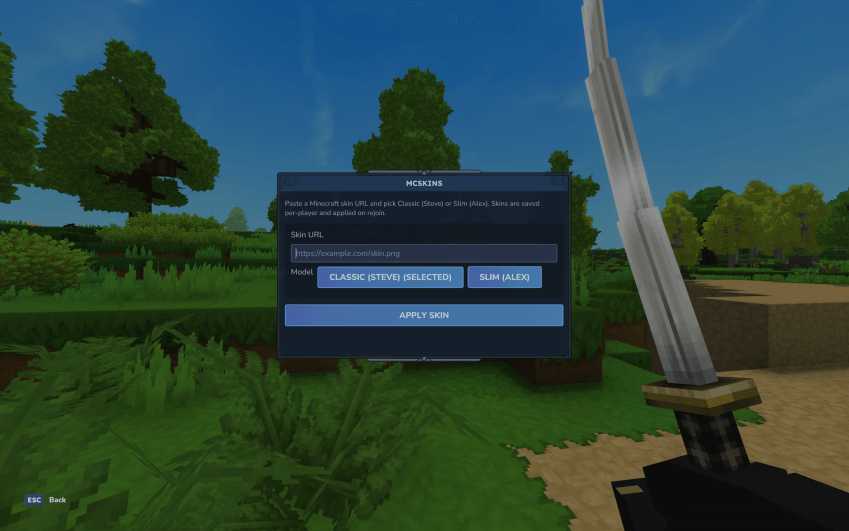
ATTENTION:
Currently, Hytale does not allow servers to send custom assets to the client during a session. What this mod does is kick the player, so when they rejoin, the client will download the new skin. Because of this, it only works on dedicated servers, as it is not possible (at least, I think) to kick players from their own singleplayer world.
If it doesn’t work on the first try, please try applying it again. Sometimes it bugs out. I’ll try to fix it later.
.png./mcskin command in-game to open the interface.https://example.com/skin.png)./mcskin command.Created by nekro
Project description from CurseForge.
Recent files
16 Jan 2026
Looking for an older file? The official CurseForge project page is in Resources.
 mod
modExplore the seas: shipwrecks and ruins on the ocean floor, loot chests, floating pirate ships, treasure maps, and diving gear for deep dives.
 mod
modA mod that adds new content to Hytale, with variety.
 mod
modAn immersive emote mod for Mup.gg focused on interaction, expression, and RPG immersion. Some assets were adapted from the base game, while many animations and features were fully created and customized by me.