AreaIndicator-1.4.0.jar
2 Jun 2026
Client Not supported Server Required Dependencies No extras listed Listed on Project page
Check the setup 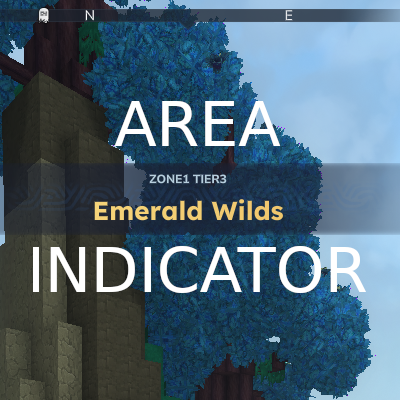
CurseForge · Hytale mod
Struggling to know what area you are in? we have a solution! this mod triggers a notification when you travel between areas so you can always know where you are. Also comes with a chat command for extra information.
Quick answer
Makapar's Area Indicator AreaIndicator-1.4.0.jar targets Hytale. Do not install it as a separate client mod. Enable it on the world host—the local server in singleplayer or the dedicated server in multiplayer. No required dependencies listed for this file.
Where it goes
Do not install it as a separate client mod. Enable it on the world host—the local server in singleplayer or the dedicated server in multiplayer.
Put Hytale mods on the world host or dedicated server. Singleplayer runs a local server too; Hytale does not use separate client mods.
AreaIndicator-1.4.0.jar. Change the file and its required mods may change too.
This file does not list any required mods. Do not add a library just because a different file uses it.
This file does not list any required or optional project dependencies. Check the creator notes before changing an existing world.
Before you install it
Built for Makapar's Area Indicator AreaIndicator-1.4.0.jar. Pick another file and the loader, install side or required mods may change.
Use AreaIndicator-1.4.0.jar. It targets Hytale; another release may target a different game build or dependency set.
This file does not list any required mods. Do not add a library just because a different file uses it.
Do not install it as a separate client mod. Enable it on the world host—the local server in singleplayer or the dedicated server in multiplayer.
Use the “Get this file” button beside AreaIndicator-1.4.0.jar. It opens that exact file at the source.
About this project
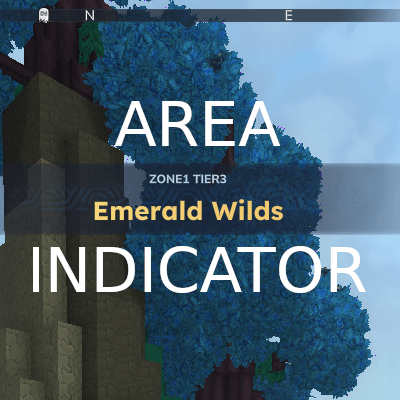
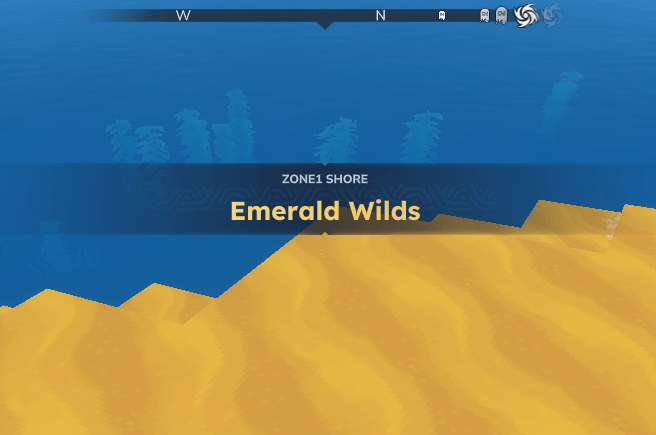
Displays a banner notification when you enter a new zone or region.
/area to check your current region, zone, biome any time.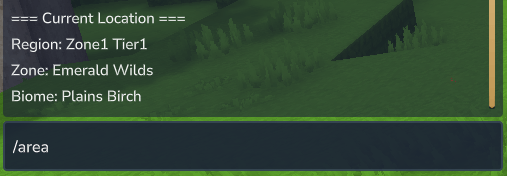
The config file is located at universe/AreaIndicator/config.json and is created automatically on first run.
Choose a preset by setting the preset field:
| Preset | Title | Subtitle | Triggers On |
|---|---|---|---|
full |
Zone name | Region · Biome | Zone change |
simple |
Zone name | Region | Zone change |
biome |
Biome name | (none) | Biome change |
custom |
Your template | Your template | Your choice |
Example - Show biome like the base game:
{
  "preset": "biome"
}
For full control, set preset to custom and define your own templates:
{
  "preset": "custom",
  "customTitleTemplate": "Entering {zone}",
  "customSubtitleTemplate": "{biome} - {region}",
  "customTriggerOn": "zone"
}
Available placeholders: {zone}, {region}, {biome}
Trigger options: zone, biome, region
When does each trigger fire?
biome- Most frequent. Biomes change as terrain shifts (forest → swamp → plains). A single zone may contain multiple biomes.zone- Moderate frequency. Zones are named areas within a region. This is the default trigger.region- Least frequent. Regions are large areas containing multiple zones.
.jar filemods folder (located in your Hytale game directory).jar filemods folderThe /area command requires permission to use. Grant it to a group or player using your permission manager:
/perm group add <group> makapar.areaindicator.command.area
Example:
/perm group add Adventure makapar.areaindicator.command.area
| Permission | Description |
|---|---|
makapar.areaindicator.command.area |
Allows use of the /area command |
Project description from CurseForge.
Recent files
2 Jun 2026
29 Mar 2026
6 Feb 2026
28 Jan 2026
20 Jan 2026
18 Jan 2026
17 Jan 2026
Looking for an older file? The official CurseForge project page is in Resources.