Computale-0.2.0.jar
18 Jan 2026
Client Not supported Server Required Dependencies No extras listed Listed on Project page
Check the setup 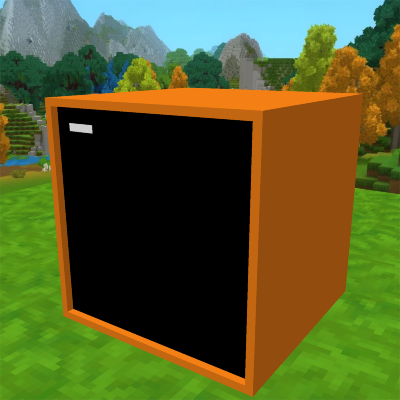
CurseForge · Hytale mod
Adds computers to Hytale with integrated Lua programming. Inspired by ComputerCraft.
Quick answer
Computale-0.2.0.jar targets Hytale. Do not install it as a separate client mod. Enable it on the world host—the local server in singleplayer or the dedicated server in multiplayer. No required dependencies listed for this file.
Where it goes
Do not install it as a separate client mod. Enable it on the world host—the local server in singleplayer or the dedicated server in multiplayer.
Put Hytale mods on the world host or dedicated server. Singleplayer runs a local server too; Hytale does not use separate client mods.
Computale-0.2.0.jar. Change the file and its required mods may change too.
This file does not list any required mods. Do not add a library just because a different file uses it.
This file does not list any required or optional project dependencies. Check the creator notes before changing an existing world.
Before you install it
Built for Computale-0.2.0.jar. Pick another file and the loader, install side or required mods may change.
Use Computale-0.2.0.jar. It targets Hytale; another release may target a different game build or dependency set.
This file does not list any required mods. Do not add a library just because a different file uses it.
Do not install it as a separate client mod. Enable it on the world host—the local server in singleplayer or the dedicated server in multiplayer.
Use the “Get this file” button beside Computale-0.2.0.jar. It opens that exact file at the source.
About this project
Computale brings the power of programmable computers to Hytale! Heavily inspired by the legendary ComputerCraft mod for Minecraft, Computale allows you to write code, automate tasks, and build complex systems using the Lua programming language directly within the game.
Disclaimer: This mod is currently under active development. Features are being added and refined constantly. You may encounter bugs or incomplete features independently of the final vision.
F) to open the interface.lua to enter the Lua REPL.print("Hello, Hytale!")!Project description from CurseForge.
Recent files
18 Jan 2026
17 Jan 2026
Looking for an older file? The official CurseForge project page is in Resources.
 mod
modCentralized control panel to access the UIs and commands of all user mods in one place.
 mod
modMiddle-click a block while looking at it and it gets selected in your hotbar when that block is in your inventory or backpack.
 mod
modMob taming framework and asset patcher. Breeding, traits, leveling, tame management UI, easier interaction chains, capture/spawn items that store metadata, ownership/tamed status, lots of behavior components and more!