 mod
mod CurseForge · Hytale
HyDragon
Raise dragons, master the elements, and rule the skies with legendary companions, elemental Miniwyverns, and aerial dragon combat.

CurseForge · Hytale mod
Easily create portals that move your players between servers when used.
Quick answer
We could not find enough file information to pick a stable Hytale setup for Server Hop.
Where it goes
Do not install it as a separate client mod. Enable it on the world host—the local server in singleplayer or the dedicated server in multiplayer.
Put Hytale mods on the world host or dedicated server. Singleplayer runs a local server too; Hytale does not use separate client mods.
Choose a release before relying on this list.
This file does not give us a dependency list. Check the creator notes before installing.
This file does not list any required or optional project dependencies. Check the creator notes before changing an existing world.
Before you install it
We could not pick a file, so treat this as a checklist—not a compatibility promise.
We could not pick a stable file here. Check the game version and loader on the official project page before installing anything.
This file does not give us a dependency list. Check the creator notes before installing.
Do not install it as a separate client mod. Enable it on the world host—the local server in singleplayer or the dedicated server in multiplayer.
There is no download page for this exact file. Open the project page in Resources and choose the matching release there.
About this project
Seamlessly connect your Hytale server network with interactive teleporter blocks!
ServerHop is a Hytale server plugin that enables you to create teleporter blocks that transport players between servers in your network. Perfect for lobby servers, hub worlds, or any multi-server setup where you want smooth player navigation.
Simply stand on a block, run a command, and that block becomes a portal to another server!
ServerHop-1.0-SNAPSHOT.jar from the files sectionmods/ folderThe plugin will automatically create its configuration directory at mods/ServerHop/
/setteleporter <host> <port> [displayName]Creates a teleporter on the block you're standing on.
Examples:
/setteleporter play.example.com 5520
/setteleporter 192.168.1.100 5520 Survival Server
/setteleporter minigames.mynetwork.com 25565 Fun Minigames
Usage:
/removeteleporterRemoves the teleporter from the block you're standing on.
Usage:
/removeteleporter/listteleportersLists all configured teleporters on the server.
Example Output:
=== Configured Teleporters ===
Total: 3

1. Survival Server
   Location: 10, 64, 20
   Server: play.example.com:5520

2. Minigames Hub
   Location: 15, 64, 20
   Server: minigames.example.com:5520

3. Creative World
   Location: 20, 64, 20
   Server: 192.168.1.150:5520
Create a central hub with teleporters to multiple game servers:
# Create a survival server teleporter
/setteleporter survival.mynetwork.com 5520 Survival Mode

# Create a minigames teleporter
/setteleporter minigames.mynetwork.com 5520 Minigames

# Create a creative server teleporter
/setteleporter creative.mynetwork.com 5520 Creative Building

# List all teleporters to verify
/listteleporters
Now players can walk onto any of these blocks to instantly jump to that server!
/setteleporterPlayerRef.referToServer() APIIf you want to build the plugin yourself:
git clone <your-repository>
cd ServerHop
mvn clean package
The compiled JAR will be located at target/ServerHop-1.0-SNAPSHOT.jar
Found a bug or have an idea for a new feature? Let me know in the comments!
All teleporter configurations are stored in mods/ServerHop/teleporters.json. You can manually edit this file if needed, but it's recommended to use the in-game commands for proper validation.
Example Configuration:
{
  "teleporters": {
    "world-abc123_10_64_20": {
      "host": "survival.server.com",
      "port": 5520,
      "displayName": "Survival Server"
    }
  }
}
Enjoy building your multi-server network with ServerHop! 🚀
If you like this plugin, let us know in the comments!
Project description from CurseForge.
Recent files
No release information is currently available.
Looking for an older file? The official CurseForge project page is in Resources.
modRaise dragons, master the elements, and rule the skies with legendary companions, elemental Miniwyverns, and aerial dragon combat.
 mod
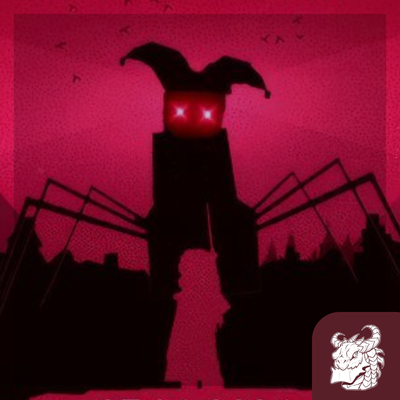
modBelow Every Heaven is a horror mod for Hytale. Descend through seven dimensions, each ruled by a deadly creature and guarded by something that shouldn't exist.
 mod
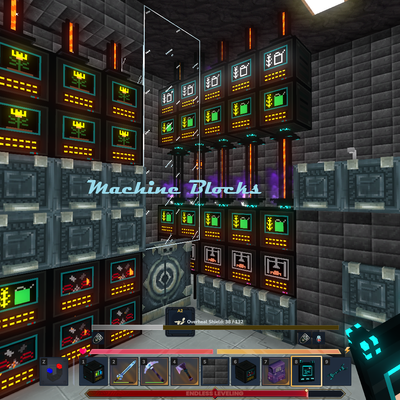
modMake your Hytale Factory dream come true using technology through a tiered discovery system. Mostly Single block machines (this is not for the faint of heart, they are expensive). Tech, furnace, crusher, plant, fuel, alloy, miner, crop, farm, ore