Ping-1.0.1.jar
23 Jan 2026
Client Not supported Server Required Dependencies No extras listed Listed on Project page
Check the setup 
CurseForge · Hytale mod
Ping any place nearby to show people around what you are looking at.
Quick answer
Ping-1.0.1.jar targets Hytale. Do not install it as a separate client mod. Enable it on the world host—the local server in singleplayer or the dedicated server in multiplayer. No required dependencies listed for this file.
Where it goes
Do not install it as a separate client mod. Enable it on the world host—the local server in singleplayer or the dedicated server in multiplayer.
Put Hytale mods on the world host or dedicated server. Singleplayer runs a local server too; Hytale does not use separate client mods.
Ping-1.0.1.jar. Change the file and its required mods may change too.
This file does not list any required mods. Do not add a library just because a different file uses it.
This file does not list any required or optional project dependencies. Check the creator notes before changing an existing world.
Before you install it
Built for Ping-1.0.1.jar. Pick another file and the loader, install side or required mods may change.
Use Ping-1.0.1.jar. It targets Hytale; another release may target a different game build or dependency set.
This file does not list any required mods. Do not add a library just because a different file uses it.
Do not install it as a separate client mod. Enable it on the world host—the local server in singleplayer or the dedicated server in multiplayer.
Use the “Get this file” button beside Ping-1.0.1.jar. It opens that exact file at the source.
About this project
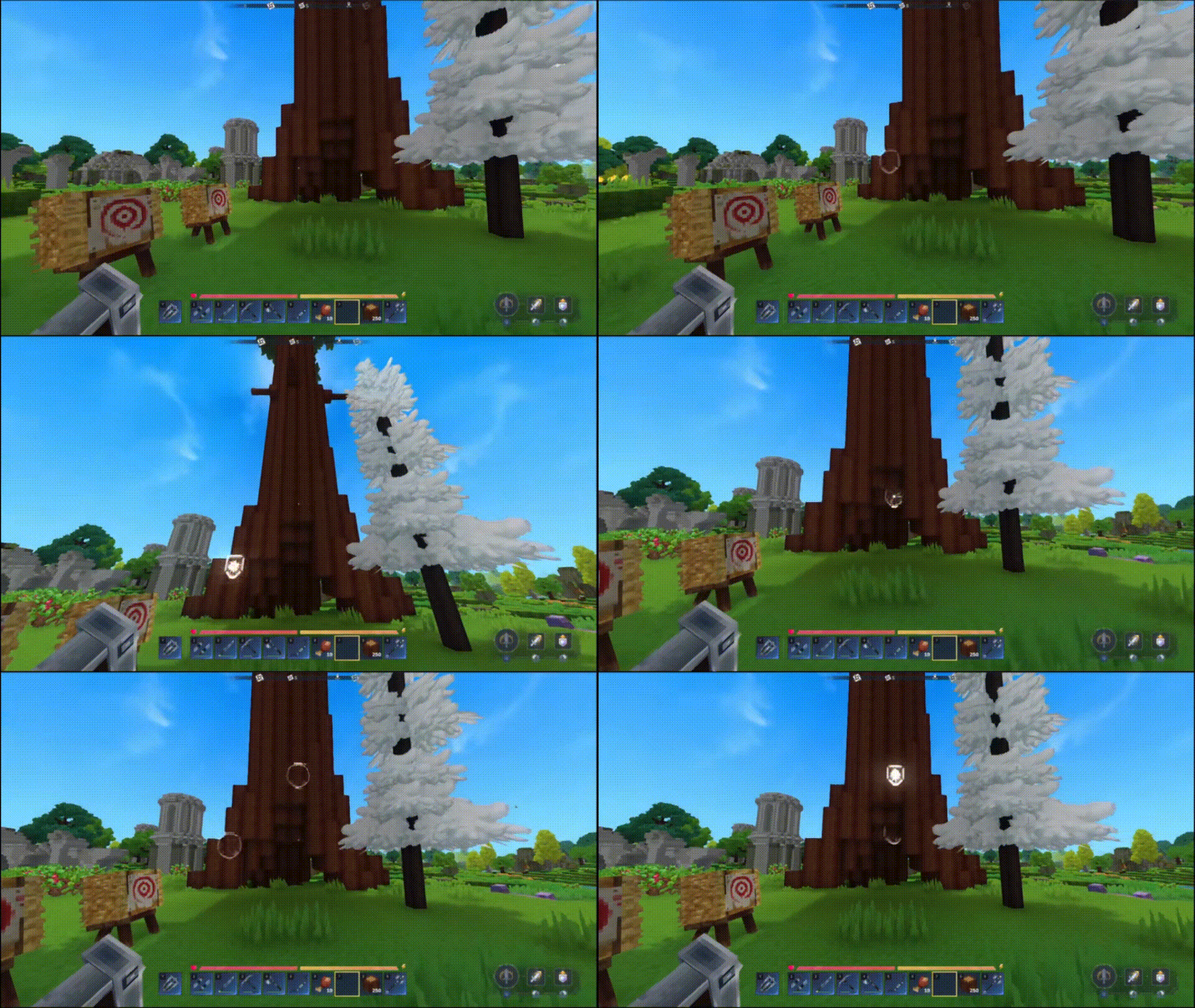
Ping is a Hytale server plugin that allows players to mark and highlight locations in the world, making it easier to communicate with teammates by showing them exactly where you're looking.
The plugin was made to simplify coordination and communication in multiplayer Hytale servers. It provides visual and audio feedback when marking locations, helping teams work together more effectively. When I switched from Arc Raiders, I missed the middle mouse button ping functionality, so I decided to create this plugin to bring that feature to Hytale.
To create a ping, simply look at the desired location and perform the "Pick" interaction (default keybind: Middle Mouse Button).
Note: The plugin has a minimum distance requirement. Close-range Pick interactions won't create pings, allowing normal block/item picking to work as the game intended.
.jar file from CurseForge or GitHub Releasesmods/ directoryPingConfig.json file on first runThe plugin creates a PingConfig.json file with customizable options:
Shield_Block by default)SFX_Crystal_Break by default)For a complete list of configuration options, visit the GitHub repository.
If pings aren't appearing or sounds aren't playing, try:
DebugMode in the configuration fileFor more help, open an issue on GitHub or check the full README in the repository.
Project description from CurseForge.
Recent files
23 Jan 2026
18 Jan 2026
Looking for an older file? The official CurseForge project page is in Resources.