Dark_Woods_6.2.zip
29 Mar 2026
Client Not supported Server Required Dependencies No extras listed Listed on Project page
Check the setup 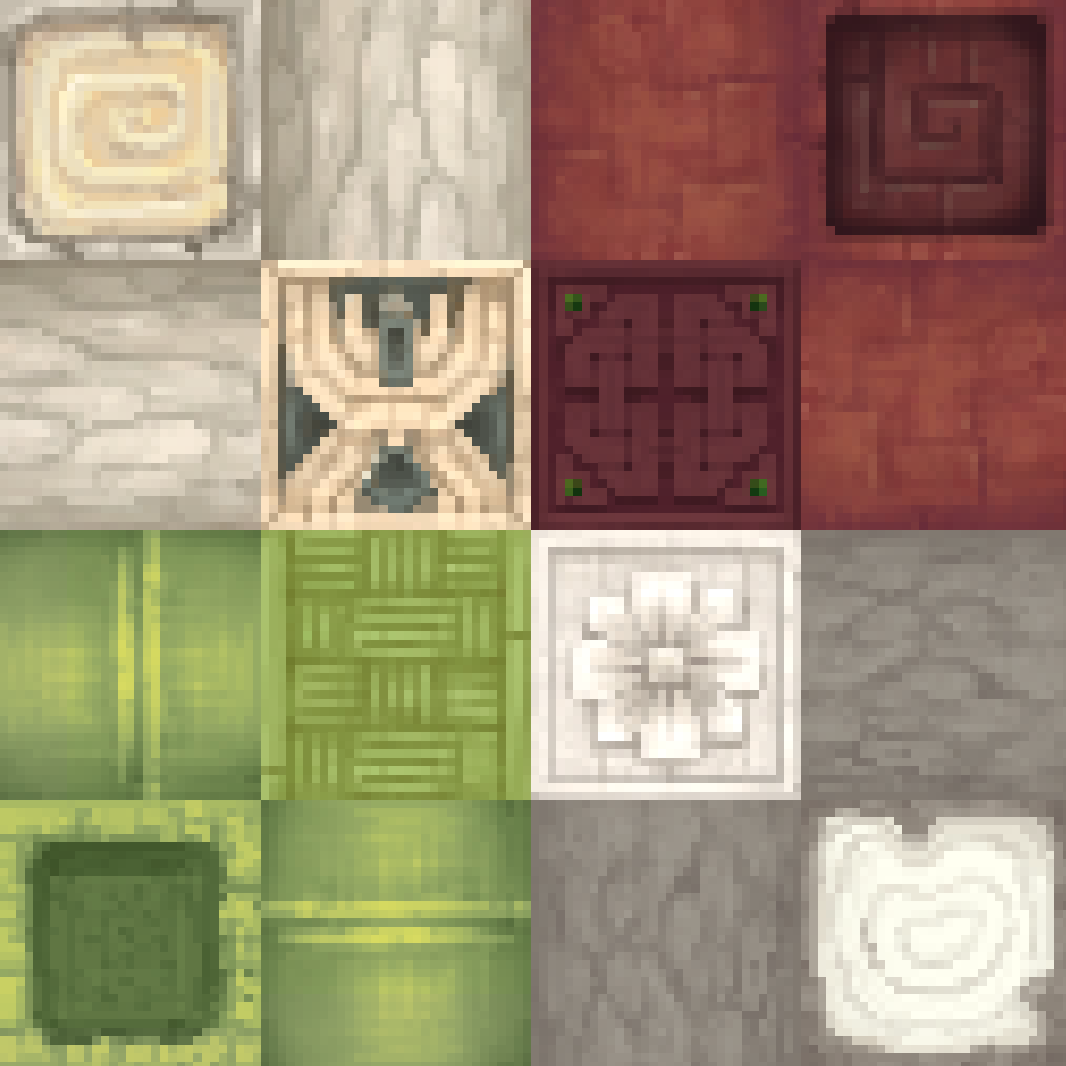
CurseForge · Hytale mod
Adds planks variations for all log types replacing the "Softwood, Hardwood, etc" system
Quick answer
Dark Woods Dark_Woods_6.2.zip targets Hytale. Do not install it as a separate client mod. Enable it on the world host—the local server in singleplayer or the dedicated server in multiplayer. No required dependencies listed for this file.
Where it goes
Do not install it as a separate client mod. Enable it on the world host—the local server in singleplayer or the dedicated server in multiplayer.
Put Hytale mods on the world host or dedicated server. Singleplayer runs a local server too; Hytale does not use separate client mods.
Dark_Woods_6.2.zip. Change the file and its required mods may change too.
This file does not list any required mods. Do not add a library just because a different file uses it.
This file does not list any required or optional project dependencies. Check the creator notes before changing an existing world.
Before you install it
Built for Dark Woods Dark_Woods_6.2.zip. Pick another file and the loader, install side or required mods may change.
Use Dark_Woods_6.2.zip. It targets Hytale; another release may target a different game build or dependency set.
This file does not list any required mods. Do not add a library just because a different file uses it.
Do not install it as a separate client mod. Enable it on the world host—the local server in singleplayer or the dedicated server in multiplayer.
Use the “Get this file” button beside Dark_Woods_6.2.zip. It opens that exact file at the source.
About this project
Adds wood sets for all the log types in the game, setting the vanilla sets to only one log type instead of multiple. The currently implemented sets are listed below along with future plans.
Update for "Hytale Update 5" is coming
***** DUE TO A BUG IN THE BASE GAME THIS BLOCKS MAY NOT SHOW UP CORRECTLY IN THE BUILDERS WORKBENCH *****
Due to this bug this most blocks can only be reliably found in creative, I will continue to work on future updates.
As I am far from an artist, the idea is that all woods under a category like "Goldenwood" will have the same pattern and just get recolored variants for each of the log types.
(If you are an artist and would like to help in the making of this mod please reach out to me on twitter)
Sallow Log
Palm Tree Log -> Goldenwood Planks
Amber Log
Sallow Log -> Sallow Planks
Palm Tree Log -> Palm tree Planks (Renamed Goldenwood Planks)
Amber Log -> Amber Planks
* You can craft Dried Bamboo items by putting [Regular] Bamboo items in the furnace
** Deadwood items can be crafted buy "burning" the poison out of an poison wood items in the furnace
(I really just though that deadwood did not match Petrified or Poisoned logs so I made news sets for both)
Not sure if I am happy with all the Fir and Fire texture sets so I may updates those
Project description from CurseForge.
Recent files
29 Mar 2026
28 Mar 2026
19 Feb 2026
4 Feb 2026
2 Feb 2026
1 Feb 2026
26 Jan 2026
24 Jan 2026
20 Jan 2026
20 Jan 2026
20 Jan 2026
18 Jan 2026
Looking for an older file? The official CurseForge project page is in Resources.