GalaxyUtils-0.1.2.jar
20 Jan 2026
Client Not supported Server Required Dependencies No extras listed Listed on Project page
Check the setup 
CurseForge · Hytale mod
Animal Growth, Economy, and more! Galaxy Utils adds some features for servers that are missing in Early Access.
Quick answer
Galaxy Utils GalaxyUtils-0.1.2.jar targets Hytale. Do not install it as a separate client mod. Enable it on the world host—the local server in singleplayer or the dedicated server in multiplayer. No required dependencies listed for this file.
Where it goes
Do not install it as a separate client mod. Enable it on the world host—the local server in singleplayer or the dedicated server in multiplayer.
Put Hytale mods on the world host or dedicated server. Singleplayer runs a local server too; Hytale does not use separate client mods.
GalaxyUtils-0.1.2.jar. Change the file and its required mods may change too.
This file does not list any required mods. Do not add a library just because a different file uses it.
This file does not list any required or optional project dependencies. Check the creator notes before changing an existing world.
Before you install it
Built for Galaxy Utils GalaxyUtils-0.1.2.jar. Pick another file and the loader, install side or required mods may change.
Use GalaxyUtils-0.1.2.jar. It targets Hytale; another release may target a different game build or dependency set.
This file does not list any required mods. Do not add a library just because a different file uses it.
Do not install it as a separate client mod. Enable it on the world host—the local server in singleplayer or the dedicated server in multiplayer.
Use the “Get this file” button beside GalaxyUtils-0.1.2.jar. It opens that exact file at the source.
About this project
Galaxy Utils is a utility plugin that aims to add in quality of life features for servers that Hytale does not yet have due to being in Early Access.
Current features include:
All baby animals will now grow into adult variants. This is completely configurable, from the time it takes for each animal to grow to the animal they grow into. You can even add animals if you want some crazy combinations. The default time for each animal is 1200 ticks (60 seconds).
This plugin adds a fully functioning economy. This allows users to make money by selling items, which can then be sent to other players for trading! This is completely configurable, and the plugin currently has preset supported values for every item.
This includes the new Vault block, craftable with 15 Iron Ingots, 5 Gold Ingots, and 5 Silver Ingots. Interacting with the Vault block while holding an item will sell it for money.
Commands:
/economy value - Gives you the value of the item in your hand.
/economy bal/balance - Tells you how much money you have. Optionally, you can check other players' balances with /economy balance --player <player>
/economy pay <player> - Sends money from your balance to another player.
/economy give <player> <amount> - Requires operator permissions. Will give a player money.
/economy remove <player> <amount> - Requires operator permissions. Removes money from a player.
/economy set <player> <amount> - Requires operator permissions. Sets a player's money to the given amount.
Hooking into the economy system from other plugins is super quick and easy. Below is an example plugin that implements a giveMoney method.
public class MyPlugin {
    public void giveMoney(PluginBase self, UUID target, double amount) {
        // Get GalaxyUtils from the plugin manager
        GalaxyUtils galaxyUtils = self.getPluginManager().getPlugin(GalaxyUtils.class);
        if (galaxyUtils == null) {
            // GalaxyUtils not loaded
            return;
        }

        EconomyService economy = galaxyUtils.getEconomyService();
        if (economy == null) {
            // Economy not available (shouldn’t happen if GalaxyUtils initialized)
            return;
        }

        economy.addBalance(target, amount);
    }

    public String getFormattedBalance(PluginBase self, PlayerRef player) {
        GalaxyUtils galaxyUtils = self.getPluginManager().getPlugin(GalaxyUtils.class);
        if (galaxyUtils == null || galaxyUtils.getEconomyService() == null) {
            return "N/A";
        }

        double balance = galaxyUtils.getEconomyService().getBalance(player.getUuid());
        return galaxyUtils.getEconomyService().format(balance);
    }
}
Galaxy Utils includes a data storage system that can be tapped into by other plugins. In the config, there's a defaultValues setup that will let you set up default data values, such as economy balance. All data is stored in a json format per user. Example:
{
  "players": {
    "4320d64d-c601-4f5d-9160-79380afd7145": {
      "values": {
        "economy.balance": 120.39999999999999
      }
    }
  }
}
Wanna support me and my projects? Use my Code "Galaxy" at BisectHosting to get 25% off of your first Hytale server!

Project description from CurseForge.
Recent files
20 Jan 2026
20 Jan 2026
19 Jan 2026
18 Jan 2026
Looking for an older file? The official CurseForge project page is in Resources.
 mod
modThis Mod increases the Burn Times of Various Items and Adds Other Items as Fuel.
 mod
modTired of rummaging through dozens of chests across your base, but don't want to risk data loss because of mod? Then this is for you. Using standard Hytale storage to create a searchable storage system without the risk of a mod deleting your stuff.
 mod
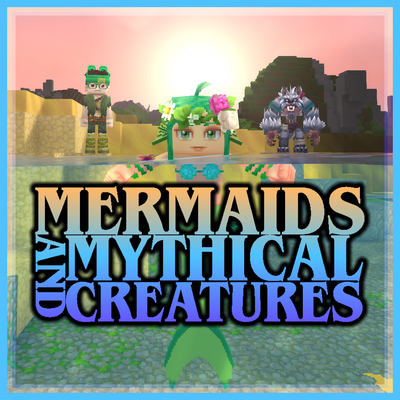
modEver wanted to be a Mermaid, Werewolf, or Vampire? This mod allows the player to transform into a Mermaid when entering the water, transform into a Werewolf at night, and transform into a Vampire, each with their own unique abilities and playstyles.