AncientWaystone-1.14.3.jar
19 Feb 2026
Client Not supported Server Required Dependencies No extras listed Listed on Project page
Check the setup 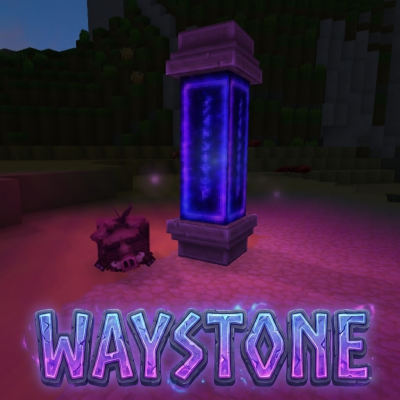
CurseForge · Hytale mod
Waystone + Warpberry consumable. Built with the community. NEW: Orientation/Custom teleportation coordinates
Quick answer
Ancient Waystone AncientWaystone-1.14.3.jar targets Hytale. Do not install it as a separate client mod. Enable it on the world host—the local server in singleplayer or the dedicated server in multiplayer. No required dependencies listed for this file.
Where it goes
Do not install it as a separate client mod. Enable it on the world host—the local server in singleplayer or the dedicated server in multiplayer.
Put Hytale mods on the world host or dedicated server. Singleplayer runs a local server too; Hytale does not use separate client mods.
AncientWaystone-1.14.3.jar. Change the file and its required mods may change too.
This file does not list any required mods. Do not add a library just because a different file uses it.
This file does not list any required or optional project dependencies. Check the creator notes before changing an existing world.
Before you install it
Built for Ancient Waystone AncientWaystone-1.14.3.jar. Pick another file and the loader, install side or required mods may change.
Use AncientWaystone-1.14.3.jar. It targets Hytale; another release may target a different game build or dependency set.
This file does not list any required mods. Do not add a library just because a different file uses it.
Do not install it as a separate client mod. Enable it on the world host—the local server in singleplayer or the dedicated server in multiplayer.
Use the “Get this file” button beside AncientWaystone-1.14.3.jar. It opens that exact file at the source.
About this project

A complete waystone teleportation system for Hytale servers. Create interconnected teleport networks, manage visibility, share with friends, and travel across your world instantly!
ASK FOR FEATURE/REPORT BUGS IN COMMENT
Tip: You can only see waystones that are public, owned by you, or shared by friends.
Create as many waystones as you want (unless limited by server settings) and teleport between them instantly. Waystones can be placed anywhere in any world.
Example: Place waystones at your base, a village, a dungeon entrance, and a friend's house. Now you can fast-travel between all of them!
Teleport between different worlds seamlessly. Place a waystone in the overworld and another in another world - you can travel between them (if they are not instancied).
See your waystones directly on the world map!
Control which direction players face after teleporting:
Tip: Great for making players face your builds or important landmarks!
Override the default teleport location with exact coordinates. Useful for precise placement or avoiding the safe teleport adjustments.
Enable the feature:
/waystone customtp
How to use:
Note: Custom positions bypass safe teleport logic. Make sure your coordinates are safe!
Control who can see and use your waystones:
To toggle visibility:
Share your private waystones with friends:
/waystone friend add (player) - Player can now see your private waystones/waystone friend remove (player) - Remove player's access/waystone friend list - See all your friendsExample: You built a secret base and want only your friend Alex to access it. Make the waystone private, then run /waystone friend add Alex.
Server admins can enable discovery mode, requiring players to physically visit a waystone before they can teleport to it.
How it works:
/waystone discoveryExample: Great for adventure servers where players should explore the world instead of teleporting everywhere immediately.
Group waystones into separate networks.
Use cases:
Network Commands:
/waystone network toggle - Toggle networks on/off (OP only)/waystone network create (name) - Create a new network/waystone network delete (name) - Delete a network/waystone network list - List all networks/waystone network info (name) - Show network settingsPer-Network Settings:
Each network can have its own discovery, cooldown, and price settings that override global settings. Important: These settings apply when you are using a waystone that belongs to this network (the source waystone).
Secret Networks & Members: By default, custom networks are Secret (only Owner, OPs, and Members can see them).
/waystone network settings secret (network) true/false - Toggle secret mode (false = Public)/waystone network member add (network) (player) - Add a member/waystone network member remove (network) (player) - Remove a member/waystone network member list (network) - List membersSettings:
/waystone network settings discovery (network) (true/false/inherit) - Override global discoverytrue: Force Enable (even if global is off)false: Force Disable (even if global is on)inherit: Use global setting (default)/waystone network settings cooldown (network) (seconds) - Set cooldown (0 = use global)/waystone network settings seeglobal (network) true/false - Can see global waystones/waystone network settings priceadd (network) (qty) - Add cost (hold item)/waystone network settings pricedelete (network) - Remove cost (hold item)/waystone network settings priceclear (network) - Clear all costs/waystone network settings pricelist (network) - List costsExample:
/waystone network create dungeons
/waystone network settings discovery dungeons true
/waystone network settings cooldown dungeons 120
Note: Networks are disabled by default. All waystones share a global network.
Server admins can require items to teleport:
| Command | Description |
|---|---|
/waystone price add (qty) |
Hold item, run command to add as cost |
/waystone price delete |
Hold the item to remove from costs |
/waystone price list |
View all required items |
/waystone price clear |
Remove all costs |
Example: Want teleportation to cost 1 gold ingot and 2 copper ingots? Hold gold, run /waystone price add 1. Hold copper, run /waystone price add 2.
If VaultUnlocked is installed, you can use currency instead of items:
| Command | Description |
|---|---|
/waystone currency set (amount) [type] |
Set currency cost (e.g., 100 coins) |
/waystone currency remove |
Remove currency cost |
/waystone currency info |
View current pricing |
Note: Currency and item costs are mutually exclusive. When currency is set, item price commands are disabled. Use /waystone currency remove to switch back to item costs.
Example: /waystone currency set 50 - Teleportation costs 50 currency.
Prevent teleport spam with cooldowns:
/waystone cooldown 30 - Players must wait 30 seconds between teleports
Example: Set /waystone cooldown 60 for a 1-minute cooldown.
Control how many waystones can exist:
| Command | Description |
|---|---|
/waystone limit 100 |
Max 100 waystones on entire server |
/waystone limit -1 |
Unlimited server-wide |
/waystone playerlimit 5 |
Each player can own max 5 waystones |
/waystone playerlimit -1 |
Unlimited per player |
Example: Run /waystone playerlimit 3 so each player can only place 3 waystones.
| Command | Description |
|---|---|
/waystone friend add (player) |
Add a friend |
/waystone friend remove (player) |
Remove a friend |
/waystone friend list |
List all friends |
| Command | Description |
|---|---|
/waystone limit (limit) |
Set server-wide waystone limit |
/waystone playerlimit (limit) |
Set per-player waystone limit |
/waystone cooldown (seconds) |
Set teleport cooldown |
/waystone discovery |
Toggle discovery system |
/waystone permission |
Toggle permission system |
/waystone price add (qty) |
Add held item as teleport cost |
/waystone price delete |
Remove held item from costs |
/waystone price list |
Show all teleport costs |
/waystone price clear |
Remove all teleport costs |
/waystone currency set (amount) [type] |
Set currency cost (VaultUnlocked) |
/waystone currency remove |
Remove currency cost |
/waystone currency info |
View current pricing |
/waystone cleanup |
Remove waystones from deleted worlds |
/waystone network toggle |
Toggle networks system |
/waystone network create (name) |
Create a new network |
/waystone network delete (name) |
Delete a network |
/waystone network list |
List all networks |
/waystone network info (name) |
Show network details |
/waystone mapMarker [enable/disable] |
Toggle map markers visibility |
/waystone customtp |
Toggle custom teleport position UI |
All data is stored in JSON format in the plugin's data folder:
| File | Purpose |
|---|---|
config.json |
Server settings (limits, cooldown, discovery) |
waystones/waystones.json |
All waystone data (name, position, owner, visibility) |
cooldowns.json |
Player teleport cooldown timers |
friends.json |
Friend relationships |
discoveries.json |
Which players have discovered which waystones |
networks/networks.json |
Network definitions and settings |
The permission system is disabled by default. Everyone can use waystones freely.
To enable permissions, an OP must run:
/waystone permission
When enabled, players need specific permissions to use waystone features. Permissions are managed via Hytale's built-in /perm command.
| Permission | Description |
|---|---|
hytale.command.waystone.place |
Place waystones |
hytale.command.waystone.break |
Break waystones |
hytale.command.waystone.use |
Use waystones (teleport) |
hytale.command.waystone.friends |
Add/remove friends |
hytale.command.waystone.cmd.limit |
Use /waystone limit command |
hytale.command.waystone.cmd.playerlimit |
Use /waystone playerlimit command |
hytale.command.waystone.cmd.price |
Use /waystone price commands |
hytale.command.waystone.cmd.cooldown |
Use /waystone cooldown command |
hytale.command.waystone.cmd.discovery |
Use /waystone discovery command |
hytale.command.waystone.cmd.cleanup |
Use /waystone cleanup command |
hytale.command.waystone.network.create |
Create networks |
hytale.command.waystone.network.manage |
Edit/delete any network |
hytale.command.waystone.network.assign |
Assign waystones to networks |
hytale.command.waystone.cmd.customtp |
Use /waystone customtp command |
Note: Renaming and visibility settings are handled in the waystone UI and are only available to the owner or OPs.
| Permission | Description |
|---|---|
hytale.command.waystone.* |
All waystone permissions |
hytale.command.waystone.cmd.* |
All OP commands |
Give a player permission to place waystones:
/perm user add (player_uuid) hytale.command.waystone.place
Give OP group all waystone permissions:
/perm group add OP hytale.command.waystone.*
Give moderators only OP commands:
/perm group add moderator hytale.command.waystone.cmd.*
Remove a player's teleport permission:
/perm user remove (player_uuid) hytale.command.waystone.use
Craft Warpberries to teleport without needing a waystone! When consumed, a Warpberry opens the waystone menu from anywhere.
You can also use a Warpberry directly from the World Map:
Recipe: 10 Red Berries + 1 Void Essence = Warpberry (at Survival Workbench)
Thanks:
San: Waystone model/texture + warpberry model/texture
Kappajaponais: Oak versions model/texture
Project description from CurseForge.
Recent files
19 Feb 2026
4 Feb 2026
1 Feb 2026
31 Jan 2026
30 Jan 2026
29 Jan 2026
28 Jan 2026
27 Jan 2026
26 Jan 2026
25 Jan 2026
25 Jan 2026
24 Jan 2026
Looking for an older file? The official CurseForge project page is in Resources.
 mod
modThis Hytale Mod Project includes reimagined content from the original Calamity Mod for Terraria (and more), fitting it into the Hytale world!
 mod
mod🏹 Emerald Armor & Weapons for Hytale
 mod
mod🏹 Sapphire Armor & Weapons for Hytale