Hytale version
Back to mods 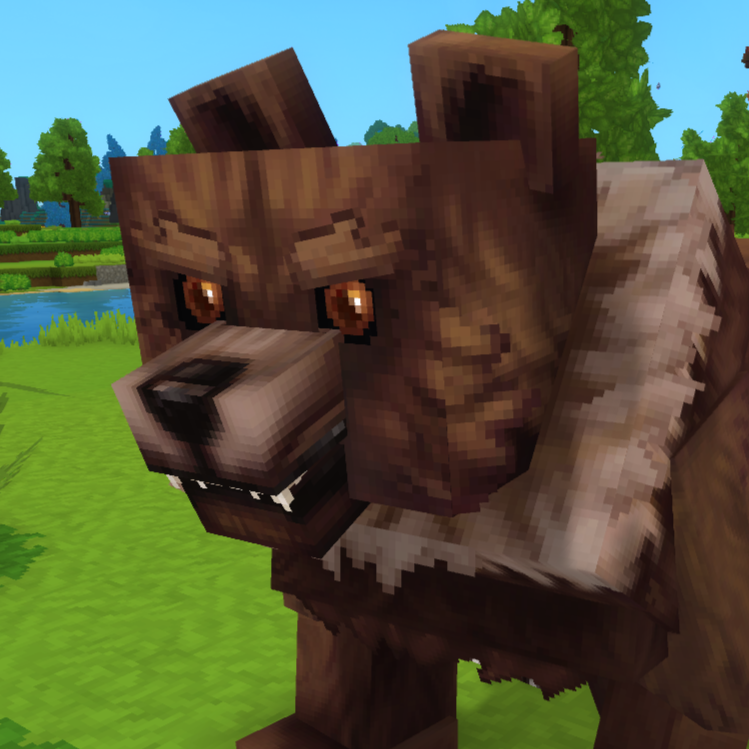
CurseForge · Hytale mod
Push and Pull NPCs
Push NPCs by walking into them, Pull NPCs by Crouching and moving!
Choose a version Pick your version below, then grab the matching file.
Quick answer
Which Push and Pull NPCs release should I use?
Latest stable file PushAndPullPlugin-1.7.3.jar
Game version 0.6
Mod system Built-in Hytale mod system
Push and Pull NPCs PushAndPullPlugin-1.7.3.jar targets 0.6. Do not install it as a separate client mod. Enable it on the world host—the local server in singleplayer or the dedicated server in multiplayer. No required dependencies listed for this file.
Where it goes
Where should Push and Pull NPCs be installed in Hytale?
Do not install it as a separate client mod. Enable it on the world host—the local server in singleplayer or the dedicated server in multiplayer.
Separate client mod Not supported
World host / dedicated server Required
Mod system for this release Built-in Hytale mod system
Required install it here Optional supported, not mandatory Not supported do not install here Source doesn’t say do not assume
Put Hytale mods on the world host or dedicated server. Singleplayer runs a local server too; Hytale does not use separate client mods.
What else does Push and Pull NPCs PushAndPullPlugin-1.7.3.jar need?
PushAndPullPlugin-1.7.3.jar. Change the file and its required mods may change too.
This file does not list any required mods. Do not add a library just because a different file uses it.
This file does not list any required or optional project dependencies. Check the creator notes before changing an existing world.
Before you install it
Add Push and Pull NPCs without breaking your instance.
Built for Push and Pull NPCs PushAndPullPlugin-1.7.3.jar. Pick another file and the loader, install side or required mods may change.
- 01
Stick to this file
Use PushAndPullPlugin-1.7.3.jar. It targets 0.6; another release may target a different game build or dependency set.
- 02
Bring the mods it needs
This file does not list any required mods. Do not add a library just because a different file uses it.
- 03
Enable it on the world host
Do not install it as a separate client mod. Enable it on the world host—the local server in singleplayer or the dedicated server in multiplayer.
- 04
Pick the file you checked
Use the “Get this file” button beside PushAndPullPlugin-1.7.3.jar. It opens that exact file at the source.
About this project
What does Push and Pull NPCs add?
This MOD is (publically) expiremental. Its a rough implimentation of Pushing and Pulling/Picking Up NPCs. It may or may not get updated unless i find better methods of interaction on my own time.
This Mod works as of version 0.6.0 on August 27th 2026
This Mod Makes NPCs like Sheep, Chickens and every other NPC (NOT MINECARTS) Pushable and Pickup-able(/Pushable).
First walk closely near any NPC in the game, you are required to be quite close, like 1 block distance. (or if you've seen the entity selector, within their BoundingBox)
To Push** an NPC, just walk into them, they should move away from you. Pushing them into a 1 high block, should push them up it. This by default takes a tiny bit of Stamina.
To Pull/Pickup an NPC, Crouch near them once* and it will Pickup an NPC. Crouch again to let go or if your stamina runs out, they will just drop.
*as long as "PullNowLifts" in the config is true (true by default). If false, you must hold ctrl/crouch to drag/pull an NPC. Both require stamina to work. If you dont like this, use in game:
/pushpull --key=pullstamina --value=falseOR
/pushpull --key=pushstamina --value=false
You can also change how much stamina is used per tick for either action, key=pushcost (defaults to 0.1 per tick) OR key=pullcost (defaults to 0.35 per tick):
/pushpull --key=pullcost --value=0.12
(do note that mobs may just de-spawn and go back to their spawn-points at their structure, this is not a bug of this mod, its apart of the flock system of Hytale)
This Mod has a config, generated after you load into the world for the first time. I will not go over every key:value pair inside it because the defaults are fine, but i will go over the last key; 'PerNPCEntityConfigRules' is a list of strings. You dont need to add or remove anything from this list, like i said the defaults are fine. but if you do:
A string inside this list should look like this
"group:Golem:100.0:0.8" or "exact:Rabbit:25.0:0.6" or "ignore:Grizzly_Bear"
where each value inside this string is seperated by a ' : ' here is what they mean;
match (first value) (required) : how to match a NPC Role ID | options: group, exact, ignore
match is used to specify how you want to select a NPC; 'group' will match NPC Role IDs with second value (Your set ID) in them like Golem will match to Golem_Crystal_Earth or Golem_Crystal_Flame. 'exact' expects to match the exact NPC Role ID like Rabbit to Rabbit. lastly, 'ignore' will ignore the second value so Push would not work on those entities.
NPCRoleId (second value) (required) : the NPC ID
NPCRoleId is essentially the id of the NPC in game, i have a in-game command '/nearestnpc' that will tell you that in Chat, but the Entity Selector Tool will also just tell you that info. This value is required
NPCWeight (third value) (required for 'group' or 'exact' match) | required to be a float
Weights in this Plugin are kindof a mass scalar, Or how hard they are to push, higher weights means you're more likely to walk though them, less weight means you'll push them farther. Id say the range is between 10.0 -100.0, where 35.0 feels fine generally.
NPCRadiusMultiplier (fourth value) (optional, but used with 'group' or 'exact' match) : used to scale the BoundingBox or interaction zone of NPCs | required to be a float
Scales the BoundingBox or Interaction Zone of the selected NPC, the range for this is best between 0.5 - 0.9. Do note 1.0 is the original scale and the bounding box is NOT the exact size of the NPC, so less is better. The Default for all NPCs is 0.65.
Project description from CurseForge.
Pick your setup
Push and Pull NPCs releases for each Hytale build.
Choose the version and loader you play, then open the matching release.
Check the dependencies, then try the file in a copied instance before changing a world you care about.
Recent files
Push and Pull NPCs releases and Hytale builds
PushAndPullPlugin-1.7.3.jar
16 Aug 2026
Client Not supported Server Required Dependencies No extras listed Listed on Project page
Check the 0.6 setup 0.6 release
PushAndPullPlugin-1.7.2.jar
15 Aug 2026
Client Not supported Server Required Dependencies No extras listed Listed on Project page
Check the setup PushAndPullEntities-v1.1.0.jar
23 Jan 2026
Client Not supported Server Required Dependencies No extras listed Listed on Project page
Check the setup PushAndPullEntities-v1.0.2.jar
19 Jan 2026
Client Not supported Server Required Dependencies No extras listed Listed on Project page
Check the setup PushAndPullEntities-v1.0.0.jar
19 Jan 2026
Client Not supported Server Required Dependencies No extras listed Listed on Project page
Check the setup Looking for an older file? The official CurseForge project page is in Resources.