trash-plugin-0.0.2.jar
21 Jan 2026
Client Not supported Server Required Dependencies No extras listed Listed on Project page
Check the setup 
CurseForge · Hytale mod
Adds /trash command to open a trash bin for destroying items
Quick answer
Trash slot trash-plugin-0.0.2.jar targets Hytale. Do not install it as a separate client mod. Enable it on the world host—the local server in singleplayer or the dedicated server in multiplayer. No required dependencies listed for this file.
Where it goes
Do not install it as a separate client mod. Enable it on the world host—the local server in singleplayer or the dedicated server in multiplayer.
Put Hytale mods on the world host or dedicated server. Singleplayer runs a local server too; Hytale does not use separate client mods.
trash-plugin-0.0.2.jar. Change the file and its required mods may change too.
This file does not list any required mods. Do not add a library just because a different file uses it.
This file does not list any required or optional project dependencies. Check the creator notes before changing an existing world.
Before you install it
Built for Trash slot trash-plugin-0.0.2.jar. Pick another file and the loader, install side or required mods may change.
Use trash-plugin-0.0.2.jar. It targets Hytale; another release may target a different game build or dependency set.
This file does not list any required mods. Do not add a library just because a different file uses it.
Do not install it as a separate client mod. Enable it on the world host—the local server in singleplayer or the dedicated server in multiplayer.
Use the “Get this file” button beside trash-plugin-0.0.2.jar. It opens that exact file at the source.
About this project
Easily destroy unwanted items with a simple command!
/trash in chat| Command | Description |
|---|---|
/trash |
Opens the trash bin window |
Important: Do not use
/trashcommand while you have a chest or any other container open!This may cause unexpected behavior. Always close any open containers before using the trash command.
/mods folder/trash in-gameComing in future updates:
| Feature | Status |
|---|---|
trash undo |
✔ Done |
| ⏱️ Delete Delay — Optional confirmation timer before permanent deletion | 💭 Considering |
| 🔒 Item Blacklist — Prevent accidental deletion of valuable items | 💭 Considering |
Have a suggestion? Let us know in the comments!
/trash commandRiczi
Made with ❤️ for the Hytale community
Project description from CurseForge.
Recent files
21 Jan 2026
19 Jan 2026
Looking for an older file? The official CurseForge project page is in Resources.
 mod
modWalk the path of a Xianxia cultivator. Meditate for Spirit Qi, break through 7 realms, temper your body in battle, found a sect, walk an elemental Dao, brew pills, raise spirit beasts, survive heavenly tribulation -- then ascend past the peak itself.
 mod
modAdds many fantasy elements such as more banner sizes and colors, big crates, little crates, paintings and more roof colors!
 mod
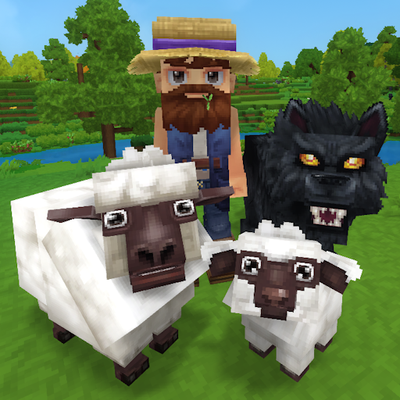
modTame, breed, care for, fight with, level up and more all vanilla animals. Train beasts as combat pets, breed livestock for the best harvesting efficiency, and so much more!