grayscale-map.jar
20 Jan 2026
Client Not supported Server Required Dependencies No extras listed Listed on Project page
Check the setup 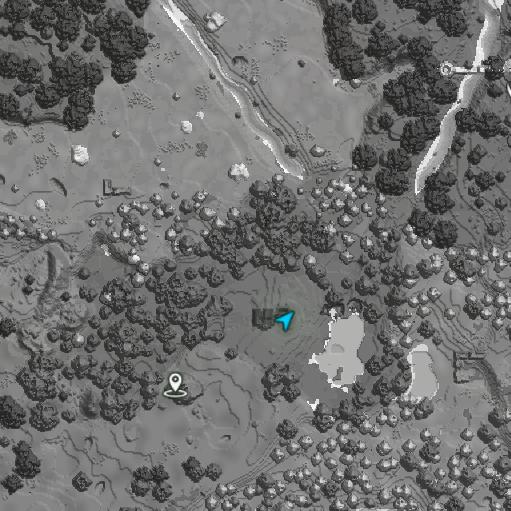
CurseForge · Hytale mod
basically the same exact map with a grayscale filter to prevent spoilers of the biomes from the map while playing
Quick answer
grayscale map grayscale-map.jar targets Hytale. Do not install it as a separate client mod. Enable it on the world host—the local server in singleplayer or the dedicated server in multiplayer. No required dependencies listed for this file.
Where it goes
Do not install it as a separate client mod. Enable it on the world host—the local server in singleplayer or the dedicated server in multiplayer.
Put Hytale mods on the world host or dedicated server. Singleplayer runs a local server too; Hytale does not use separate client mods.
grayscale-map.jar. Change the file and its required mods may change too.
This file does not list any required mods. Do not add a library just because a different file uses it.
This file does not list any required or optional project dependencies. Check the creator notes before changing an existing world.
Before you install it
Built for grayscale map grayscale-map.jar. Pick another file and the loader, install side or required mods may change.
Use grayscale-map.jar. It targets Hytale; another release may target a different game build or dependency set.
This file does not list any required mods. Do not add a library just because a different file uses it.
Do not install it as a separate client mod. Enable it on the world host—the local server in singleplayer or the dedicated server in multiplayer.
Use the “Get this file” button beside grayscale-map.jar. It opens that exact file at the source.
About this project
this mod adds a greyscale filter to the map to prevent unnecessary biome/structure spoilers from it while playing.
Project description from CurseForge.
Recent files
20 Jan 2026
Looking for an older file? The official CurseForge project page is in Resources.
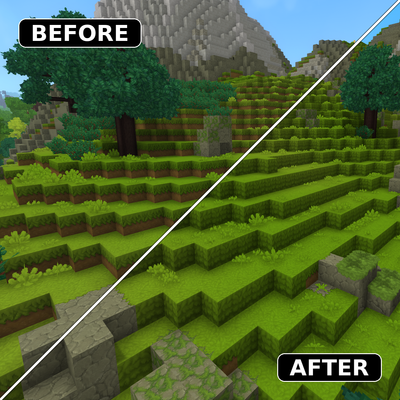 mod
modMod that makes grass cover the sides of blocks on hills and slopes, instead of leaving a strip of bare dirt
 mod
modA proof of concept for a OneBlock inside Hytale
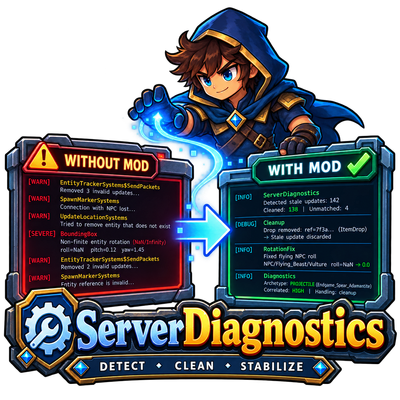 mod
modDetect, diagnose and safely fix recurring Hytale server entity errors. ServerDiagnostics reduces noisy EntityTracker warnings, repairs invalid flying NPC rotations and provides detailed server-side diagnostics.