Quick answer
Which WarTales - Modern Military Furniture release should I use?
Latest stable file WarTales 1.7.2
Game version Not listed
Mod system Built-in Hytale mod system
WarTales - Modern Military Furniture WarTales 1.7.2 targets Hytale. Do not install it as a separate client mod. Enable it on the world host—the local server in singleplayer or the dedicated server in multiplayer. No required dependencies listed for this file.
Where it goes
Where should WarTales - Modern Military Furniture be installed in Hytale?
Do not install it as a separate client mod. Enable it on the world host—the local server in singleplayer or the dedicated server in multiplayer.
Separate client mod Not supported
World host / dedicated server Required
Mod system for this release Built-in Hytale mod system
Required install it here Optional supported, not mandatory Not supported do not install here Source doesn’t say do not assume
Put Hytale mods on the world host or dedicated server. Singleplayer runs a local server too; Hytale does not use separate client mods.
What else does WarTales - Modern Military Furniture WarTales 1.7.2 need?
WarTales 1.7.2. Change the file and its required mods may change too.
This file does not list any required mods. Do not add a library just because a different file uses it.
This file does not list any required or optional project dependencies. Check the creator notes before changing an existing world.
Before you install it
Add WarTales - Modern Military Furniture without breaking your instance.
Built for WarTales - Modern Military Furniture WarTales 1.7.2. Pick another file and the loader, install side or required mods may change.
- 01
Stick to this file
Use WarTales 1.7.2. It targets Hytale; another release may target a different game build or dependency set.
- 02
Bring the mods it needs
This file does not list any required mods. Do not add a library just because a different file uses it.
- 03
Enable it on the world host
Do not install it as a separate client mod. Enable it on the world host—the local server in singleplayer or the dedicated server in multiplayer.
- 04
Pick the file you checked
Use the “Get this file” button beside WarTales 1.7.2. It opens that exact file at the source.
About this project
What does WarTales - Modern Military Furniture add?
CustomBlockMod - WarTales
Overview
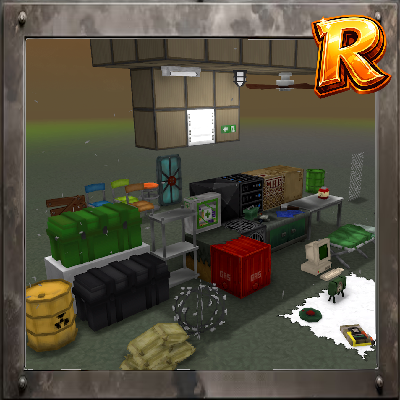
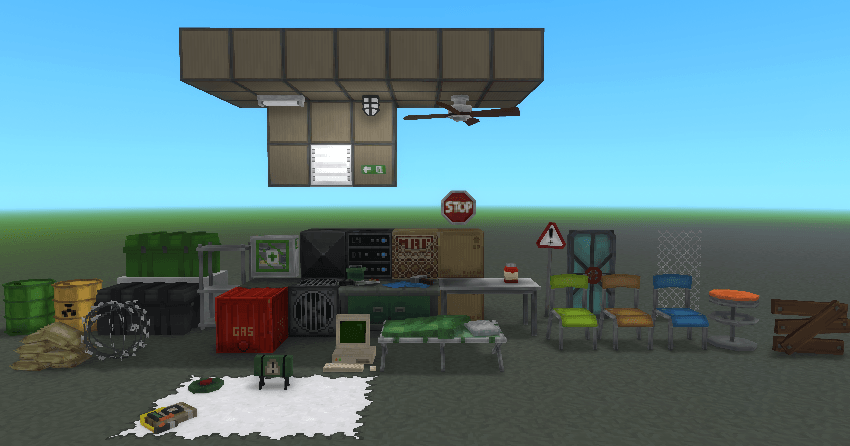
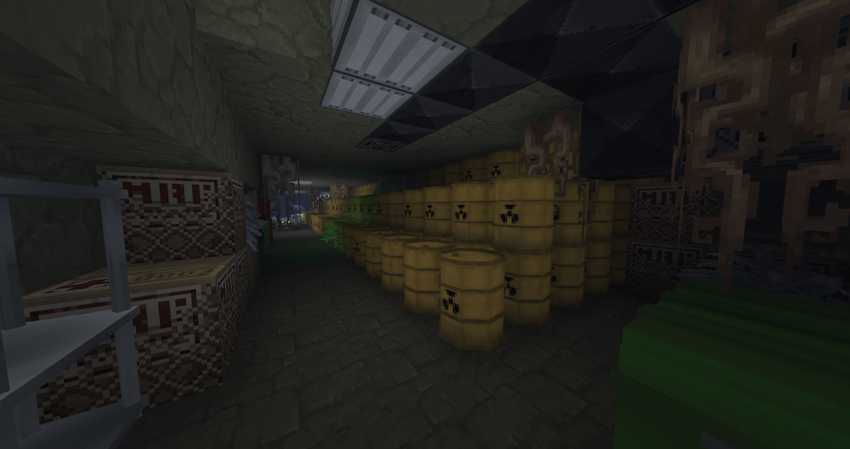
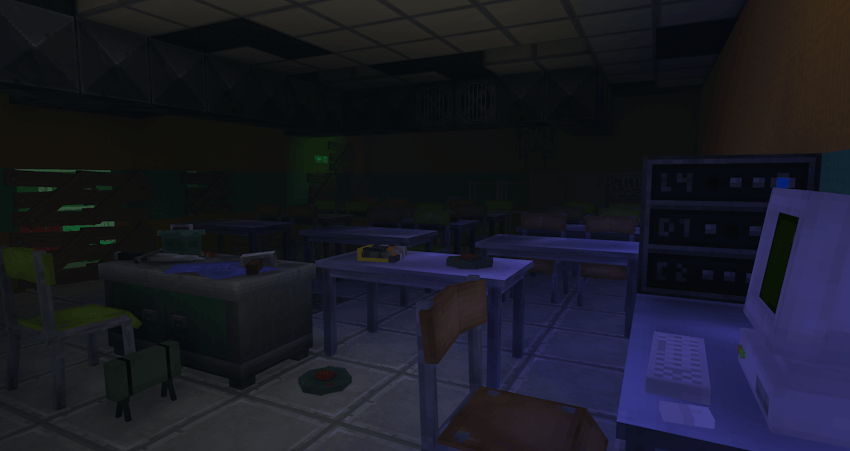
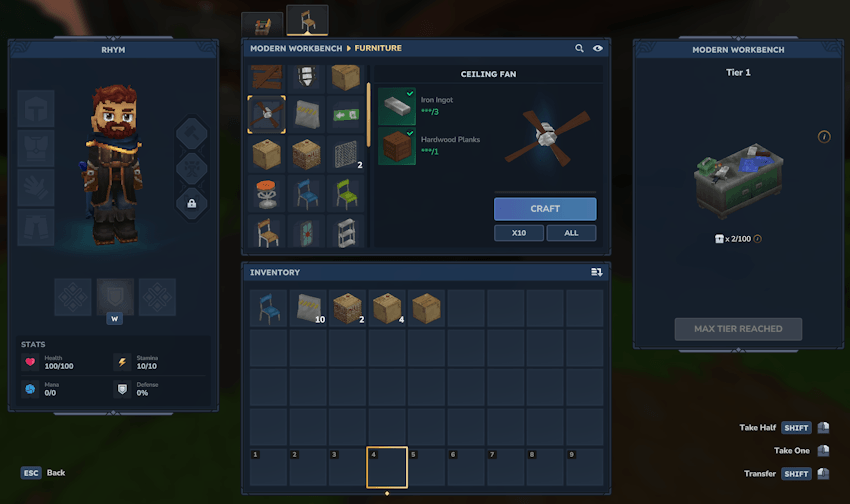
CustomBlockMod (WarTales) is a Hytale mod that adds military-themed blocks, furniture, explosive mines, and interactive elements to enhance your survival and tactical gameplay experience.
Features
Explosive Devices
- C4 Timer - Timed explosive device for controlled demolitions
- Claymore Mine - Directional anti-personnel mine
- Land Mine - Proximity-triggered ground explosive
- Custom explosion sounds and effects
Furniture & Decorative Blocks
- Military Bed - Tactical sleeping quarters
- Military Case - Storage container with military aesthetic
- Modern Metal Desk - Contemporary workspace furniture
- Modern Weapon Bench - Crafting station for weapons and equipment
- Chairs - Functionnal chairs with multiple colors
- Red Pills Bottle - Medicinal consumable
- Neon Light Block - Illuminated decorative element
- Many more ....
Interactive Elements
Explosions
- Realistic explosion mechanics for mines and explosives
- Custom audio for mine detonations
Damage Effects
- Barbed wire applies damage and slows the player when touched
Installation
- Download the mod files
- Place the mod folder in your Hytale UserData/Mods directory
- Launch Hytale and enable the mod for your world
Technical Details
- Localization support WIP (only english available)
Known Issues & Future Plans
As this mod is still in development, expect:
- Ongoing balance adjustments
- Additional blocks and items
- Improved textures and models
Credits
Mod by RhymH
Project description from CurseForge.
Recent files
WarTales - Modern Military Furniture releases and Hytale builds
21 Apr 2026
Client Not supported Server Required Dependencies No extras listed Listed on Project page
Check the setup → 27 Mar 2026
Client Not supported Server Required Dependencies No extras listed Listed on Project page
Check the setup → 21 Feb 2026
Client Not supported Server Required Dependencies No extras listed Listed on Project page
Check the setup → 18 Feb 2026
Client Not supported Server Required Dependencies No extras listed Listed on Project page
Check the setup → 25 Jan 2026
Client Not supported Server Required Dependencies No extras listed Listed on Project page
Check the setup → 23 Jan 2026
Client Not supported Server Required Dependencies No extras listed Listed on Project page
Check the setup → 23 Jan 2026
Client Not supported Server Required Dependencies No extras listed Listed on Project page
Check the setup → 21 Jan 2026
Client Not supported Server Required Dependencies No extras listed Listed on Project page
Check the setup → 21 Jan 2026
Client Not supported Server Required Dependencies No extras listed Listed on Project page
Check the setup → 20 Jan 2026
Client Not supported Server Required Dependencies No extras listed Listed on Project page
Check the setup →