MinimalInteract-1.0.0.jar
21 Jan 2026
Client Not supported Server Required Dependencies No extras listed Listed on Project page
Check the setup 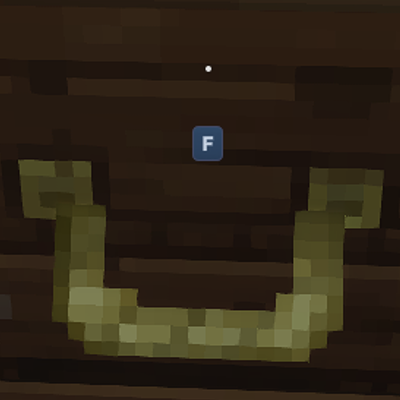
CurseForge · Hytale mod
Simplifies interaction hints by showing only the interact key icon.
Quick answer
Minimal Interact MinimalInteract-1.0.0.jar targets Hytale. Do not install it as a separate client mod. Enable it on the world host—the local server in singleplayer or the dedicated server in multiplayer. No required dependencies listed for this file.
Where it goes
Do not install it as a separate client mod. Enable it on the world host—the local server in singleplayer or the dedicated server in multiplayer.
Put Hytale mods on the world host or dedicated server. Singleplayer runs a local server too; Hytale does not use separate client mods.
MinimalInteract-1.0.0.jar. Change the file and its required mods may change too.
This file does not list any required mods. Do not add a library just because a different file uses it.
This file does not list any required or optional project dependencies. Check the creator notes before changing an existing world.
Before you install it
Built for Minimal Interact MinimalInteract-1.0.0.jar. Pick another file and the loader, install side or required mods may change.
Use MinimalInteract-1.0.0.jar. It targets Hytale; another release may target a different game build or dependency set.
This file does not list any required mods. Do not add a library just because a different file uses it.
Do not install it as a separate client mod. Enable it on the world host—the local server in singleplayer or the dedicated server in multiplayer.
Use the “Get this file” button beside MinimalInteract-1.0.0.jar. It opens that exact file at the source.
About this project
Tired of long interaction labels taking up space on your screen?
Instead of showing “Press F to interact with …”, this mod keeps your HUD tidy by displaying only the interact key icon.
It’s designed to be small, unobtrusive, and compatible with different client languages, making it a perfect fit for players who prefer a cleaner UI experience.
Plugins can be installed by placing them in the %appdata%/Hytale/UserData/Mods directory. If the folder doesn't exist, you can create this manually.
This mod works by overriding Hytale’s built-in interaction hint translation labels and replacing their text with a key-only format.
The following interaction hint labels are overridden:
This is my first Hytale mod, and I’d love to hear your feedback. If you find bugs, compatibility issues, or have suggestions for improvements, please let me know in the comments so I can keep refining it!
Project description from CurseForge.
Recent files
21 Jan 2026
Looking for an older file? The official CurseForge project page is in Resources.
 mod
modSome new tiers for your salvager
 mod
modA comprehensive culinary expansion that enriches your gameplay with diverse new crops to harvest and sophisticated gourmet recipes to master.
 mod
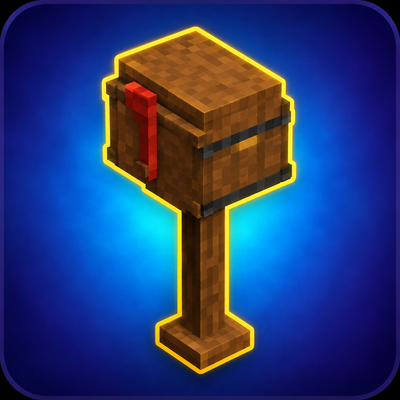
modCraftable Tall and Short Mailboxes to Hytale. Place them in the world and press F to execute the server’s /mail command.