Dnos_Colored_Pickaxes_0.0.4.zip
26 Jan 2026
Client Not supported Server Required Dependencies No extras listed Listed on Project page
Check the setup 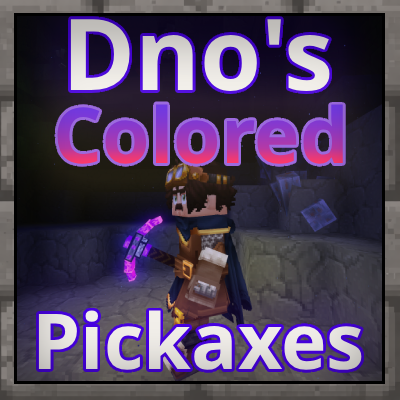
CurseForge · Hytale mod
Expands on vanilla Hytale tools by introducing visually enhanced pickaxes - WIP
Quick answer
Dnos Colored Pickaxes Dnos_Colored_Pickaxes_0.0.4.zip targets Hytale. Do not install it as a separate client mod. Enable it on the world host—the local server in singleplayer or the dedicated server in multiplayer. No required dependencies listed for this file.
Where it goes
Do not install it as a separate client mod. Enable it on the world host—the local server in singleplayer or the dedicated server in multiplayer.
Put Hytale mods on the world host or dedicated server. Singleplayer runs a local server too; Hytale does not use separate client mods.
Dnos_Colored_Pickaxes_0.0.4.zip. Change the file and its required mods may change too.
This file does not list any required mods. Do not add a library just because a different file uses it.
This file does not list any required or optional project dependencies. Check the creator notes before changing an existing world.
Before you install it
Built for Dnos Colored Pickaxes Dnos_Colored_Pickaxes_0.0.4.zip. Pick another file and the loader, install side or required mods may change.
Use Dnos_Colored_Pickaxes_0.0.4.zip. It targets Hytale; another release may target a different game build or dependency set.
This file does not list any required mods. Do not add a library just because a different file uses it.
Do not install it as a separate client mod. Enable it on the world host—the local server in singleplayer or the dedicated server in multiplayer.
Use the “Get this file” button beside Dnos_Colored_Pickaxes_0.0.4.zip. It opens that exact file at the source.
About this project

Work in Progress / Early Access
Dnos Colored Pickaxes is an early project and actively being worked on. Things will change as I experiment, learn, and improve the mod — visuals, balance, and effects are all subject to iteration. This mod is part of me getting into Hytale modding with the goal of building polished, high-quality content over time. I have modding experience in other games.
 This mod is a small but meaningful upgrade to vanilla Hytale tools. Dnos Colored Pickaxes introduces visually enhanced pickaxes that stay true to the base game while adding just a bit more personality and style.
Each pickaxe features:
The idea is simple: your pickaxe becomes part of the atmosphere while you mine, reducing the need to constantly stop and place torches.

Nothing overpowered, nothing out of place — just enhancements that feel like they belong.
You shouldn’t have to relearn the game to enjoy the mod.
This mod is still early in development. Expect ongoing updates including:
Feedback is always welcome and helps shape future updates.
Note: This update did temporarily break the items. I’m not sure yet why it happened or how often it may occur, but I’ll do my best to fix things quickly whenever it does. If you notice anything broken, please let me know.
On the bright side, it gave me a great chance to improve the pack overall — I was able to customize the crafting recipes for all pickaxes and adjust durability values so everything feels more consistent, balanced, and worth using.
Created by TheDnoDev
Project description from CurseForge.
Recent files
26 Jan 2026
Looking for an older file? The official CurseForge project page is in Resources.
 mod
modRecruit, command, equip, and level up companions that fight for you against enemies and rival player teams, farm, mine, loot, and haul items for you in Hytale. Note: My current version (0.6.0)is targeted for Hytale 0.6.0 which is currently in prerelease.
 mod
modThe Skylight Zone: Gimme Da' Loot is a Drop-List Addon for (Drops/Lootbags). - It Adds 3 New 'Lootbags' that have the chance to reward the player with Loot. The Mod now Also Includes 22 new NPCs.
 mod
modAdds an immersive repair workshop where you can inspect, maintain, and repair individual components of tools, weapons, and armor.