Hytale version
Back to mods 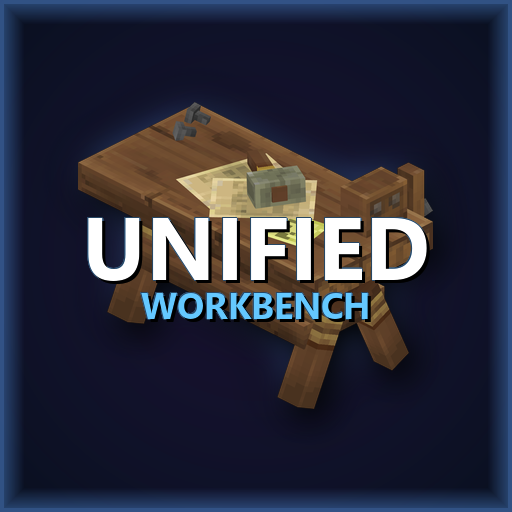
CurseForge · Hytale mod
Unified Workbench
Tired of running between half a dozen different crafting stations to finish one project? This Unified Workbench should be the right tool for you!!
Choose a version Pick your version below, then grab the matching file.
Quick answer
Which Unified Workbench release should I use?
Latest stable file UnifiedWorkbench-0.10.jar
Game version 0.7
Mod system Built-in Hytale mod system
Unified Workbench UnifiedWorkbench-0.10.jar targets 0.7. Do not install it as a separate client mod. Enable it on the world host—the local server in singleplayer or the dedicated server in multiplayer. No required dependencies listed for this file.
Where it goes
Where should Unified Workbench be installed in Hytale?
Do not install it as a separate client mod. Enable it on the world host—the local server in singleplayer or the dedicated server in multiplayer.
Separate client mod Not supported
World host / dedicated server Required
Mod system for this release Built-in Hytale mod system
Required install it here Optional supported, not mandatory Not supported do not install here Source doesn’t say do not assume
Put Hytale mods on the world host or dedicated server. Singleplayer runs a local server too; Hytale does not use separate client mods.
What else does Unified Workbench UnifiedWorkbench-0.10.jar need?
UnifiedWorkbench-0.10.jar. Change the file and its required mods may change too.
This file does not list any required mods. Do not add a library just because a different file uses it.
This file does not list any required or optional project dependencies. Check the creator notes before changing an existing world.
Before you install it
Add Unified Workbench without breaking your instance.
Built for Unified Workbench UnifiedWorkbench-0.10.jar. Pick another file and the loader, install side or required mods may change.
- 01
Stick to this file
Use UnifiedWorkbench-0.10.jar. It targets 0.7; another release may target a different game build or dependency set.
- 02
Bring the mods it needs
This file does not list any required mods. Do not add a library just because a different file uses it.
- 03
Enable it on the world host
Do not install it as a separate client mod. Enable it on the world host—the local server in singleplayer or the dedicated server in multiplayer.
- 04
Pick the file you checked
Use the “Get this file” button beside UnifiedWorkbench-0.10.jar. It opens that exact file at the source.
About this project
What does Unified Workbench add?
Unified Workbench
A master crafting station for Hytale that combines all specialized workbenches into one convenient interface.
Overview
The Unified Workbench mod simplifies your crafting experience by consolidating recipes from various specialized benches into a single station. No more running between different benches to craft your gear, food, or tools!
Key Features
- Centralized Crafting: Access all recipes from a single Unified Workbench.
- Automatic Recipe Injection: Automatically pulls recipes from:
- Weapon & Armor Benches
- Alchemy & Cooking Benches
- Loom, Tannery, and Armory
- Furnace and Builders Bench
- Chest Linking: Link with adjacent chests to craft using materials directly from storage.
- Tier System Support: Full compatibility with Hytale's tier system (Level 2+ workbench recipes work correctly).
- Organized Categories: Recipes are intuitively grouped into categories like Combat, Industry, Agriculture, and Magic for easy navigation.
- Welcome Messages: Greets players on join with a thank you message and mod detection summary.
- Compatibility: Built for Hytale Server 1.0-SNAPSHOT.
Crafting the Bench
You can craft the Unified Workbench at a standard Wooden Workbench under the Crafting tab.
Materials:
- 6× Any Tree Log
- 4× Rock
- 2× Iron Ingot
Mod Integration
The Unified Workbench automatically detects recipes from other installed mods!
- Smart Sorting: Automatically places items from supported mods (Macaw's, Stoneworks, Violets, NoCube, etc.) into the correct "Industry", "Tools", or "Furniture" tabs.
- Unsorted Tab: A dedicated "Unsorted" tab appears as a catch-all for any mod recipes that don't fit into standard categories.
- Auto-Detection: External mods are detected by known author prefixes at runtime
- Join Notifications: Players see a summary of detected mods and recipe counts on join
- No Hard Dependencies: Works without any mod needing to explicitly support Unified Workbench
- Safe & Read-Only: Never modifies or overwrites external mod recipes
Supported Mod Authors & Prefixes
The following are automatically re-categorized out of the box:
- Industry & Materials: Rock, Stone, Basalt, Marble, Granite, Clay, Dirt, Sandstone, Softwood, Hardwood, Deadwood, Mcw (Macaw's), Furniture, Deco, Furnishings, Stoneworks, Salvage, Storage, Chest, NoCube.
- Tools & Utility: Useful Sticks, Item Magnet, Miners Helmet, Trash, AutoSort, BiggerStacks.
- Agriculture & Nature: Soil, Foliage, Orchard, Cultivation, Tree.
- Cooking & Ingredients: Ingredient, Bakehouse, Culinary, Tavern.
- Alchemy & Magic: Potion, Magic, Arcane, Mana.
Expanded Station Support
Unified Workbench now actively pulls recipes from:
Salvagebench,Builders,Arcane_Portals,MemoriesUnlocked,Farmingbench,Furnace,Furniture_Bench,Loombench,Tannery,Armory,Armor_Bench,Weapon_Bench,Weapon_Sword.
Configuration
The mod generates a config.json in its data directory on first run.
| Setting | Description |
|---|---|
showWelcomeMessage |
Toggle the orange welcome message on join |
showModSummary |
Toggle the cyan mod detection summary on join |
enableModDetection |
Enable/Disable the scanning for mod recipes and the "Unsorted" tab |
targetBenches |
List of workbench IDs to pull recipes from |
customModPrefixes |
Manually add mod prefixes to be detected (e.g. ["CoolMod"]) |
Administrative Commands
Manage the mod settings in-game:
/unifiedworkbench: View status and current configuration./unifiedworkbench config <welcome|summary|detection> <true/false>: Toggle various mod settings (with full tab completion)./unifiedworkbench prefix [add|remove] <name>: Manage custom mod prefixes in-game./unifiedworkbench reload: Reloadconfig.jsonfrom disk./unifiedworkbench rescan: Force a rescan for new mod recipes.
Developer API
Other mod developers can integrate with Unified Workbench to ensure their recipes are always detected.
Registering your mod prefix
Add UnifiedWorkbench as a provided dependency and call:
ModRegistry.getInstance().registerPrefix("YourModPrefix");
This will automatically add your prefix to the config and trigger a rescan to include your recipes.
Commands
| Command | Description |
|---|---|
/unifiedworkbench |
Shows mod status and lists all detected external mods with recipe counts |
Installation
- Ensure you have a Hytale server running.
- Place the
UnifiedWorkbench-0.5.jarinto your server'smodsdirectory. - Restart the server.
- The mod will automatically generate a
config.jsonand inject recipes upon player join.
Known Issues
- Unsorted Tab Click Area: The Unsorted tab icon can be a little hard to click due to Hytale's base UI overlay. If you have trouble selecting it, try clicking slightly to the left of the icon.
Support
Need help or have questions?
Discord Community: https://discord.gg/YUxuTa4ZzX - Get help, report bugs, and discuss features
Credits
Created by Patrick Jr.
CurseForge: https://www.curseforge.com/members/patrickjr/projects
License
All rights reserved. This mod is provided as-is for use with Hytale servers.
Project description from CurseForge.
Pick your setup
Unified Workbench releases for each Hytale build.
Choose the version and loader you play, then open the matching release.
Hytale version
0.5
1 loader buildCheck the dependencies, then try the file in a copied instance before changing a world you care about.
Recent files
Unified Workbench releases and Hytale builds
UnifiedWorkbench-0.10.jar
13 Oct 2026
Client Not supported Server Required Dependencies No extras listed Listed on Project page
Check the 0.7 setup 0.7 release
UnifiedWorkbench-0.9.jar
29 May 2026
Client Not supported Server Required Dependencies No extras listed Listed on Project page
Check the 0.5 setup 0.5 release
UnifiedWorkbench-0.8
28 Mar 2026
Client Not supported Server Required Dependencies No extras listed Listed on Project page
Check the setup UnifiedWorkbench 0.7
24 Feb 2026
Client Not supported Server Required Dependencies No extras listed Listed on Project page
Check the setup UnifiedWorkbench 0.6.1
19 Feb 2026
Client Not supported Server Required Dependencies No extras listed Listed on Project page
Check the setup Unified Workbench 0.6
1 Feb 2026
Client Not supported Server Required Dependencies No extras listed Listed on Project page
Check the setup Unified Workbench 0.5
24 Jan 2026
Client Not supported Server Required Dependencies No extras listed Listed on Project page
Check the setup Unified Workbench 0.4
22 Jan 2026
Client Not supported Server Required Dependencies No extras listed Listed on Project page
Check the setup Unified Workbench 0.3
22 Jan 2026
Client Not supported Server Required Dependencies No extras listed Listed on Project page
Check the setup Unified Workbench 0.2
22 Jan 2026
Client Not supported Server Required Dependencies No extras listed Listed on Project page
Check the setup Unified Workbench 0.1
21 Jan 2026
Client Not supported Server Required Dependencies No extras listed Listed on Project page
Check the setup Looking for an older file? The official CurseForge project page is in Resources.