HydroHologram-1.10.4.jar
4 Jun 2026
Client Not supported Server Required Dependencies No extras listed Listed on Project page
Check the setup 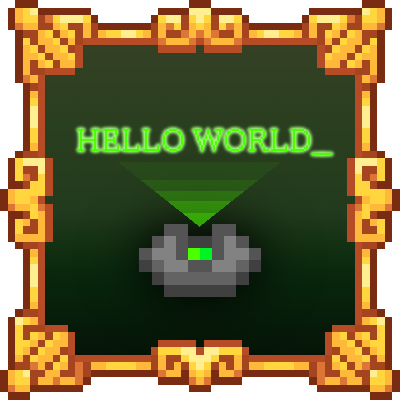
CurseForge · Hytale mod
Adds in Holograms to Hytale. Also comes with a built in editor too. Still learning the kinks of coding in hytale so this is still early stages at the moment.
Quick answer
Hydro Hologram HydroHologram-1.10.4.jar targets Hytale. Do not install it as a separate client mod. Enable it on the world host—the local server in singleplayer or the dedicated server in multiplayer. No required dependencies listed for this file.
Where it goes
Do not install it as a separate client mod. Enable it on the world host—the local server in singleplayer or the dedicated server in multiplayer.
Put Hytale mods on the world host or dedicated server. Singleplayer runs a local server too; Hytale does not use separate client mods.
HydroHologram-1.10.4.jar. Change the file and its required mods may change too.
This file does not list any required mods. Do not add a library just because a different file uses it.
This file does not list any required or optional project dependencies. Check the creator notes before changing an existing world.
Before you install it
Built for Hydro Hologram HydroHologram-1.10.4.jar. Pick another file and the loader, install side or required mods may change.
Use HydroHologram-1.10.4.jar. It targets Hytale; another release may target a different game build or dependency set.
This file does not list any required mods. Do not add a library just because a different file uses it.
Do not install it as a separate client mod. Enable it on the world host—the local server in singleplayer or the dedicated server in multiplayer.
Use the “Get this file” button beside HydroHologram-1.10.4.jar. It opens that exact file at the source.
About this project
Create floating text displays anywhere in your world!
HydroHologram is a powerful and easy-to-use hologram plugin for Hytale servers that allows you to create, edit, and manage floating text displays throughout your world. Perfect for server information, welcome messages, rules, waypoints, and more!
Just a heads up, color text does not work atm due to Hytale locking there code for color for nameplates. When that get fixed will update the hologram to have color!
Hey everyone here is the list of mod that are currectly conflicting with HydroHologram and can't fix on our end at this stage yet.
**Road Map
🖼️ Image Hologram Lines (Only works on 1.0.3 and above)
Basic Format:
image:<name> (Display image at default scale)
With Scale:
image:<name>:<scale> (Display image with custom scale)
Example: image:logo:2.0 (2x size)
Example: image:logo:0.5 (Half size)
With Direction
image:<name>:<direction> (Display image facing a direction)
image:<name>:<scale>:<direction> (Scale + direction)
Example: image:logo:s (Facing south)
Example: image:logo:2.0:sw (2x size, facing southwest)
Available Directions:
n, ne, e, se, s, sw, w, nw
Billboard Mode: (Faces Each Player!)
image:<name>:true (Always faces each player)
image:<name>:true:<distance> (Faces player within distance (blocks))
image:<name>:true:<distance>:<dir> (Billboard with fallback direction to config)
image:<name>:<scale>:true:<distance>:<dir> (Full options)
Example: image:logo:true (Billboard mode)
Example: image:logo:true:20 (Billboard within 20 blocks)
Example: image:logo:1.5:true:20:s (1.5x scale, billboard 20 blocks, faces south when out of range)
Double-Sided Mode: (Version 1.10.0+)
Add :ds or :doublesided anywhere in the line to make the image visible from both front and back!
image:<name>:ds (Double-sided image)
image:<name>:<scale>:ds (Double-sided with scale)
image:<name>:true:ds (Billboard + double-sided)
Example: image:logo:ds (Visible from both sides)
Example: image:logo:2.0:ds (2x size, double-sided)
Example: image:logo:true:ds (Billboard + double-sided)
Animation Tags: (Version 1.10.0+)
Add :anim_<name> anywhere in the line to animate your image!
image:<name>:anim_bounce (Bouncing image)
image:<name>:<scale>:anim_float (Floating image with scale)
image:<name>:ds:anim_spin (Double-sided spinning image)
image:<name>:true:anim_pulse (Billboard pulsing image)
Example: image:logo:anim_bounce (Bouncing logo)
Example: image:logo:2.0:anim_float (2x size floating logo)
Example: image:logo:ds:anim_spin (Double-sided spinning logo)
Example: image:logo:true:anim_pulse (Billboard pulsing logo)
Available Animations:
Floating: :anim_float, :anim_float_slow, :anim_float_fast
Spinning: :anim_spin, :anim_spin_slow, :anim_spin_fast, :anim_tumble
Pulsing: :anim_pulse, :anim_pulse_big, :anim_heartbeat, :anim_breathe
Bouncing: :anim_bounce, :anim_bounce_small
Swaying: :anim_sway, :anim_sway_big
Wobbling: :anim_wobble, :anim_wobble_slow, :anim_wobble_fast
Shaking: :anim_shake, :anim_shake_big
Orbiting: :anim_orbit, :anim_orbit_small, :anim_orbit_fast
Other: :anim_wave, :anim_flip, :anim_flip_full
Use /holo animlist to see all available animations in-game!
📝 How to Add Custom Images
🎬 GIF Hologram Lines (Version 1.0.8+)
Basic Format:
gif:<name> (Display GIF at default scale and speed)
With Scale:
gif:<name>:scale_<value> (Custom scale)
Example: gif:fire:scale_2 (2x size)
Example: gif:fire:scale_0.5 (Half size)
With Speed:
gif:<name>:speed_<value> (Custom animation speed)
Example: gif:fire:speed_2 (2x faster)
Example: gif:fire:speed_0.5 (Half speed / slower)
With Direction:
gif:<name>:dir_<direction> (Facing direction)
Example: gif:fire:dir_s (Facing south)
Example: gif:fire:dir_ne (Facing northeast)
Available Directions:
n, ne, e, se, s, sw, w, nw
Billboard Mode: (Faces Each Player!)
gif:<name>:true (Always faces each player)
gif:<name>:true:blocks_<distance> (Faces player within distance)
Example: gif:fire:true (Billboard mode)
Example: gif:fire:true:blocks_20 (Billboard within 20 blocks)
Combined Parameters:
Parameters can be combined in any order!
gif:<name>:scale_1.5:speed_2:dir_sw (Scale + speed + direction)
gif:<name>:true:blocks_30:scale_2 (Billboard + distance + scale)
Example: gif:fire:scale_2:speed_0.5 (2x size, half speed)
Example: gif:fire:true:blocks_20:scale_1.5 (Billboard, 20 blocks, 1.5x size)
Double-Sided Mode: (Version 1.10.0+)
Add :ds or :doublesided anywhere in the line to make the GIF visible from both front and back!
gif:<name>:ds (Double-sided GIF)
gif:<name>:scale_2:ds (Double-sided with scale)
gif:<name>:true:ds (Billboard + double-sided)
Example: gif:fire:ds (Visible from both sides)
Example: gif:fire:scale_2:ds (2x size, double-sided)
Example: gif:fire:true:ds (Billboard + double-sided)
Example: gif:fire:scale_2:speed_0.5:ds (2x size, half speed, double-sided)
Animation Tags: (Version 1.10.0+)
Add :anim_<name> anywhere in the line to add movement animations to your GIF!
gif:<name>:anim_float (Floating GIF)
gif:<name>:scale_2:anim_wobble (Wobbling GIF with scale)
gif:<name>:ds:anim_bounce (Double-sided bouncing GIF)
gif:<name>:true:anim_pulse (Billboard pulsing GIF)
Example: gif:fire:anim_float (Floating fire GIF)
Example: gif:fire:scale_2:anim_wobble (2x size wobbling fire)
Example: gif:fire:ds:anim_bounce (Double-sided bouncing fire)
Example: gif:fire:true:anim_spin (Billboard spinning fire)
Available Animations:
Floating: :anim_float, :anim_float_slow, :anim_float_fast
Spinning: :anim_spin, :anim_spin_slow, :anim_spin_fast, :anim_tumble
Pulsing: :anim_pulse, :anim_pulse_big, :anim_heartbeat, :anim_breathe
Bouncing: :anim_bounce, :anim_bounce_small
Swaying: :anim_sway, :anim_sway_big
Wobbling: :anim_wobble, :anim_wobble_slow, :anim_wobble_fast
Shaking: :anim_shake, :anim_shake_big
Orbiting: :anim_orbit, :anim_orbit_small, :anim_orbit_fast
Other: :anim_wave, :anim_flip, :anim_flip_full
Use /holo animlist to see all available animations in-game!
📝 How to Add Custom GIFs
| Command | Description |
|---|---|
/holo create <name> |
Create a new hologram at your location |
/holo delete <name> |
Delete an existing hologram |
/holo edit <name> |
Open the GUI editor for a hologram |
/holo list |
List all holograms on the server |
/holo moveto <name> |
Teleport to a hologram's location |
/holo movehere <name> |
Move a hologram to your current position |
/holo addline <name> <text> |
Add a line of text to a hologram |
/holo setline <name> <line#> <text> |
Set a specific line's text |
/holo removeline <name> <line#> |
Remove a specific line |
/holo info <name> |
View detailed information about a hologram |
| /holo animlist | Show you all avaiable animation you can use in image and gif |
| /holo entityreload | Reload entity for all player client wise. This is the only way to fix see entity shrink after holo reload |
| Permission | Description |
|---|---|
hydrohologram.admin |
Wildcard - grants ALL permissions |
hydrohologram.create |
Create holograms |
hydrohologram.delete |
Delete holograms and remove lines |
hydrohologram.edit |
Edit holograms (add/update lines, change direction, animation list) |
hydrohologram.list |
View holograms |
hydrohologram.move |
Move/teleport holograms |
hydrohologram.reload |
Reload plugin/ Entity reload |
hydrohologram.cleanup |
Cleanup orphaned entities |
| Command | Permission Required |
|---|---|
/holo create <name> |
hydrohologram.create |
/holo delete <name> |
hydrohologram.delete |
/holo edit <name> |
hydrohologram.edit |
/holo list |
hydrohologram.list |
/holo info <name> |
hydrohologram.list |
/holo moveto <name> |
hydrohologram.move |
/holo movehere <name> |
hydrohologram.move |
/holo addline <name> <text> |
hydrohologram.edit |
/holo setline <name> <#> <text> |
hydrohologram.edit |
/holo removeline <name> <#> |
hydrohologram.edit |
/holo reload |
hydrohologram.reload |
/holo cleanup |
hydrohologram.cleanup |
| /holo animlist | hydrohologram.edit |
| /holo entityreload | hydrohologram.reload |
| GUI Action | Permission Required |
|---|---|
| Add Line (ADD button) | hydrohologram.edit |
| Update Line (click line to edit) | hydrohologram.edit |
| Remove Line (X button) | hydrohologram.delete |
| Change Direction (N/S/E/W buttons) | hydrohologram.edit |
| Move Here button | hydrohologram.move |
| Position controls (+/- buttons) | hydrohologram.move |
| Set Position (SET button) | hydrohologram.move |
| Delete Hologram (DELETE button) | hydrohologram.delete |
*, hytale.op, or hytale.operator have access to everythinghydrohologram.admin grants access to ALL commands and GUI actionsMake sure to visit us in discord for any support:
Discord
If you want to also help fund this project just click the link below. Thank you to anyone who does:
ko-fi.com
Thank you all for download and supporting this. As im still new to creating mods for hytale :)
Contrubiter to the mod:
Project description from CurseForge.
Recent files
4 Jun 2026
19 Feb 2026
9 Feb 2026
2 Feb 2026
2 Feb 2026
1 Feb 2026
28 Jan 2026
27 Jan 2026
26 Jan 2026
24 Jan 2026
23 Jan 2026
23 Jan 2026
Looking for an older file? The official CurseForge project page is in Resources.
 mod
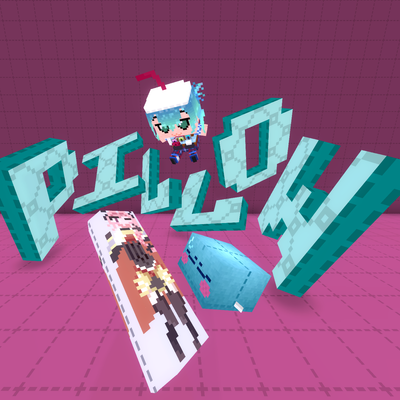
modweaponised femboy body pillows (dakimakura), cozy cushion blocks, plushie characters, silly fumo, futon bed, lain onesie mage robes (kigurumi), pillow hexstaff + hexbook + glyph guide for hexcode magic via patchly! anime ref: astolfo, ferris, rimuru, lain!
 mod
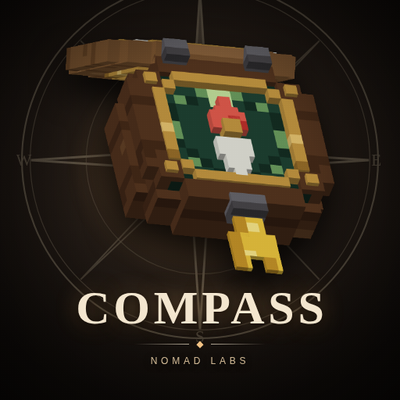
modA real pocket compass for Hytale. Craft it, hold it up, and the needle points north. Point it at a player or a set of coordinates with one command and it swings to them and stays on them. Free, one item, no HUD.
 mod
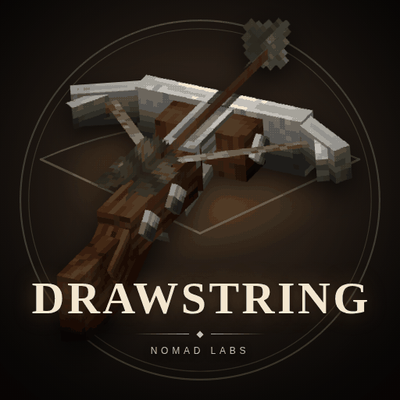
modThe Hytale crossbow's string never moves. Drawstring draws it back when a bolt is loaded and snaps it forward when you fire the last one. Iron and Ancient Steel, no config, no code on the tick, free.