Hytale version
Back to mods 
CurseForge · Hytale mod
Portal World
Portal World lets you create configurable portals that can send players to other worlds or servers. Design hubs, link destinations, and customize each portal for an immersive and easy-to-use experience. 🚀
Choose a version Pick your version below, then grab the matching file.
Quick answer
Which Portal World release should I use?
Latest stable file PortalWorld-1.7.0.jar
Game version 0.7
Mod system Built-in Hytale mod system
Portal World PortalWorld-1.7.0.jar targets 0.7. Do not install it as a separate client mod. Enable it on the world host—the local server in singleplayer or the dedicated server in multiplayer. No required dependencies listed for this file.
Where it goes
Where should Portal World be installed in Hytale?
Do not install it as a separate client mod. Enable it on the world host—the local server in singleplayer or the dedicated server in multiplayer.
Separate client mod Not supported
World host / dedicated server Required
Mod system for this release Built-in Hytale mod system
Required install it here Optional supported, not mandatory Not supported do not install here Source doesn’t say do not assume
Put Hytale mods on the world host or dedicated server. Singleplayer runs a local server too; Hytale does not use separate client mods.
What else does Portal World PortalWorld-1.7.0.jar need?
PortalWorld-1.7.0.jar. Change the file and its required mods may change too.
This file does not list any required mods. Do not add a library just because a different file uses it.
This file does not list any required or optional project dependencies. Check the creator notes before changing an existing world.
Before you install it
Add Portal World without breaking your instance.
Built for Portal World PortalWorld-1.7.0.jar. Pick another file and the loader, install side or required mods may change.
- 01
Stick to this file
Use PortalWorld-1.7.0.jar. It targets 0.7; another release may target a different game build or dependency set.
- 02
Bring the mods it needs
This file does not list any required mods. Do not add a library just because a different file uses it.
- 03
Enable it on the world host
Do not install it as a separate client mod. Enable it on the world host—the local server in singleplayer or the dedicated server in multiplayer.
- 04
Pick the file you checked
Use the “Get this file” button beside PortalWorld-1.7.0.jar. It opens that exact file at the source.
About this project
What does Portal World add?
🚀 Portal World 1.7.0
Compatible with Hytale 0.7.4 — 27/10/2026
⚠️ If you encounter a bug or other issue, please report it by email and attach the related log file whenever possible. ⚠️
Worlds. Servers. Commands. Permissions. Visual Identity. Navigation. One unified portal system.
Portal World is more than just a teleportation mod.
It is a complete portal framework designed to connect worlds, servers and actions, with permission-based access control, visual customization and map navigation.
Everything can be configured through a visual interface directly inside the game.
✅ Compatible with Hytale 0.7.4
❌ No manual configuration file editing
🔄 No server restarts required
🧩 No external tools required
Place a portal, configure it, assign its permissions, customize its appearance, add a map marker and let Portal World handle the rest.
🔗 Perfect Compatibility With
NO ITEMS ZONE
CORRUPTER CLEAR
These mods are designed to work seamlessly together and share the same philosophy, interface flow and configuration system.
⚡ Quick Guide
- Place a Base or Simple portal.
- Open the portal configuration panel.
- Select a portal type: WORLD, SERVER or COMMAND.
- Configure its destination, actions, permissions, appearance and map markers.
- Walk into the portal to activate it.
🌍 Portal Types
Portal World allows you to create different types of portals depending on your server’s needs.
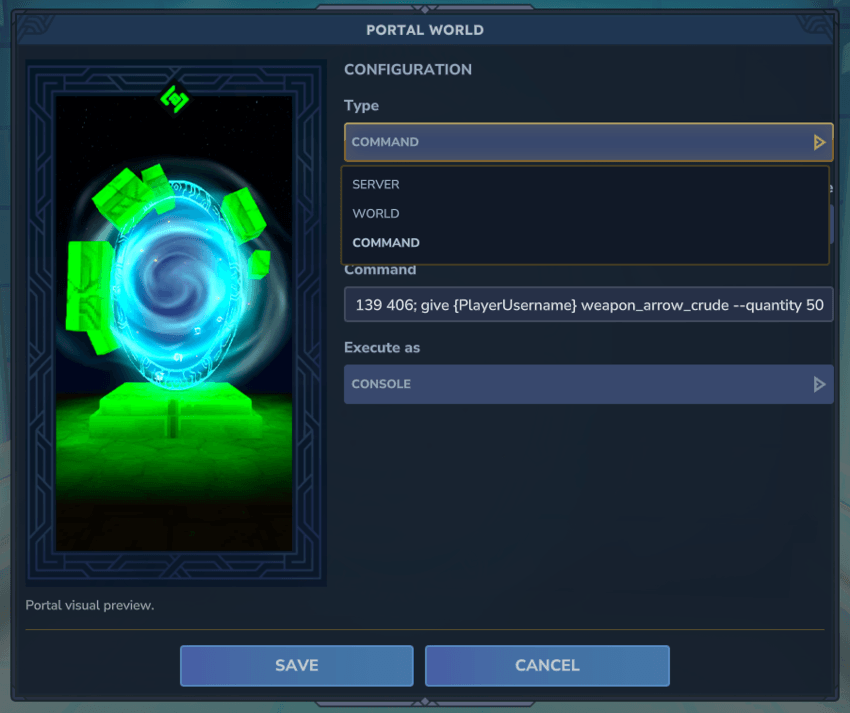
🟦 WORLD Portal — Teleport players between worlds or to precise locations
🟥 SERVER Portal — Send players to other servers
🟪 COMMAND Portal — Execute commands when a player enters the portal
🟦 WORLD Portal
Teleport players within the same world or between different worlds, with full control over their exit position and orientation.
✔ Same-world teleportation
✔ Cross-world teleportation
✔ X, Y and Z coordinates
✔ Decimal coordinate support
✔ Exit rotation
✔ World spawn-point teleportation
✔ Ideal for hubs and structured maps
✔ Fast and seamless operation
🔢 Coordinates
Integer and decimal values are supported for precise teleportation positions.
-150 100 -48
-150.12 100.45 -48.45
🧭 Exit Rotation
Define the direction the player will face when leaving the portal.
N, S, E, W
🟥 SERVER Portal
Teleport players to other servers in your network.
✔ IP address and port support
✔ Smooth server switching
✔ Ideal for hubs and multi-server networks
🟪 COMMAND Portal
COMMAND portals execute commands when a player enters them.
This allows any portal to become an interactive trigger instead of only serving as a teleportation point.
✔ Single or multiple commands
✔ Sequential execution
✔ Execute commands as the player or server console
✔ Fully configurable in-game
Perfect for:
- Rewards
- Messages
- Permissions
- Events
- Custom mechanics
🧩 Available Placeholders
{PlayerUsername}  → Name of the player who activated the portal
{PlayerUuid}      → Unique UUID of the player
{WorldName}       → Name of the current world
{PosX}            → Player’s X coordinate when activating the portal
{PosY}            → Player’s Y coordinate when activating the portal
{PosZ}            → Player’s Z coordinate when activating the portal
{RotN}            → Force the player to face north
{RotS}            → Force the player to face south
{RotE}            → Force the player to face east
{RotW}            → Force the player to face west
📌 Command Examples
tp <WORLD_NAME> {PlayerUsername} 1050 45 200 {RotS}
give {PlayerUsername} <ITEM> 1
tp <WORLD_NAME> {PlayerUsername} 1050 45 200 {RotS}; give {PlayerUsername} <ITEM> 1
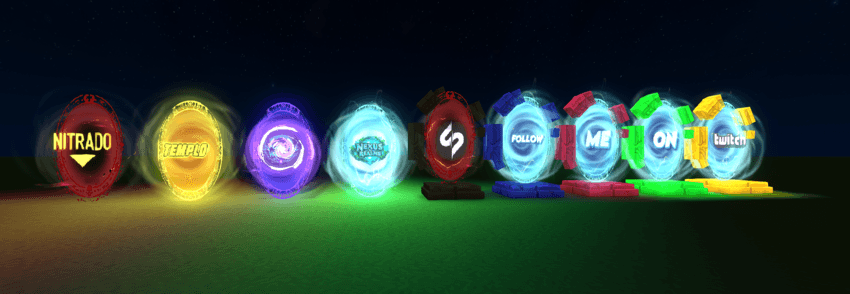
🖼️ Custom Portal Images
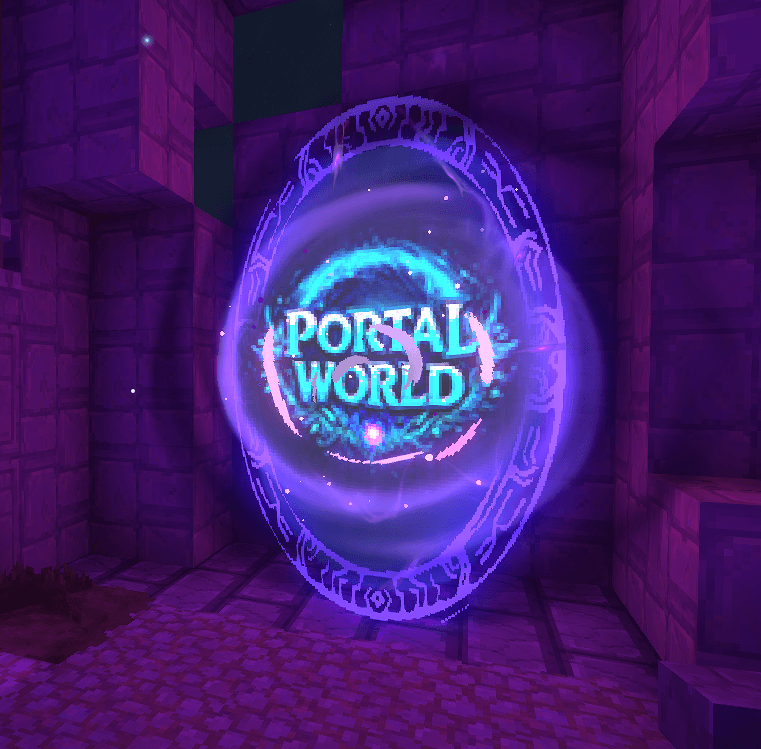
Portals can be customized using images.
You can assign an image directly to a portal to:
✔ Visually show where the portal leads
✔ Improve player guidance
✔ Match the theme of your server
✔ Display information or decorative elements
Perfect for hubs, server networks and themed worlds.
🗺️ Portal Map Markers
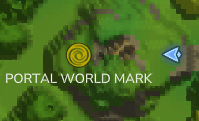
Portals can display markers on the world map.
Each marker can include:
✔ Custom text
✔ Selectable icons
✔ Destination information
✔ A visual reference that improves navigation
This allows players to easily locate important portals throughout the world.
🌍 Multi-Language Support
Portal World includes support for multiple languages.
Available languages:
- 🇬🇧 English
- 🇪🇸 Spanish
- 🇮🇹 Italian
- 🇫🇷 French
- 🇩🇪 German
The interface automatically adapts to the language selected by the player.
🔐 Portal Access Permissions

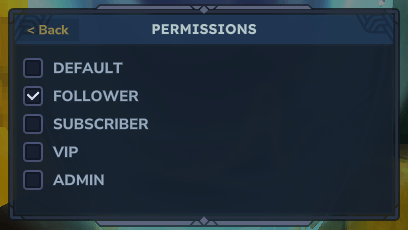
Access to each portal can be restricted using real permission checks.
This makes it possible to create exclusive portals for different groups, ranks or server functions.
📜 Available Permissions
portalworld.portal.configure
portalworld.portal.seguidor
portalworld.portal.suscriptor
portalworld.portal.vip
portalworld.portal.admin
🎨 Portal Colors
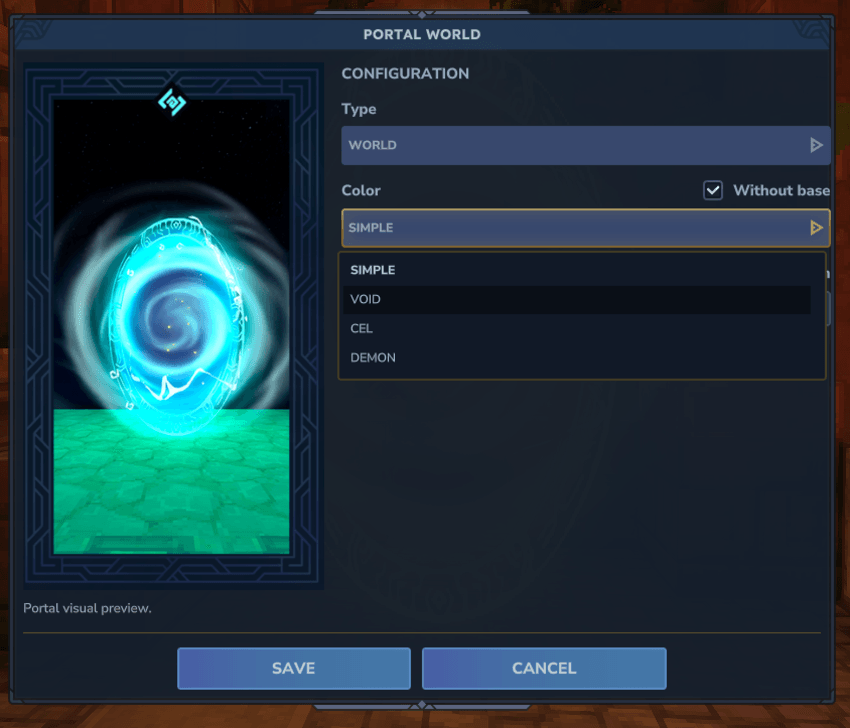
- 🔴 Red
- 🟡 Yellow
- 🟢 Green
- 🔵 Blue
🧱 Portal Styles
🔹 Base Portal
- Includes a base
- Size: 3×3
🔹 Simple Portal
- No base
- Size: 1×3
⚙️ Commands
/portalworld key
/portalworld base
/portalworld simple
⚠️ Found a Bug?
If you encounter any problems related to portals, teleportation, custom images, map markers, permissions or configuration, please contact SaimusGaming.
Whenever possible, include:
- A description of the problem.
- The action performed before the issue appeared.
- Your Hytale Server version.
- The related log file.
- Screenshots or videos showing the issue.
This information helps reproduce and fix the problem more quickly.
💡 Portal World 1.7.0 is designed as a complete system, not merely as a mod:
A powerful, visual and permission-driven foundation for modern Hytale servers.
Portal World 1.7.0 is ready for Hytale Server 0.7.4.
Project description from CurseForge.
Pick your setup
Portal World releases for each Hytale build.
Choose the version and loader you play, then open the matching release.
Hytale version
0.6
1 loader buildHytale version
0.5
1 loader buildCheck the dependencies, then try the file in a copied instance before changing a world you care about.
Recent files
Portal World releases and Hytale builds
PortalWorld-1.7.0.jar
27 Oct 2026
Client Not supported Server Required Dependencies No extras listed Listed on Project page
Check the 0.7 setup 0.7 release
PortalWorld-1.6.5.jar
13 Sept 2026
Client Not supported Server Required Dependencies No extras listed Listed on Project page
Check the 0.6 setup 0.6 release
PortalWorld-1.6.4.jar
29 Aug 2026
Client Not supported Server Required Dependencies No extras listed Listed on Project page
Check the 0.6 setup 0.6 release
PortalWorld-1.6.3.jar
20 Jul 2026
Client Not supported Server Required Dependencies No extras listed Listed on Project page
Check the 0.5 setup 0.5 release
PortalWorld-1.6.2.jar
26 May 2026
Client Not supported Server Required Dependencies No extras listed Listed on Project page
Check the setup PortalWorld-1.6.1.jar
26 May 2026
Client Not supported Server Required Dependencies No extras listed Listed on Project page
Check the setup PortalWorld-1.6.0.jar
26 May 2026
Client Not supported Server Required Dependencies No extras listed Listed on Project page
Check the setup PortalWorld-1.5.5.jar
18 May 2026
Client Not supported Server Required Dependencies No extras listed Listed on Project page
Check the setup PortalWorld-1.5.4.jar
18 Apr 2026
Client Not supported Server Required Dependencies No extras listed Listed on Project page
Check the setup PortalWorld-1.5.3.jar
20 Feb 2026
Client Not supported Server Required Dependencies No extras listed Listed on Project page
Check the setup PortalWorld-1.5.2.jar
19 Feb 2026
Client Not supported Server Required Dependencies No extras listed Listed on Project page
Check the setup PortalWorld-1.5.1-Beta2.jar
18 Feb 2026
Client Not supported Server Required Dependencies No extras listed Listed on Project page
Check the setup Looking for an older file? The official CurseForge project page is in Resources.