AvalonEssentials.jar
20 Feb 2026
Client Not supported Server Required Dependencies No extras listed Listed on Project page
Check the setup 
CurseForge · Hytale mod
Avalon Essentials Complete System for Hytale
Quick answer
AvalonEssentials.jar targets Hytale. Do not install it as a separate client mod. Enable it on the world host—the local server in singleplayer or the dedicated server in multiplayer. No required dependencies listed for this file.
Where it goes
Do not install it as a separate client mod. Enable it on the world host—the local server in singleplayer or the dedicated server in multiplayer.
Put Hytale mods on the world host or dedicated server. Singleplayer runs a local server too; Hytale does not use separate client mods.
AvalonEssentials.jar. Change the file and its required mods may change too.
This file does not list any required mods. Do not add a library just because a different file uses it.
This file does not list any required or optional project dependencies. Check the creator notes before changing an existing world.
Before you install it
Built for AvalonEssentials.jar. Pick another file and the loader, install side or required mods may change.
Use AvalonEssentials.jar. It targets Hytale; another release may target a different game build or dependency set.
This file does not list any required mods. Do not add a library just because a different file uses it.
Do not install it as a separate client mod. Enable it on the world host—the local server in singleplayer or the dedicated server in multiplayer.
Use the “Get this file” button beside AvalonEssentials.jar. It opens that exact file at the source.
About this project
AvalonEssentials is a complete RPG framework that integrates Land Claims, Guilds, Dungeons, Advanced NPCs, Player Shops, and a Banking Economy into one seamless, high-performance package.
To install AvalonEssentials on your Hytale server, extract the release ZIP and copy the contents to your server's mods folder:
Extract the release package containing:
AvalonEssentials.jar - The plugin fileAvalonEssentials - Configuration folder mods/
├── AvalonEssentials.jar
└── AvalonEssentials
├── manifest.json
├── player_shops.json
├── shop_config.json
├── Backups
├── Common
├── Guilds
├── Minigames
├── PlayerQuests
├── Protections
├── RPG
├── Server
└── Templates
Originally born as a specialized system for House Protection and Safe Zones, this project quickly evolved as more complex RPG mechanics were integrated. To better reflect its comprehensive nature and its role as the backbone of a true RPG experience, the project was renamed from "Home Claim Property Protection" to AvalonEssentials. Today, it stands as a modular and powerful toolkit for server owners.
AvalonEssentials is built with a single core principle: Immersion through Interaction. We believe that a true RPG experience should feel like a real game, not a text-based terminal. By replacing traditional, immersion-breaking slash commands with high-quality Graphical User Interfaces (GUIs) and physical world interactions, we ensure that players stay focused on the world of Avalon. Whether you are managing your guild, checking your bank balance at an ATM, or tracking quests in your journal, every action is designed to be tactile, visual, and intuitive.
The gateway to all AvalonEssentials features is the Avalon Book (avalontm:book) item.
A complete character progression system with classes, attributes, profiles, and active skills.
Players can maintain multiple RPG Profiles through the Avalon Book, allowing them to switch between different character setups:
Six core statistics that define character growth and mechanical bonuses:
| Attribute | Effect | Calculation / Bonus |
|---|---|---|
| VIT | Vitality | +10 Max HP per point |
| INT | Intelligence | +2 Max Mana and +0.1 Mana Regen/sec per point |
| STR | Strength | Increases Physical Damage and carry capacity |
| AGI | Agility | Increases Attack Speed and Movement Speed |
| DEX | Dexterity | Increases Critical Hit Chance (1% per point) |
| STAM | Stamina | Increases Max Stamina and +0.5 Stamina Regen/sec per point |
Five distinct classes with unique skills and playstyles. Players select their class through the RPG Hub in the Avalon Book.
Shield Bash - Stuns target and deals minor damageFortify - Increases defense temporarilyTaunt - Forces enemies to attack youCleave - Area damage to surrounding enemiesSecond Wind - Restores health over timeFireball - Launches a fire projectile at enemiesTeleport - Instantly moves to target locationIce Barrier - Creates a protective ice shieldArcane Explosion - Area damage around casterMana Shield - Converts mana into damage absorptionShadow Step - Teleports behind targetBackstab - High damage from behindPoison Blade - Applies poison DOTEvasion - Chance to dodge attacksAssassinate - Finishing move on low HP targetsHealing - Restores health to targetNature's Burst - Area heal around casterRoot - Immobilizes targetBear Form - Transforms into bear for defenseThorns - Reflects damage back to attackersHoly Smite - Holy damage to enemiesLay on Hands - Large burst healBlessing - Buffs target statsDivine Shield - Complete damage immunityRetribution - Area holy damage| Category | Behavior | Example Skills |
|---|---|---|
| DAMAGE | Deals damage to target(s) | Fireball, Backstab, Holy Smite |
| HEAL | Restores health to target(s) | Healing, Lay on Hands |
| BUFF | Applies temporary stat modifications | Blessing, Evasion |
| DASH/TELEPORT | Moves player quickly | Shadow Step, Teleport |
| Target Type | Description |
|---|---|
| SELF | Affects only the caster |
| SINGLE_TARGET | Affects one entity in front of caster |
| AREA | Affects all valid entities within radius |
| Filter | Behavior |
|---|---|
| SELF_ONLY | Only affects the caster |
| ENEMIES | Only affects hostile entities with EntityStatMap |
| ALLIES | Only affects: caster, party members, guild members |
| ALL | Affects any entity with EntityStatMap (except caster) |
The system automatically identifies allies to prevent accidental friendly fire and to target beneficial skills:
Skills are configured via JSON files in mods/AvalonEssentials/RPG/Skills/:
{
  "id": "fireball",
  "name": "Fireball",
  "description": "Launches a fireball at enemies dealing 50 damage",
  "manaCost": 25,
  "cooldownMs": 5000,
  "minLevel": 1,
  "effectId": "fire_effect",
  "targetType": "PROJECTILE",
  "targetFilter": "ENEMIES",
  "range": 20.0,
  "radius": 3.0,
  "category": "DAMAGE",
  "power": 50.0,
  "requiredClassId": "mage"
}
Classes are configured via JSON files in mods/AvalonEssentials/RPG/Classes/:
{
  "id": "mage",
  "displayName": "Mage",
  "description": "Powerful spellcaster with fire and ice abilities",
  "baseAttributes": [0, 5, 0, 0, 0, 0],
  "statsPerLevel": [0, 2, 0, 0, 0, 0],
  "skills": ["fireball", "teleport", "ice_barrier", "arcane_explosion", "mana_shield"]
}
Activating a skill is a seamless process managed by the RPG engine:
/cast command or interact with the RPG Hub to trigger a skill.| Command | Description |
|---|---|
/cast <skillId> |
Activate a skill |
AvalonEssentials features a physical-first economy driven by world interactions.
Wealth is represented by physical Coin items dropped by mobs or found in loot. Players must collect and carry these assets.
Banking is handled exclusively via interactive ATM blocks:
Both Guild and Party systems are accessed directly through the Avalon Book interface.
AvalonEssentials features a robust, action-based Minigame Engine designed for high-performance session management and immersion.
The plugin includes a robust inventory management system that automatically saves and restores player inventories when entering and exiting minigames and edit mode.
The system uses separate backup files for different modes to prevent conflicts:
| Type | Filename Format | Description |
|---|---|---|
| MINIGAME | {playerId}_minigame.json |
Saved when entering a minigame |
| EDIT | {playerId}_edit.json |
Saved when entering edit mode |
Inventory backups are stored in:
mods/AvalonEssentials/Backups/Inventories/
The system is implemented in:
InventorySnapshotManager.java - Core inventory save/restore logicMinigameService.java - Handles minigame inventory managementEditModeService.java - Handles edit mode inventory managementMinigameListener.java - Event listener for player state restorationminigame_config.json)The engine uses a unified, JSON configuration. Settings are divided into gameSettings, scoreSettings, and the powerful Event System.
{
  "gameSettings": {
    "lives": 3,
    "maxHealthOverride": 100.0,
    "disableFallDamage": true,
    "disablePvP": false,
    "gameDuration": 600
  },
  "scoreSettings": {
    "winCondition": "POINTS",
    "targetScore": 20,
    "pointsPerKill": 1,
    "pointsPerDeath": -1
  },
  "events": {
    "onJoin": [
      "CLEAR_INVENTORY",
      "GIVE_START_INVENTORY",
      "SEND_MESSAGE: &aWelcome to the Arena!"
    ],
    "onDeath": [
      "TELEPORT_TO_SPAWN",
      "SEND_MESSAGE: &cYou died! Respawning..."
    ],
    "onWin": [
      "SEND_MESSAGE: &6&lVICTORY!",
      "GIVE_KIT:WINNER_REWARD"
    ]
  },
  "teamSettings": {
    "enabled": true,
    "friendlyFire": false,
    "autoAssign": true,
    "teams": [
        { "id": "RED", "name": "Red Team", "color": "#FF0000" },
        { "id": "BLUE", "name": "Blue Team", "color": "#0000FF" }
    ],
    "teamSpawns": {
        "RED": { "x": 10.0, "y": 65.0, "z": 10.0, "yaw": 0.0 },
        "BLUE": { "x": -10.0, "y": 65.0, "z": -10.0, "yaw": 180.0 }
    }
  }
}
Use these keys in your events list to trigger automatic logic:
RESET_STATS: Sets health, hunger, and status to default.SET_MAX_HEALTH:<value>: Equalizes health for all participants.CLEAR_INVENTORY: Wipes armor, hotbar, and storage.GIVE_START_INVENTORY: Equips items defined in the game configuration.TELEPORT_TO_SPAWN: Moves the player to their assigned team spawn.SEND_MESSAGE:<text>: Broadcasts a local message.HIDE_HUD / SHOW_HUD: Toggles the game interface for cinematic experiences.The engine supports three primary win conditions:
targetScore wins.lives to be set).gameDuration (seconds) ends wins.Enhance gameplay with unique viewpoints via the integrated Camera Manager:
To generate JSON configurations for NPCs, Quests, and Shops, use our web-based automation tool:
Developed by AvalonTM. Developer GitHub
Project description from CurseForge.
Recent files
20 Feb 2026
18 Feb 2026
18 Feb 2026
11 Feb 2026
4 Feb 2026
24 Jan 2026
24 Jan 2026
23 Jan 2026
22 Jan 2026
Looking for an older file? The official CurseForge project page is in Resources.
 mod
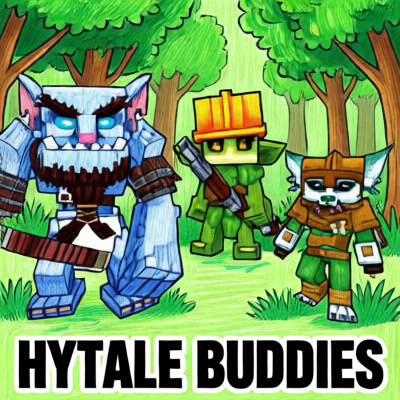
modThis Plugins add three Buddies to your adventure - they will follow you, fight with you and interact via sounds and chat (AI-featured through LLM).
 mod
modThe Skylight Zone: Gimme Da' Loot (NewDrops+) is a Droptable Addon for (New Items, NPC Drops, Lootbags and more). - It Adds 3 New 'Lootbags' that have the chance to reward the player with Loot. The Mod now Also Includes 28 new NPCs.
 mod
modMob taming framework and asset patcher. Breeding, traits, leveling, tame management UI, easier interaction chains, capture/spawn items that store metadata, ownership/tamed status, lots of behavior components and more!