novacore-1.4.2.jar
26 Jan 2026
Client Not supported Server Required Dependencies No extras listed Listed on Project page
Check the setup 
CurseForge · Hytale mod
An all‑in‑one server core with clans, seasons, events, economy, daily tasks, clan progression + perks, admin tools, and a global RU/EN toggle.
Quick answer
novacore-1.4.2.jar targets Hytale. Do not install it as a separate client mod. Enable it on the world host—the local server in singleplayer or the dedicated server in multiplayer. No required dependencies listed for this file.
Where it goes
Do not install it as a separate client mod. Enable it on the world host—the local server in singleplayer or the dedicated server in multiplayer.
Put Hytale mods on the world host or dedicated server. Singleplayer runs a local server too; Hytale does not use separate client mods.
novacore-1.4.2.jar. Change the file and its required mods may change too.
This file does not list any required mods. Do not add a library just because a different file uses it.
This file does not list any required or optional project dependencies. Check the creator notes before changing an existing world.
Before you install it
Built for novacore-1.4.2.jar. Pick another file and the loader, install side or required mods may change.
Use novacore-1.4.2.jar. It targets Hytale; another release may target a different game build or dependency set.
This file does not list any required mods. Do not add a library just because a different file uses it.
Do not install it as a separate client mod. Enable it on the world host—the local server in singleplayer or the dedicated server in multiplayer.
Use the “Get this file” button beside novacore-1.4.2.jar. It opens that exact file at the source.
About this project
Description (EN):
NovaCore is a full server operating system that turns a bare world into a living progression ecosystem with real admin power. It delivers clans, seasons, events, economy, daily tasks, player stats, and QoL, plus a live web dashboard for moderation, audit logging, and a JSON config with toggles, limits, and intervals. Everything is localized (RU/EN) and synced for the whole server.
Highlights:
Web Dashboard (EN) – Quick Start: 1) Open Server/mods/veygirg_NovaCore/config.json. 2) Set dashboard_enabled: true. 3) Choose dashboard_port (default 1337) and dashboard_bind:
127.0.0.1 for local only.0.0.0.0 for LAN access. 4) Set dashboard_token (recommended). Empty = no auth. 5) Restart server or run /nc reload. 6) Open http://YOUR_IP:PORT/ and enter the token. Note: for LAN/remote access, open the port in your firewall/router.Soft Integration (EN): 1) Install NovaCore + WelcomeBack together (no hard dependency). 2) Ensure enable_economy: true in NovaCore/config.json. 3) Set a positive return_quest_reward_coins in WelcomeBack/config.json. 4) Restart server or run /nc reload and /wb reload. Result: if NovaCore is present, Return-Quest coins are credited; otherwise players only see the reward message.
CurseForge (EN):
Commands (EN):
Contacts (EN):
Описание (RU):
NovaCore — это полноценная «серверная ОС», которая превращает голый мир в живую экосистему прогресса и дает админам реальный контроль. Кланы, сезоны, ивенты, экономика, ежедневки, статистика и QoL, плюс веб‑панель для модерации в реальном времени, аудит‑лог и JSON‑конфиг с тумблерами, лимитами и интервалами. Все локализовано (RU/EN) и действует на весь сервер.
Ключевые возможности:
Веб‑панель (RU) – Быстрый старт: 1) Открой Server/mods/veygirg_NovaCore/config.json. 2) Включи dashboard_enabled: true. 3) Выбери dashboard_port (по умолчанию 1337) и dashboard_bind:
127.0.0.1 только локально.0.0.0.0 для доступа из LAN. 4) Укажи dashboard_token (рекомендуется). Пусто = без защиты. 5) Перезапусти сервер или введи /nc reload. 6) Открой http://IP:PORT/ и введи токен. Примечание: для LAN/удаленного доступа открой порт в firewall/роутере.Мягкая интеграция (RU): 1) Установите NovaCore и WelcomeBack вместе (жёсткой зависимости нет). 2) Включите экономику: enable_economy: true в NovaCore/config.json. 3) Задайте return_quest_reward_coins > 0 в WelcomeBack/config.json. 4) Перезапустите сервер или выполните /nc reload и /wb reload. Итог: при наличии NovaCore монеты начисляются, без NovaCore игрок видит только сообщение о награде.
CurseForge (RU):
Команды (RU):
Контакты (RU):
Project description from CurseForge.
Recent files
26 Jan 2026
26 Jan 2026
26 Jan 2026
26 Jan 2026
26 Jan 2026
24 Jan 2026
24 Jan 2026
24 Jan 2026
23 Jan 2026
Looking for an older file? The official CurseForge project page is in Resources.
 mod
modThis mod is an addon for Arcane Power by Tayko_Dev adding advanced spell books and armor surpassing the original available equipment.
 mod
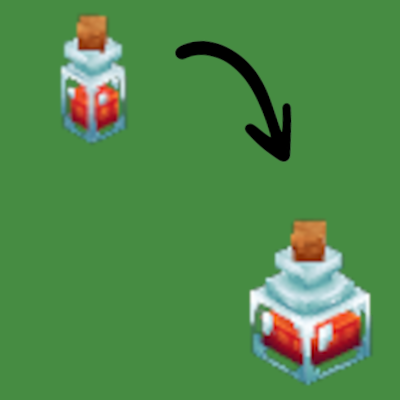
modExchange smaller potions into bigger ones.
 mod
modAn easy to use inspection tool for working with and debugging NPCs. Link the UI to NPCs and pin important data to your screen so you can see what's working and what's not.