HycoreReviveMode (v1.4)
25 Feb 2026
Client Not supported Server Required Dependencies No extras listed Listed on Project page
Check the setup ![Hycore Revive Mode [Hardcore] project artwork](https://media.forgecdn.net/avatars/1637/979/639048229670619339.png)
CurseForge · Hytale mod
Hardcore, and Spectator, Mode with a twist! On death players drop their Player Heads, which can be used to revive a Spectator.
Quick answer
Hycore Revive Mode [Hardcore] HycoreReviveMode (v1.4) targets Hytale. Do not install it as a separate client mod. Enable it on the world host—the local server in singleplayer or the dedicated server in multiplayer. No required dependencies listed for this file.
Where it goes
Do not install it as a separate client mod. Enable it on the world host—the local server in singleplayer or the dedicated server in multiplayer.
Put Hytale mods on the world host or dedicated server. Singleplayer runs a local server too; Hytale does not use separate client mods.
HycoreReviveMode (v1.4). Change the file and its required mods may change too.
This file does not list any required mods. Do not add a library just because a different file uses it.
This file does not list any required or optional project dependencies. Check the creator notes before changing an existing world.
Before you install it
Built for Hycore Revive Mode [Hardcore] HycoreReviveMode (v1.4). Pick another file and the loader, install side or required mods may change.
Use HycoreReviveMode (v1.4). It targets Hytale; another release may target a different game build or dependency set.
This file does not list any required mods. Do not add a library just because a different file uses it.
Do not install it as a separate client mod. Enable it on the world host—the local server in singleplayer or the dedicated server in multiplayer.
Use the “Get this file” button beside HycoreReviveMode (v1.4). It opens that exact file at the source.
About this project
Hycore Mode is a Hytale spin-off of the existing Minecraft Hardcore Mode's mechanics, PLUS some engaging and interesting features that make the Hardcore Mode experience fun for everyone!
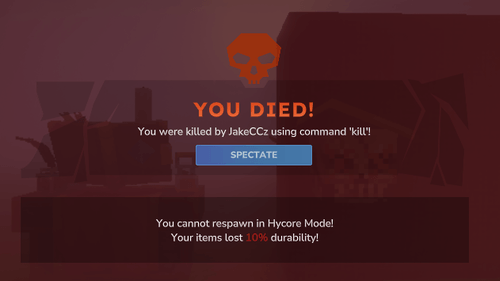
In Hycore Mode, your difficulty is locked to hard mode, you drop all items on death and you are only given ONE life, after that it's GAME OVER!
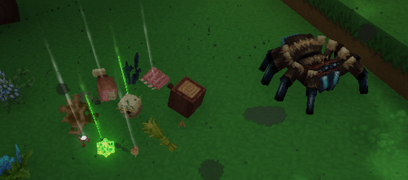
Upon death all Hycore Players will drop their respective Player Heads, corresponding to their uuid and skin, and using it, you can bring that specific player back to life! These special player heads are called Revive Heads.
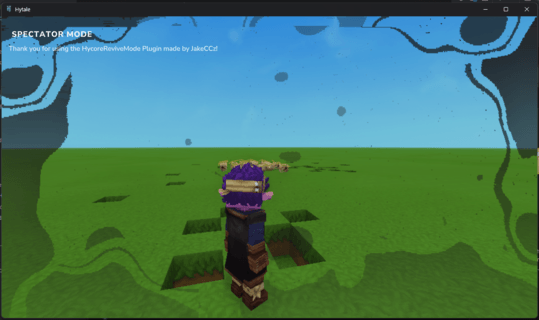 Upon death all Hycore Players will be given the choice to either persist as an idle spectator entity or give up on the world entirely! This is a new custom GameMode added using this plugin called **Spectator Mode**. In Spectator Mode, you cannot break blocks, you cannot place blocks, you cannot pick up or drop items either, you are stripped of these privileges. What you can do is fly, move around at insanely high speeds and troll people LOL.
 Luckily for the spectators, there is still a chance for you to get another chance in your Hytale world if you simply, safely guide one of the alive player to find your dropped head item, wherever it may be, before it despawns and allow them to carefully construct a Revive Ritual to bring you back alive! Sounds incredibly simple right?
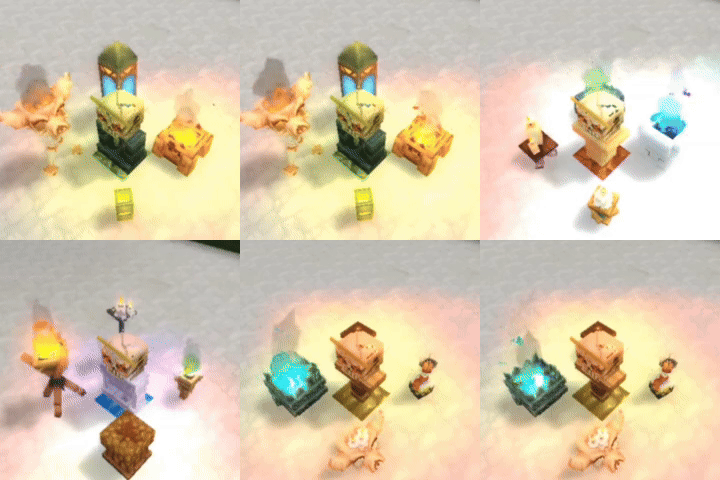
Note: Items can be of any type/colour as shown above.Item Checklist:- 1 Revive Head
**Building Guide:**1. Replace any block in your Hytale World with your Crystal Block. (This is your structure's base.)
2. Place your Wall Block on top of the previously placed Crystal Block.
3. Place your four Toggleable Lights on the diagonals from your structure's base.
4. Lastly, place your Revive Head Item on top of your previously placed Wall Block. (This is very important!!!)
5. Congradulations, you have successfully revived your dead friend in Hycore Mode!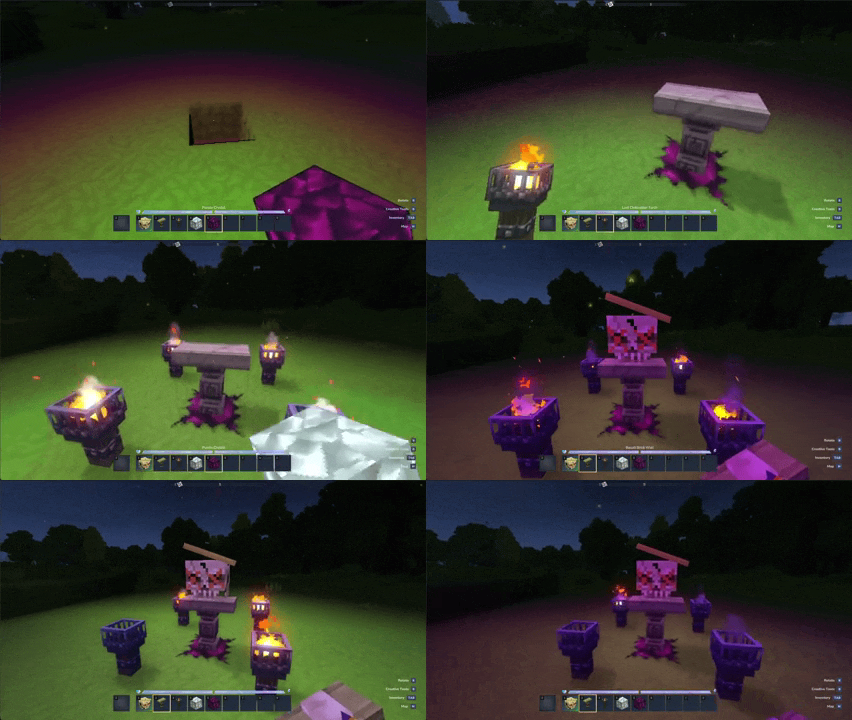
Key Tip: If only three lights turn on that means that there aren't any spectator players present, on the server, at the moment. Once a spectator joins the world the Revive Structure will revive them, on the fourth light.
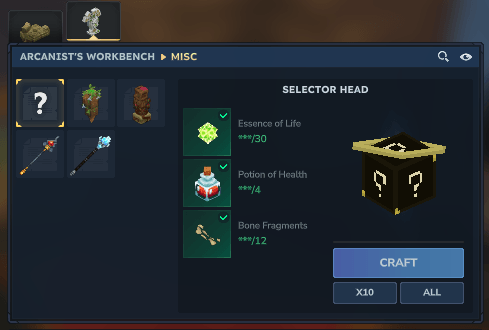
The Selector Head Item is a Craftable Revive Head variant, which grants you with another player's revive head on use. Using the Arcanist's Workbench, it can be crafted with 30 Essence of Life, 4 Potions of Health and 12 Bone Fragments.
Hycore Revive Mod Discord Link

Project description from CurseForge.
Recent files
25 Feb 2026
21 Feb 2026
21 Feb 2026
18 Feb 2026
24 Jan 2026
Looking for an older file? The official CurseForge project page is in Resources.
 mod
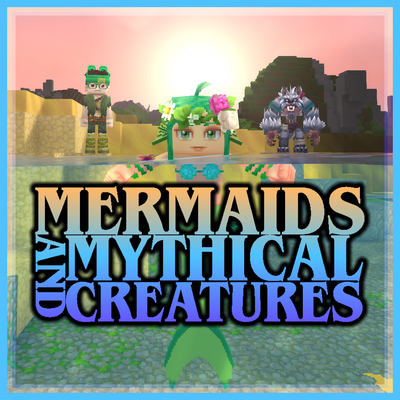
modEver wanted to be a Mermaid, Werewolf, or Vampire? This mod allows the player to transform into a Mermaid when entering the water, transform into a Werewolf at night, and transform into a Vampire, each with their own unique abilities and playstyles.
 mod
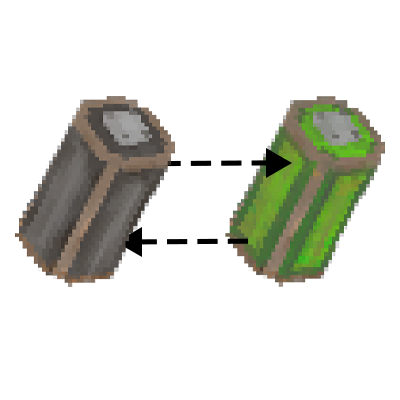
modIndustryTale adds batteries, a generator, and an electric tannery, with more battery-powered industrial machines planned for the future.
 mod
modHave fun looking for minerals, it's so much easier!!!