Quick answer
Which Easy Storage Network release should I use?
Latest stable file EasyStorageNetwork-2.0.5.jar
Game version Not listed
Mod system Built-in Hytale mod system
Easy Storage Network EasyStorageNetwork-2.0.5.jar targets Hytale. Do not install it as a separate client mod. Enable it on the world host—the local server in singleplayer or the dedicated server in multiplayer. No required dependencies listed for this file.
Where it goes
Where should Easy Storage Network be installed in Hytale?
Do not install it as a separate client mod. Enable it on the world host—the local server in singleplayer or the dedicated server in multiplayer.
Separate client mod Not supported
World host / dedicated server Required
Mod system for this release Built-in Hytale mod system
Required install it here Optional supported, not mandatory Not supported do not install here Source doesn’t say do not assume
Put Hytale mods on the world host or dedicated server. Singleplayer runs a local server too; Hytale does not use separate client mods.
What else does Easy Storage Network EasyStorageNetwork-2.0.5.jar need?
EasyStorageNetwork-2.0.5.jar. Change the file and its required mods may change too.
This file does not list any required mods. Do not add a library just because a different file uses it.
This file does not list any required or optional project dependencies. Check the creator notes before changing an existing world.
Before you install it
Add Easy Storage Network without breaking your instance.
Built for Easy Storage Network EasyStorageNetwork-2.0.5.jar. Pick another file and the loader, install side or required mods may change.
- 01
Stick to this file
Use EasyStorageNetwork-2.0.5.jar. It targets Hytale; another release may target a different game build or dependency set.
- 02
Bring the mods it needs
This file does not list any required mods. Do not add a library just because a different file uses it.
- 03
Enable it on the world host
Do not install it as a separate client mod. Enable it on the world host—the local server in singleplayer or the dedicated server in multiplayer.
- 04
Pick the file you checked
Use the “Get this file” button beside EasyStorageNetwork-2.0.5.jar. It opens that exact file at the source.
About this project
What does Easy Storage Network add?
NB: The mod is In Development. I'm working hard to stabilize the mod, but please be aware that bugs may occur. Report any issues you find to help us improve!
If you love my mod, consider to support me with a coffee!
Buy me a coffee!
Features
- Centralized Access: Through the Storage Terminal, you can view, deposit, and withdraw every single item in your network, regardless of its physical storage location.
- Connect all the inventories (chests, drawers, and every ItemContainer Entity) through the storage cables
- Connect with the storage cable also the Storage Terminal, and access to all network inventories.
- You can also Wireless-Open your network inventory with the Wireless Storage Terminal!
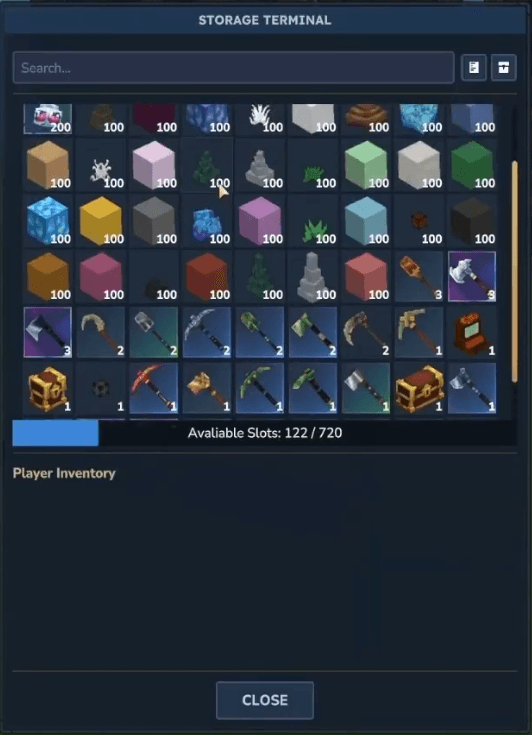
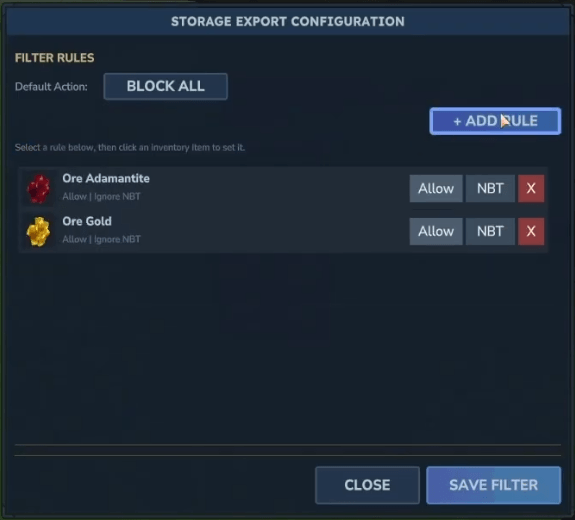
- EXPORT/IMPORT: Trought the EXPORT/IMPORT Cables you can pull or push items outside or inside your network.
- Connect the EXPORT/IMPORT cables to the inventory containing the items to be inserted or extracted into the network
- Connect the IMPORT/EXPORT cable to the rest of the network with storage cables
- Configure the import/export cable filter
- Enjoy your automated farms!
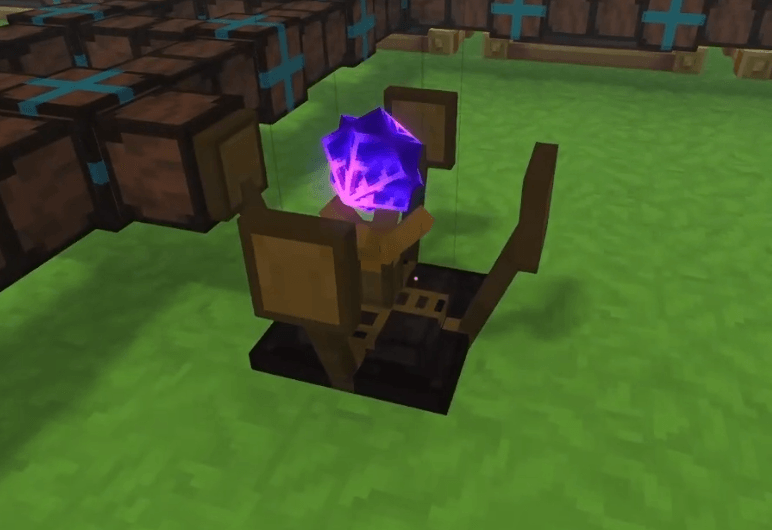
- Wireless Transmitters Connect two physically separate networks through wireless transmitters
- Link two transmitter trought the Network Configuration Tool
- Simply RClick the first transmitter and CTRL+RClick the second transmitter (
- Transmitters must be physically connected to the networks they belong to
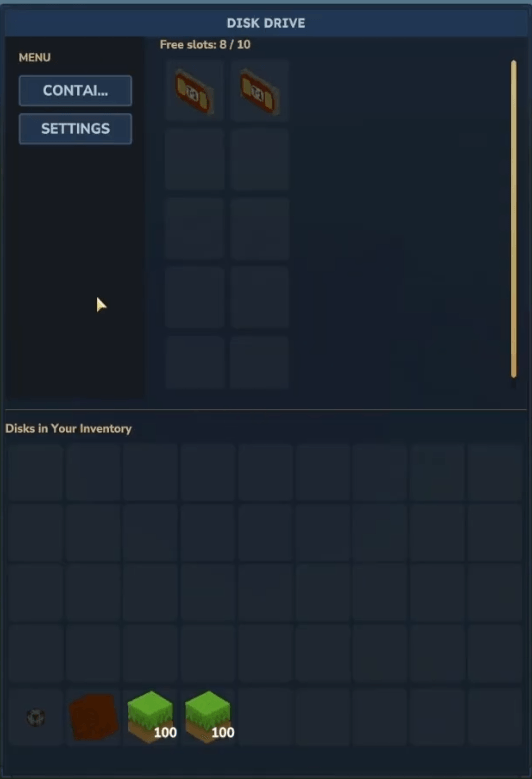
- Storage Drive and Storage Disk
- Connect your storage drive to your network
- Insert discs into the drive simply by opening its GUI
- Enjoy tons of slots without wasting precious space!
Project description from CurseForge.
Recent files
Easy Storage Network releases and Hytale builds
28 Mar 2026
Client Not supported Server Required Dependencies No extras listed Listed on Project page
Check the setup → 26 Mar 2026
Client Not supported Server Required Dependencies No extras listed Listed on Project page
Check the setup → 21 Feb 2026
Client Not supported Server Required Dependencies No extras listed Listed on Project page
Check the setup → 20 Feb 2026
Client Not supported Server Required Dependencies No extras listed Listed on Project page
Check the setup → 20 Feb 2026
Client Not supported Server Required Dependencies No extras listed Listed on Project page
Check the setup → 20 Feb 2026
Client Not supported Server Required Dependencies No extras listed Listed on Project page
Check the setup → 15 Feb 2026
Client Not supported Server Required Dependencies No extras listed Listed on Project page
Check the setup → 12 Feb 2026
Client Not supported Server Required Dependencies No extras listed Listed on Project page
Check the setup → 11 Feb 2026
Client Not supported Server Required Dependencies No extras listed Listed on Project page
Check the setup → 9 Feb 2026
Client Not supported Server Required Dependencies No extras listed Listed on Project page
Check the setup → 8 Feb 2026
Client Not supported Server Required Dependencies No extras listed Listed on Project page
Check the setup → 7 Feb 2026
Client Not supported Server Required Dependencies No extras listed Listed on Project page
Check the setup →