Hytale version
Back to mods 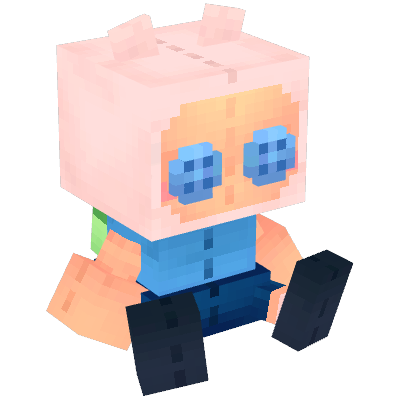
CurseForge · Hytale mod
Block Pops
Collectible pluhies of players from your server and from multiple series/anime/games
Choose a version Pick your version below, then grab the matching file.
Quick answer
Which Block Pops release should I use?
Latest stable file BlockPops.-.1.5.1.jar
Game version 0.5
Mod system Built-in Hytale mod system
Block Pops BlockPops.-.1.5.1.jar targets 0.5. Do not install it as a separate client mod. Enable it on the world host—the local server in singleplayer or the dedicated server in multiplayer. No required dependencies listed for this file.
Where it goes
Where should Block Pops be installed in Hytale?
Do not install it as a separate client mod. Enable it on the world host—the local server in singleplayer or the dedicated server in multiplayer.
Separate client mod Not supported
World host / dedicated server Required
Mod system for this release Built-in Hytale mod system
Required install it here Optional supported, not mandatory Not supported do not install here Source doesn’t say do not assume
Put Hytale mods on the world host or dedicated server. Singleplayer runs a local server too; Hytale does not use separate client mods.
What else does Block Pops BlockPops.-.1.5.1.jar need?
BlockPops.-.1.5.1.jar. Change the file and its required mods may change too.
This file does not list any required mods. Do not add a library just because a different file uses it.
This file does not list any required or optional project dependencies. Check the creator notes before changing an existing world.
Before you install it
Add Block Pops without breaking your instance.
Built for Block Pops BlockPops.-.1.5.1.jar. Pick another file and the loader, install side or required mods may change.
- 01
Stick to this file
Use BlockPops.-.1.5.1.jar. It targets 0.5; another release may target a different game build or dependency set.
- 02
Bring the mods it needs
This file does not list any required mods. Do not add a library just because a different file uses it.
- 03
Enable it on the world host
Do not install it as a separate client mod. Enable it on the world host—the local server in singleplayer or the dedicated server in multiplayer.
- 04
Pick the file you checked
Use the “Get this file” button beside BlockPops.-.1.5.1.jar. It opens that exact file at the source.
About this project
What does Block Pops add?
✨ Block Pops ✨
Block Pops introduces a collectible figure system to Minecraft. Whether you want to collect characters from your favorite media or miniature versions of your friends, Block Pops brings the thrill of the hunt to your world.
⚠️ Hytale still has an API under construction for modding, so dynamic blocks as such don't exist, which makes the player collection a bit cumbersome to use at first.
Core Features
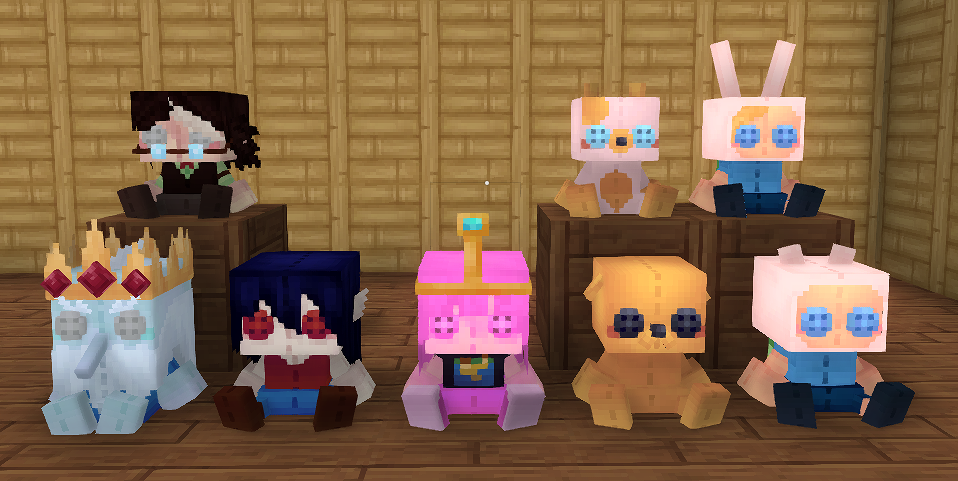
Unlock figures in your favorite collections
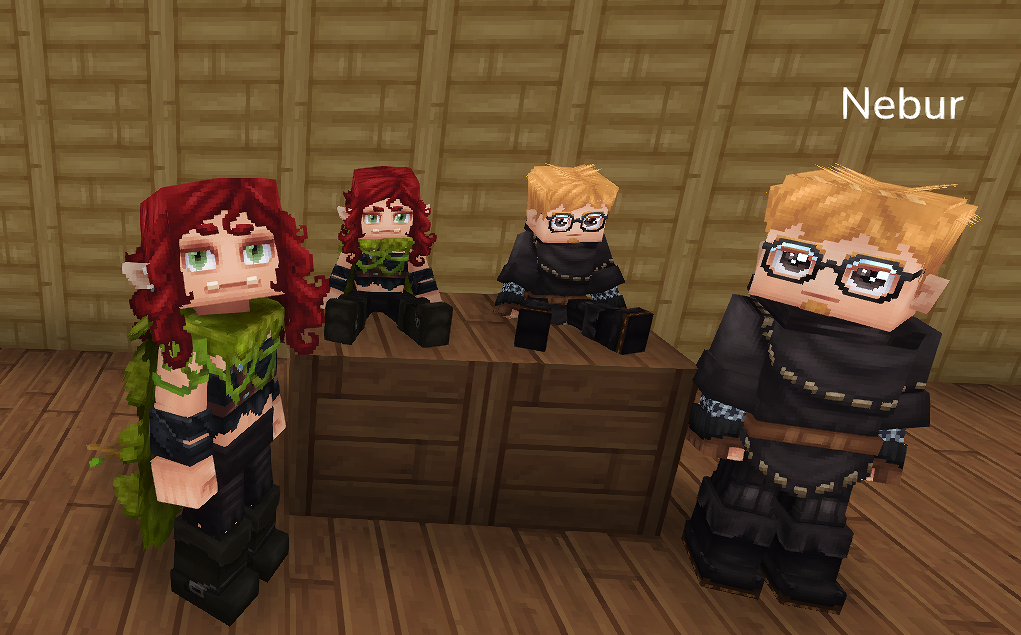
Get figures of your friends
This mod is compatible with servers, featuring a special dynamic collection that allows you to obtain figures of all players who have visited the server.
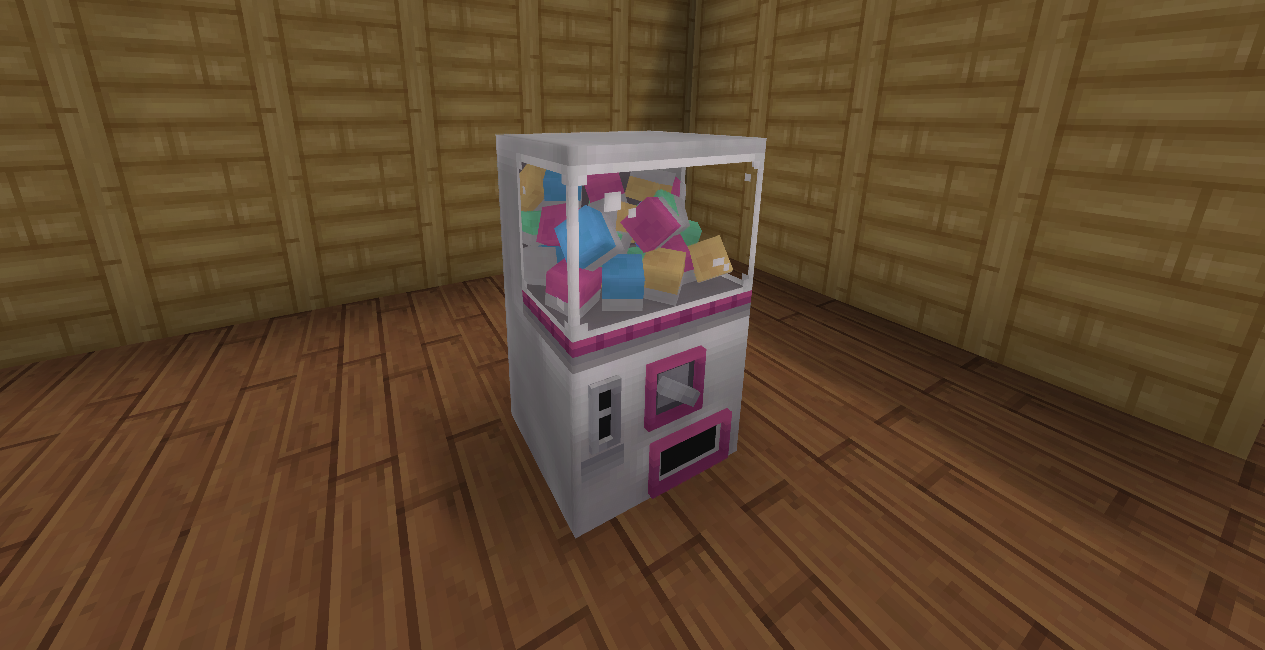
The Gachapon Machine & Collection System
Block Pops uses a fair, time-based token system to help you build your collection. This gives players an incentive to play.
- The Gachapon Machine: Craft and place this machine to access the menu that allows you to spend tokens on different collections
- Regular Tokens: You hold up to 3 Regular Tokens at a time. Each token drops a random box from your selected collection and regenerates automatically every 8 hours of gameplay.
If you find any conflicts or bug, please report them!
~ Discord Server ~
Project description from CurseForge.
Pick your setup
Block Pops releases for each Hytale build.
Choose the version and loader you play, then open the matching release.
Check the dependencies, then try the file in a copied instance before changing a world you care about.
Recent files
Block Pops releases and Hytale builds
BlockPops.-.1.5.1.jar
13 Jun 2026
Client Not supported Server Required Dependencies No extras listed Listed on Project page
Check the 0.5 setup 0.5 release
BlockPops - 1.5.0.jar
30 Mar 2026
Client Not supported Server Required Dependencies No extras listed Listed on Project page
Check the setup BlockPops - 1.4.1.jar
17 Feb 2026
Client Not supported Server Required Dependencies No extras listed Listed on Project page
Check the setup BlockPops - 1.4.0.jar
5 Feb 2026
Client Not supported Server Required Dependencies No extras listed Listed on Project page
Check the setup BlockPops - 1.3.1.jar
3 Feb 2026
Client Not supported Server Required Dependencies No extras listed Listed on Project page
Check the setup BlockPops - 1.3.0.jar
3 Feb 2026
Client Not supported Server Required Dependencies No extras listed Listed on Project page
Check the setup BlockPops - 1.2.0.jar
28 Jan 2026
Client Not supported Server Required Dependencies No extras listed Listed on Project page
Check the setup BlockPops - 1.1.0.jar
26 Jan 2026
Client Not supported Server Required Dependencies No extras listed Listed on Project page
Check the setup Block Pops - 1.0.0
24 Jan 2026
Client Not supported Server Required Dependencies No extras listed Listed on Project page
Check the setup Looking for an older file? The official CurseForge project page is in Resources.
 mod
mod CurseForge · Hytale
Immersive Storage
Adds thematic storage options from the base game and a method to expand existing storage.
 mod
mod CurseForge · Hytale
Gothic Crystal
Add a new Full Gothic Block set With Windows & Doors, Also Gothic Decos,Bed,Chandelier & so much more if like Gothic Builds this for u
 mod
mod CurseForge · Hytale
Sig's Fancy Storage
This is a simple mod that creates storage chests from vanilla items