Signature Preservation 1.1.2
24 Feb 2026
Client Not supported Server Required Dependencies No extras listed Listed on Project page
Check the setup 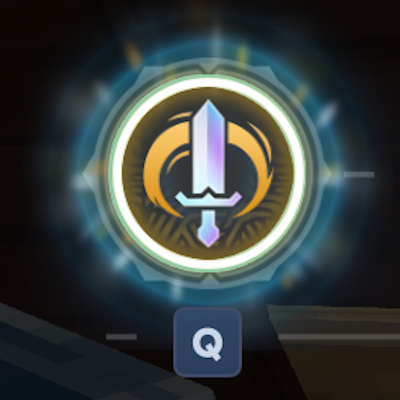
CurseForge · Hytale mod
Maintain your Signature meter when swapping between weapons! Never lose that Ultimate ability again!
Quick answer
Signature Preservation 1.1.2 targets Hytale. Do not install it as a separate client mod. Enable it on the world host—the local server in singleplayer or the dedicated server in multiplayer. No required dependencies listed for this file.
Where it goes
Do not install it as a separate client mod. Enable it on the world host—the local server in singleplayer or the dedicated server in multiplayer.
Put Hytale mods on the world host or dedicated server. Singleplayer runs a local server too; Hytale does not use separate client mods.
Signature Preservation 1.1.2. Change the file and its required mods may change too.
This file does not list any required mods. Do not add a library just because a different file uses it.
This file does not list any required or optional project dependencies. Check the creator notes before changing an existing world.
Before you install it
Built for Signature Preservation 1.1.2. Pick another file and the loader, install side or required mods may change.
Use Signature Preservation 1.1.2. It targets Hytale; another release may target a different game build or dependency set.
This file does not list any required mods. Do not add a library just because a different file uses it.
Do not install it as a separate client mod. Enable it on the world host—the local server in singleplayer or the dedicated server in multiplayer.
Use the “Get this file” button beside Signature Preservation 1.1.2. It opens that exact file at the source.
About this project
Have you ever been annoyed when you're in the middle of a battle, you're so close to getting your Ultimate Q ability charged, but you have to back off just to grab a potion... but you know, when you come back to your sword, the ability meter will have reset?
Boy do I have the mod for you! It's simple: when you unequip your weapon to use something else in your hotbar, our patented Signature Preservation system engages and saves your current charge level directly in memory, and when you swap back, it restores it!
This works for all weapons with a charge (yes, even the unreleased ones in creative mode!), and it works as long as the weapon stays in the same slot (the charge dissipates if you log off, move the weapon to a different slot, inventory, chest, backpack, your cat's litter or your momma's favorite teacup).
There's no configuration, no setting, no UI, just install the mod and GO! It works in multiplayer AND singleplayer of course.
This is my first mod, so... how did I do? Let me know, I'm happy to get your feedback!
Project description from CurseForge.
Recent files
24 Feb 2026
17 Feb 2026
31 Jan 2026
27 Jan 2026
Looking for an older file? The official CurseForge project page is in Resources.