Hytale version
Back to mods 
CurseForge · Hytale mod
Better Map Icons
Makes Map Icons Colorful & A Little Larger
Choose a version Pick your version below, then grab the matching file.
Quick answer
Which Better Map Icons release should I use?
Latest stable file Better Map Icons (For Version: 0.5.6)
Game version 0.5
Mod system Built-in Hytale mod system
Better Map Icons (For Version: 0.5.6) targets 0.5. Do not install it as a separate client mod. Enable it on the world host—the local server in singleplayer or the dedicated server in multiplayer. No required dependencies listed for this file.
Where it goes
Where should Better Map Icons be installed in Hytale?
Do not install it as a separate client mod. Enable it on the world host—the local server in singleplayer or the dedicated server in multiplayer.
Separate client mod Not supported
World host / dedicated server Required
Mod system for this release Built-in Hytale mod system
Required install it here Optional supported, not mandatory Not supported do not install here Source doesn’t say do not assume
Put Hytale mods on the world host or dedicated server. Singleplayer runs a local server too; Hytale does not use separate client mods.
What else does Better Map Icons (For Version: 0.5.6) need?
Better Map Icons (For Version: 0.5.6). Change the file and its required mods may change too.
This file does not list any required mods. Do not add a library just because a different file uses it.
This file does not list any required or optional project dependencies. Check the creator notes before changing an existing world.
Before you install it
Add Better Map Icons without breaking your instance.
Built for Better Map Icons (For Version: 0.5.6). Pick another file and the loader, install side or required mods may change.
- 01
Stick to this file
Use Better Map Icons (For Version: 0.5.6). It targets 0.5; another release may target a different game build or dependency set.
- 02
Bring the mods it needs
This file does not list any required mods. Do not add a library just because a different file uses it.
- 03
Enable it on the world host
Do not install it as a separate client mod. Enable it on the world host—the local server in singleplayer or the dedicated server in multiplayer.
- 04
Pick the file you checked
Use the “Get this file” button beside Better Map Icons (For Version: 0.5.6). It opens that exact file at the source.
About this project
What does Better Map Icons add?

Makes Map Icons colorful & larger
This in turn makes the icons double in size making it easier to see bigger map markers, warp points, death location your own player facing icon and the temple warp among others. Below are some of the edited map icons. They are are DOUBLE the size of the original and all now have COLOR

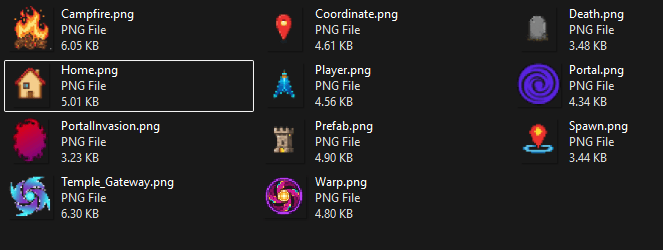
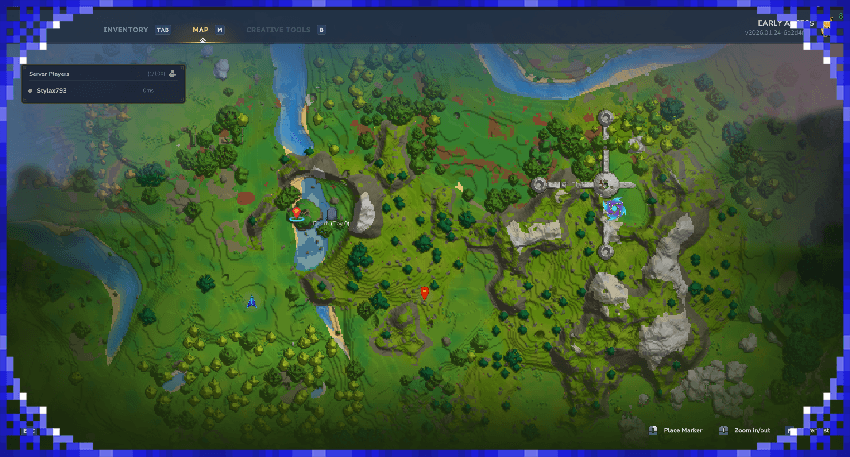
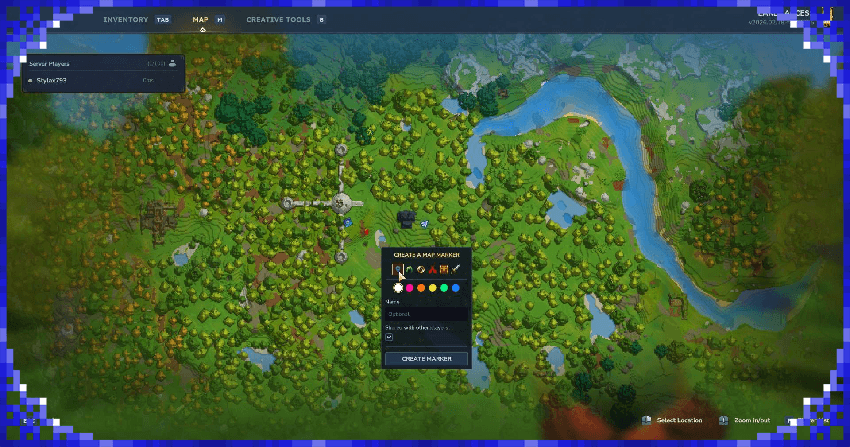

Just download the .zip, then drag it onto your C:\Users\YOURNAME\AppData\Roaming\Hytale\UserData\Mods folder
When creating a new world click the cog icon and make sure "Better Map Icons" has a tick, load up your world and your good to go

This mod is compatible with Better Modlist by Buuz135
Just make sure to have Better Modlist active aswell as this to see it

Project description from CurseForge.
Pick your setup
Better Map Icons releases for each Hytale build.
Choose the version and loader you play, then open the matching release.
Check the dependencies, then try the file in a copied instance before changing a world you care about.
Recent files
Better Map Icons releases and Hytale builds
Better Map Icons (For Version: 0.5.6)
6 Jul 2026
Client Not supported Server Required Dependencies No extras listed Listed on Project page
Check the 0.5 setup 0.5 release
Better Map Icons U1.0.4
22 Feb 2026
Client Not supported Server Required Dependencies No extras listed Listed on Project page
Check the setup Better Map Icons
19 Feb 2026
Client Not supported Server Required Dependencies No extras listed Listed on Project page
Check the setup Looking for an older file? The official CurseForge project page is in Resources.