laits-entity-inspector-0.1.5.jar
6 Feb 2026
Client Not supported Server Required Dependencies No extras listed Listed on Project page
Check the setup 
CurseForge · Hytale mod
Allows modders to inspect entities and components with live updates
Quick answer
Lait's Entity Inspector laits-entity-inspector-0.1.5.jar targets Hytale. Do not install it as a separate client mod. Enable it on the world host—the local server in singleplayer or the dedicated server in multiplayer. No required dependencies listed for this file.
Where it goes
Do not install it as a separate client mod. Enable it on the world host—the local server in singleplayer or the dedicated server in multiplayer.
Put Hytale mods on the world host or dedicated server. Singleplayer runs a local server too; Hytale does not use separate client mods.
laits-entity-inspector-0.1.5.jar. Change the file and its required mods may change too.
This file does not list any required mods. Do not add a library just because a different file uses it.
This file does not list any required or optional project dependencies. Check the creator notes before changing an existing world.
Before you install it
Built for Lait's Entity Inspector laits-entity-inspector-0.1.5.jar. Pick another file and the loader, install side or required mods may change.
Use laits-entity-inspector-0.1.5.jar. It targets Hytale; another release may target a different game build or dependency set.
This file does not list any required mods. Do not add a library just because a different file uses it.
Do not install it as a separate client mod. Enable it on the world host—the local server in singleplayer or the dedicated server in multiplayer.
Use the “Get this file” button beside laits-entity-inspector-0.1.5.jar. It opens that exact file at the source.
About this project
Run the updater again on new releases for auto-updating - you'll be notified on the dashboard.
Hytalor Integration: The inspector automatically detects when Hytalor is loaded, unlocking the Asset Browser and live asset patching — apply changes to game assets without restarting the server.
NPC Inspection: If you want in-depth NPC inspection, check out Alec's mod!
Alec's NPC Debug UI
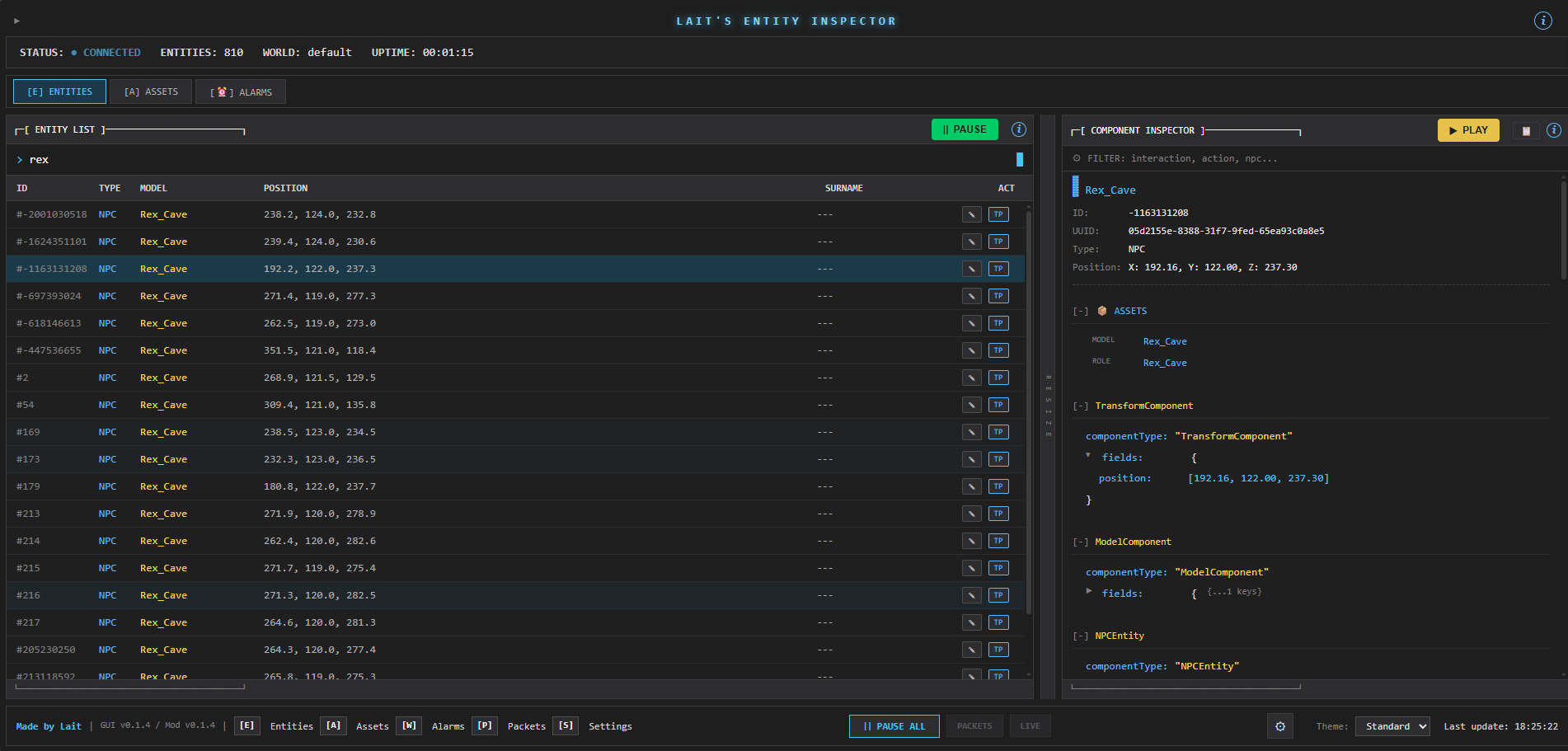
Real-time entity debugging tools for Hytale modding.
Live Instruction Inspector - A new Instructions tab in the component inspector shows the full instruction tree for any NPC entity. See which Instructions and InteractionInstructions are triggered, with a live event log feed of every sensor evaluation and action execution in real time.
Debug Feature Toggles - A new Debug tab in Settings lets you enable/disable individual inspector subsystems at runtime. Useful for isolating side effects during debugging or reducing overhead when you only need specific features.
| Toggle | What it controls |
|---|---|
| Position Tracking | Entity position polling each tick |
| Entity Lifecycle | Spawn/despawn event processing |
| On-Demand Refresh | Fresh data fetch before detail queries |
| Alarm Inspection | inspector_get_entity_alarms |
| Timer Inspection | inspector_get_entity_timers |
| Instruction Inspection | inspector_get_entity_instructions |
| Lazy Expansion | Field expansion requests |
| Asset Browser | Asset scanning and browsing |
| Patch Management | Hytalor patch publish/draft/delete |
| Entity Actions | Surname changes, teleport |
All toggles default to on and persist to the config file.
Hytale server plugin that collects live entity/component data via WebSocket.
Features:
Commands:
/inspector - Show status/inspector on|off - Toggle inspector/inspector rate <ms> - Set update interval/inspector pause|resume - Pause/resume updates/inspector reload - Reload configASCII/terminal-styled web interface for viewing entity data.
Features:
   cd laits-entity-inspector
   gradle build -x test
Output: build/libs/laits-entity-inspector-<version>.jar
%APPDATA%/Hytale/UserData/Saves/<world>/Mods/
Start the Hytale server
Open laits-entity-inspector-gui/index.html in a browser (clone it from github)
MIT
Project description from CurseForge.
Recent files
6 Feb 2026
31 Jan 2026
31 Jan 2026
30 Jan 2026
30 Jan 2026
30 Jan 2026
Looking for an older file? The official CurseForge project page is in Resources.
 mod
modEnhances the sawmill from the RPG Stations mod and adds rich NPC driven questlines. Also adds a woodcutters MMO Armor set.
 mod
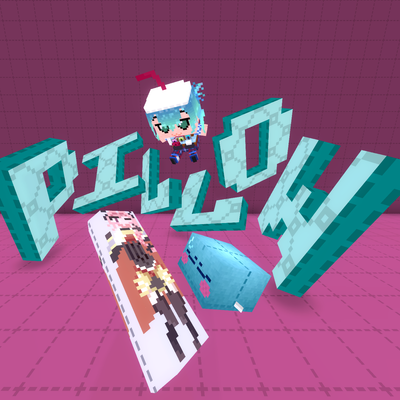
modweaponised femboy body pillows (dakimakura), cozy cushion blocks, plushie characters, silly fumo, futon bed, lain onesie mage robes (kigurumi), pillow hexstaff + hexbook + glyph guide for hexcode magic via patchly! anime ref: astolfo, ferris, rimuru, lain!
 mod
modThe Core library behind OpenQuests: quest lifecycle, storage, scopes and rewards, with no quest type of its own.