Robot v0.0.05X3.jar
4 Mar 2026
Client Not supported Server Required Dependencies No extras listed Listed on Project page
Check the setup 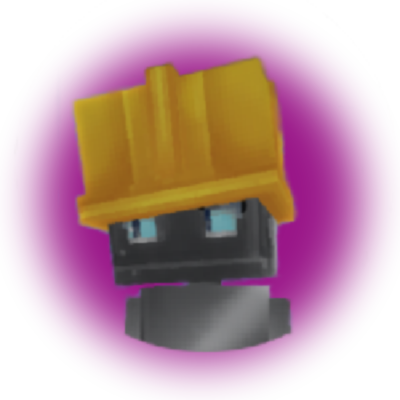
CurseForge · Hytale mod
The first attempt in a long line of autonomous machines, Robot 0.1 is neither fast nor intelligent… but it is determined. Equipped with rudimentary logic, it can pick up dropped items and dutifully place them into a nearby chest.
Quick answer
Robot v0.0.05X3.jar targets Hytale. Do not install it as a separate client mod. Enable it on the world host—the local server in singleplayer or the dedicated server in multiplayer. No required dependencies listed for this file.
Where it goes
Do not install it as a separate client mod. Enable it on the world host—the local server in singleplayer or the dedicated server in multiplayer.
Put Hytale mods on the world host or dedicated server. Singleplayer runs a local server too; Hytale does not use separate client mods.
Robot v0.0.05X3.jar. Change the file and its required mods may change too.
This file does not list any required mods. Do not add a library just because a different file uses it.
This file does not list any required or optional project dependencies. Check the creator notes before changing an existing world.
Before you install it
Built for Robot v0.0.05X3.jar. Pick another file and the loader, install side or required mods may change.
Use Robot v0.0.05X3.jar. It targets Hytale; another release may target a different game build or dependency set.
This file does not list any required mods. Do not add a library just because a different file uses it.
Do not install it as a separate client mod. Enable it on the world host—the local server in singleplayer or the dedicated server in multiplayer.
Use the “Get this file” button beside Robot v0.0.05X3.jar. It opens that exact file at the source.
About this project
Robot 0.1 is the first step in what will become a long line of autonomous machines.
It is neither fast nor intelligent… but it is determined.
Equipped with minimal artificial intelligence and rudimentary logic, the robot can pick up dropped items and faithfully deposit them into nearby chests.
It does not understand why it performs these tasks.
It only knows that it must.
🛡️ Defense
A work zone system allows precise control over where the robot operates:
👉 To enable woodcutting in a zone, set the zone type to Lumberjack.
The robot will automatically cut down trees inside the defined area.
"Drop all" -> Robot empties the chest
"Nothing" -> Not use chest
"Filtered" -> Filter by relative to an item in the chest.
"Fill only" -> put item (Filtered priority sure Fill only)
A configuration file allows support for additional chest types (for example: Better Wardrobes).
📁 Path:
mods\Robot_Robot\config\config.json
📄 Example:
{
  "ChestIds": [
    "Chest",
    "Wardrobe"
  ]
}
⚠️ Do not remove "Chest" — it is required for proper functionality.
Project description from CurseForge.
Recent files
4 Mar 2026
4 Mar 2026
2 Mar 2026
18 Feb 2026
10 Feb 2026
Looking for an older file? The official CurseForge project page is in Resources.