Hytale version
Back to mods 
CurseForge · Hytale mod
Orechards
A tree resource generating plugin
Choose a version Pick your version below, then grab the matching file.
Quick answer
Which Orechards release should I use?
Latest stable file Orechards-1.3.jar
Game version 0.5
Mod system Built-in Hytale mod system
Orechards-1.3.jar targets 0.5. Do not install it as a separate client mod. Enable it on the world host—the local server in singleplayer or the dedicated server in multiplayer. No required dependencies listed for this file.
Where it goes
Where should Orechards be installed in Hytale?
Do not install it as a separate client mod. Enable it on the world host—the local server in singleplayer or the dedicated server in multiplayer.
Separate client mod Not supported
World host / dedicated server Required
Mod system for this release Built-in Hytale mod system
Required install it here Optional supported, not mandatory Not supported do not install here Source doesn’t say do not assume
Put Hytale mods on the world host or dedicated server. Singleplayer runs a local server too; Hytale does not use separate client mods.
What else does Orechards-1.3.jar need?
Orechards-1.3.jar. Change the file and its required mods may change too.
This file does not list any required mods. Do not add a library just because a different file uses it.
This file does not list any required or optional project dependencies. Check the creator notes before changing an existing world.
Before you install it
Add Orechards without breaking your instance.
Built for Orechards-1.3.jar. Pick another file and the loader, install side or required mods may change.
- 01
Stick to this file
Use Orechards-1.3.jar. It targets 0.5; another release may target a different game build or dependency set.
- 02
Bring the mods it needs
This file does not list any required mods. Do not add a library just because a different file uses it.
- 03
Enable it on the world host
Do not install it as a separate client mod. Enable it on the world host—the local server in singleplayer or the dedicated server in multiplayer.
- 04
Pick the file you checked
Use the “Get this file” button beside Orechards-1.3.jar. It opens that exact file at the source.
About this project
What does Orechards add?
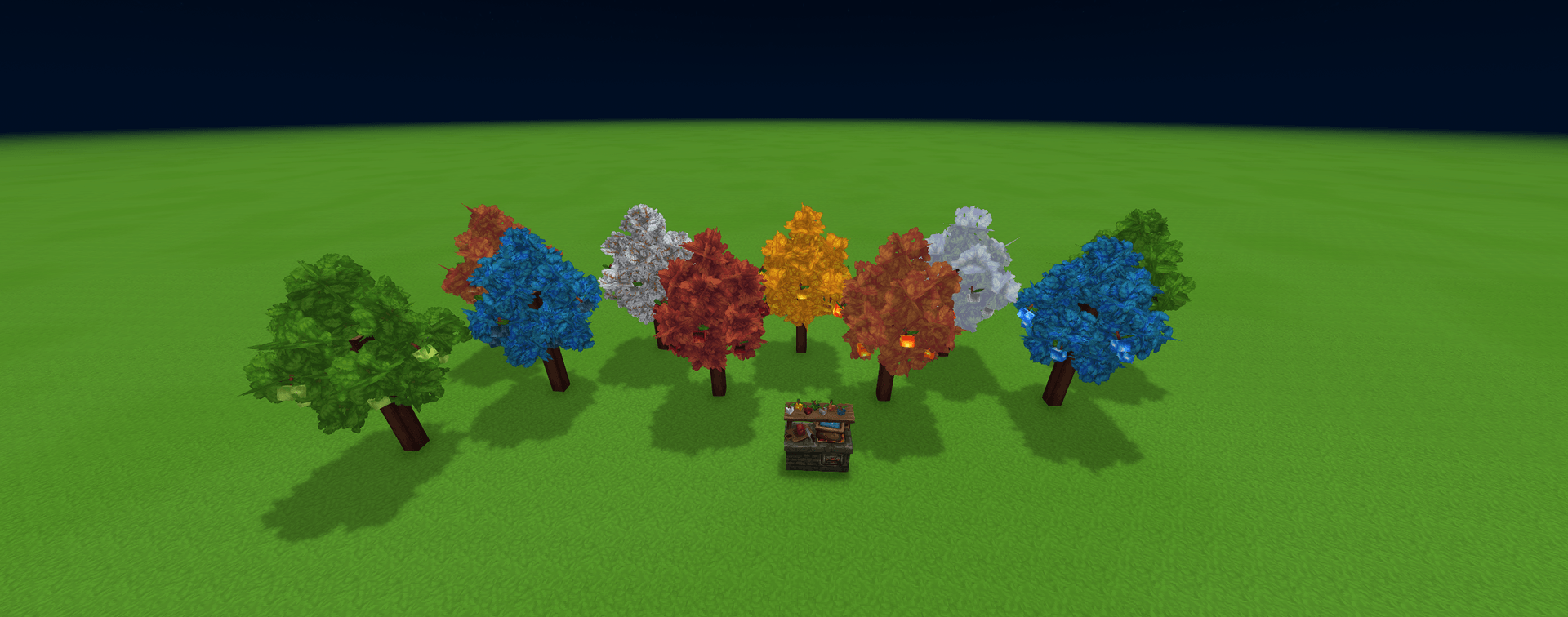
This is a tree based resource mod primarily focused on ore resources. Currently have Ore apples and some Nature based apples as well. That allows you to smelt the mush from the apples in a furance to make ingots and make blocks and items like Soil, Grass, Sand, etc.
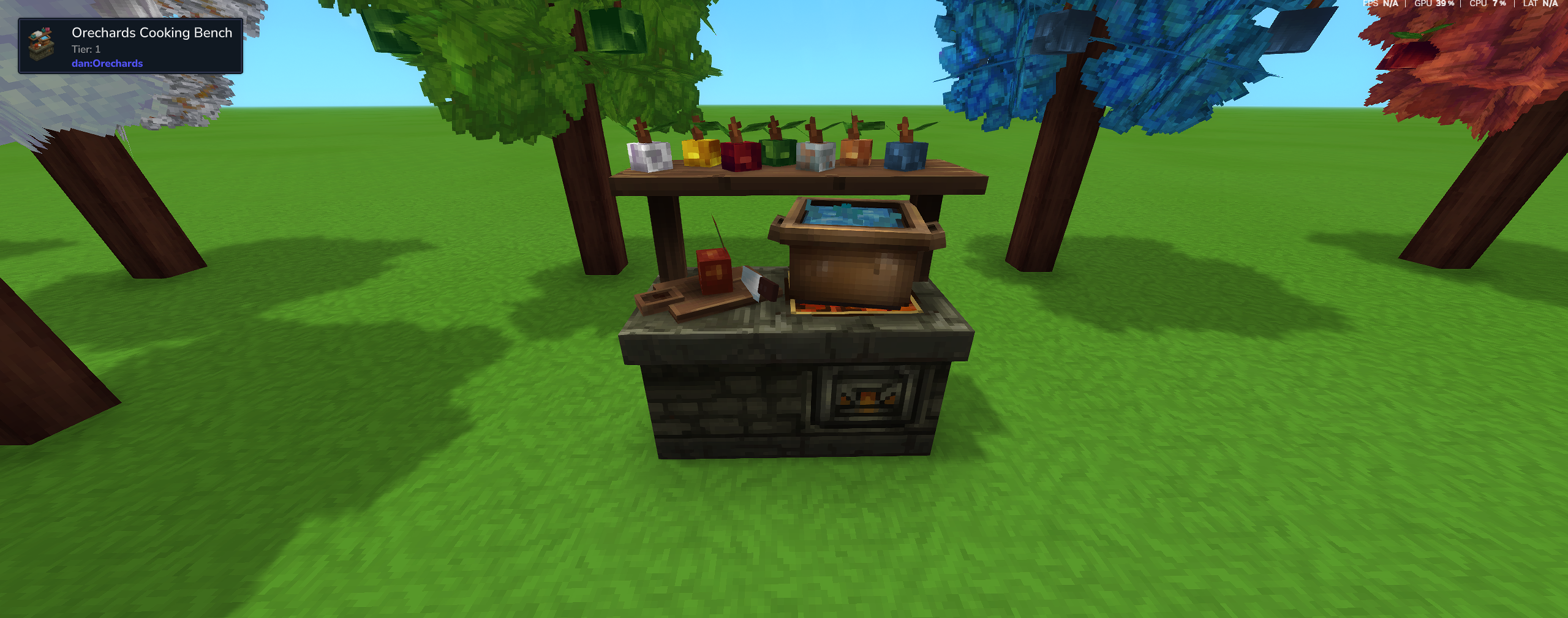
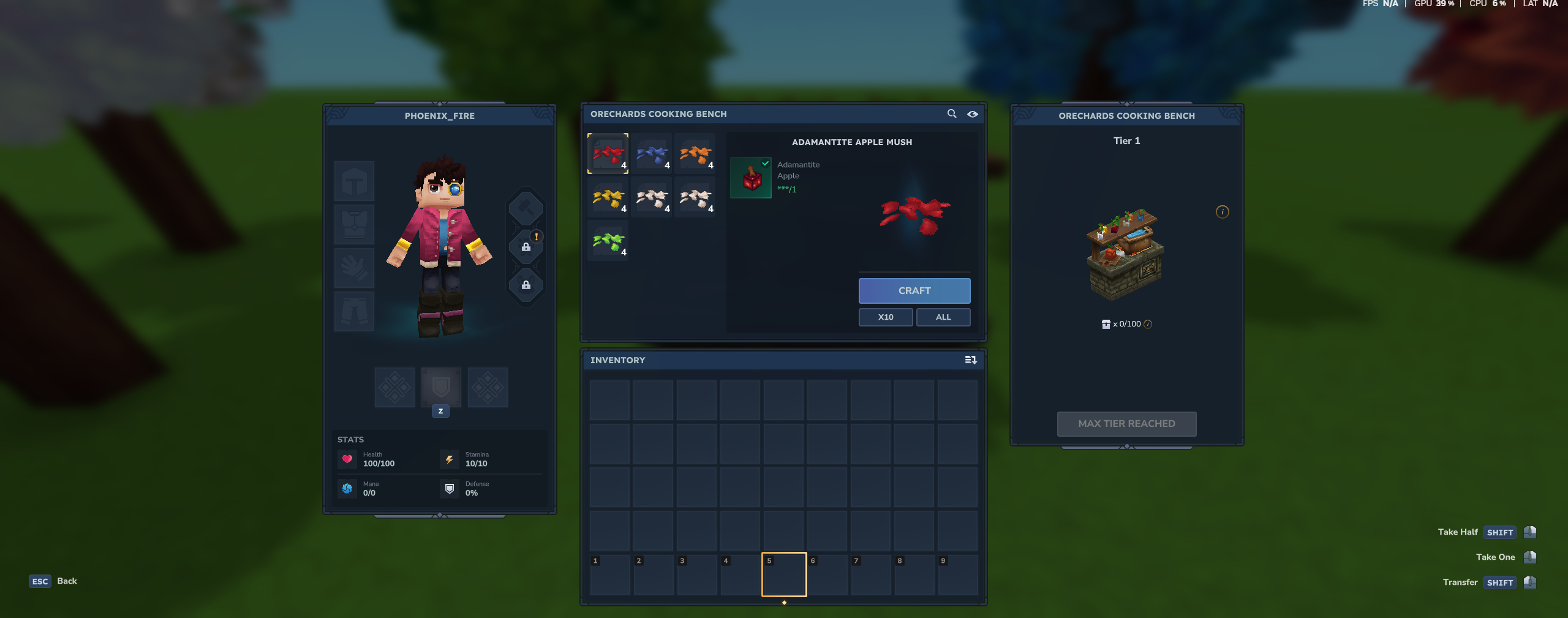
The crafting system allows you to make other resources with "Apple Mush (name subject to change)" in the Orechards Cooking Table. I tried to balance the recipes the best i could to still promote explorations and provide a crafting challenge. Suggestions are welcomed
NEW
Edible apples with custom effects such as temporarily increasing hearts and stamina, better healing/stam overtime, and temporary flight (currently disabled by default. +nightvision with config customization of effects. /orechards gui allows you to override the default config setting to tweak numbers to your liking and apply effects to any consumable item.
COMING SOON
Orechard Armors Mod -- being made along side this mod.(not released yet)
Config to be able to modify recipes -- will be useful for making a skyblock server as an example.
Please join my Discord if you want to follow this mod for updates and to provide suggestions directly
Project description from CurseForge.
Pick your setup
Orechards releases for each Hytale build.
Choose the version and loader you play, then open the matching release.
Check the dependencies, then try the file in a copied instance before changing a world you care about.
Recent files
Orechards releases and Hytale builds
Orechards-1.3.jar
9 Jun 2026
Client Not supported Server Required Dependencies No extras listed Listed on Project page
Check the 0.5 setup 0.5 release
Orechards-1.2.jar
26 Mar 2026
Client Not supported Server Required Dependencies No extras listed Listed on Project page
Check the setup Orechards-1.1.6.jar
26 Feb 2026
Client Not supported Server Required Dependencies No extras listed Listed on Project page
Check the setup Orechards-1.1.5.jar
26 Feb 2026
Client Not supported Server Required Dependencies No extras listed Listed on Project page
Check the setup Orechards-1.1.1.zip
24 Feb 2026
Client Not supported Server Required Dependencies No extras listed Listed on Project page
Check the setup Orechards-1.1.0.zip
12 Feb 2026
Client Not supported Server Required Dependencies No extras listed Listed on Project page
Check the setup Orechards-1.0.6.zip
10 Feb 2026
Client Not supported Server Required Dependencies No extras listed Listed on Project page
Check the setup Orechards-1.0.5.zip
9 Feb 2026
Client Not supported Server Required Dependencies No extras listed Listed on Project page
Check the setup Orechards-1.0.1
8 Feb 2026
Client Not supported Server Required Dependencies No extras listed Listed on Project page
Check the setup Looking for an older file? The official CurseForge project page is in Resources.
 mod
mod CurseForge · Hytale
QuestLines Arcade
Play some classic games with your friends.
 mod
mod CurseForge · Hytale
QuestLines Icons
Adds animated icons to NPC enities. Extention Plugin for QuestLines
 mod
mod CurseForge · Hytale
QuestLines GUI
Build custom in-game interfaces for your Hytale server — no Java, no rebuilds, no restarts