verbatim-Hytale-2.0.0.jar
9 Feb 2026
Client Not supported Server Required Dependencies No extras listed Listed on Project page
Check the setup 
CurseForge · Hytale mod
A cross-platform server-side chat channel system with configurable channels, direct messaging, distance-based local chat, and Discord integration.
Quick answer
verbatim-Hytale-2.0.0.jar targets Hytale. Do not install it as a separate client mod. Enable it on the world host—the local server in singleplayer or the dedicated server in multiplayer. No required dependencies listed for this file.
Where it goes
Do not install it as a separate client mod. Enable it on the world host—the local server in singleplayer or the dedicated server in multiplayer.
Put Hytale mods on the world host or dedicated server. Singleplayer runs a local server too; Hytale does not use separate client mods.
verbatim-Hytale-2.0.0.jar. Change the file and its required mods may change too.
This file does not list any required mods. Do not add a library just because a different file uses it.
This file does not list any required or optional project dependencies. Check the creator notes before changing an existing world.
Before you install it
Built for verbatim-Hytale-2.0.0.jar. Pick another file and the loader, install side or required mods may change.
Use verbatim-Hytale-2.0.0.jar. It targets Hytale; another release may target a different game build or dependency set.
This file does not list any required mods. Do not add a library just because a different file uses it.
Do not install it as a separate client mod. Enable it on the world host—the local server in singleplayer or the dedicated server in multiplayer.
Use the “Get this file” button beside verbatim-Hytale-2.0.0.jar. It opens that exact file at the source.
About this project
Verbatim is a server-side chat plugin providing configurable chat channels, direct messaging, Discord integration, and more. It is designed for community and roleplay-focused servers.
&a[G]), and shortcuts (e.g., g).local: Distance-based message fading/obscuring with suffix-based behavior. (Inspired by MassiveChat!)g: Hello everyone!).d: prefix to focus/reply to the last DM./channels or /channel list - Lists all available chat channels and your status in them./channel focus <channelName> - Sets your active typing channel (auto-joins if needed)./channel join <channelName> - Joins a channel to receive its messages./channel leave [channelName] - Leaves a channel. Omit name to leave your focused channel./channel help - Displays help with available commands and prefixes./msg <player> [message] or /tell <player> [message] - Send a DM or focus DM with a player./r [message] - Reply to or focus DM with the last player who messaged you./list - Lists online players./vlist - Lists online players (Verbatim format)./nick [nickname] - Set your nickname. Run without arguments to clear it./chlist <player|channel> - List channels for a player, or players in a channel./chkick <player> <channel> - Kick a player from a channel.g: Your message here - Sends to the channel with shortcut "g" and focuses it.d: Your reply here - Sends to and focuses DM with the last person who DM'd you.d: (no message) - Focuses DM with the last person who DM'd you.When using a local type channel, message suffixes change the range and style:
| Suffix | Action | Range | Example |
|---|---|---|---|
| (none) | says | 50 | Hello there |
! |
exclaims | 75 | Watch out! |
!! |
shouts | 100 | Over here!! |
? |
asks | 50 | Anyone there? |
* |
whispers | 10 | Secret message* |
$ |
mutters | 3 | Grumble grumble$ |
+ |
roleplay action | 50 | waves hello+ |
)) |
OOC (out of character) | 50 | brb 5 min)) |
Messages fade into obscured dots as listeners get further from the speaker, eventually becoming inaudible beyond the fade range.
Configuration is in verbatim-server.toml in the server's config directory.
Configuration is in verbatim-config.json in the plugin's data directory.
defaultChannelName - The channel players default to on join.channels - List of channel definitions (name, prefix, shortcut, permission, range, colors, etc.).Verbatim uses LuckPerms if available, falling back to native permission systems.
permission field per channel (e.g., verbatim.channel.staff).verbatim.chat.color - Allows & color codes in chat.verbatim.chat.format - Allows &l (bold), &o (italic) in chat.verbatim.nick - Allows /nick usage.verbatim.admin - Admin commands (/chlist, /chkick)./lp user <username> meta setprefix <priority> "<prefix>"/lp user Steve meta setprefix 100 "&c[Admin] "/lp user <username> meta set prefix_tooltip.0 "<text>"/lp group admin meta set prefix_tooltip.0 "Server Administrator"prefix_tooltip.0 through prefix_tooltip.9 for multiple entries.Project description from CurseForge.
Recent files
9 Feb 2026
7 Feb 2026
Looking for an older file? The official CurseForge project page is in Resources.
 mod
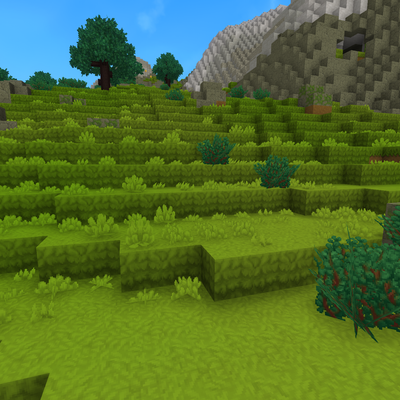
modMod that makes grass cover the sides of blocks on hills and slopes, instead of leaving a strip of bare dirt
 mod
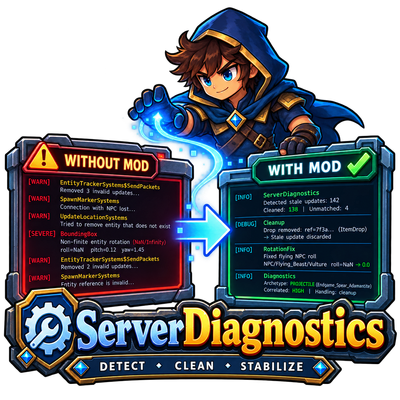
modDetect, diagnose and safely fix recurring Hytale server entity errors. ServerDiagnostics reduces noisy EntityTracker warnings, repairs invalid flying NPC rotations and provides detailed server-side diagnostics.
 mod
modA full Bard class for Hytale with music-based abilities, party support, healing, damage, visual effects and its own Note resource system.