Pexlib-1.0.0.jar
8 Feb 2026
Client Not supported Server Required Dependencies No extras listed Listed on Project page
Check the setup 
CurseForge · Hytale mod
Library for rendering UV 2D maps to pngs
Quick answer
Pexlib-1.0.0.jar targets Hytale. Do not install it as a separate client mod. Enable it on the world host—the local server in singleplayer or the dedicated server in multiplayer. No required dependencies listed for this file.
Where it goes
Do not install it as a separate client mod. Enable it on the world host—the local server in singleplayer or the dedicated server in multiplayer.
Put Hytale mods on the world host or dedicated server. Singleplayer runs a local server too; Hytale does not use separate client mods.
Pexlib-1.0.0.jar. Change the file and its required mods may change too.
This file does not list any required mods. Do not add a library just because a different file uses it.
This file does not list any required or optional project dependencies. Check the creator notes before changing an existing world.
Before you install it
Built for Pexlib-1.0.0.jar. Pick another file and the loader, install side or required mods may change.
Use Pexlib-1.0.0.jar. It targets Hytale; another release may target a different game build or dependency set.
This file does not list any required mods. Do not add a library just because a different file uses it.
Do not install it as a separate client mod. Enable it on the world host—the local server in singleplayer or the dedicated server in multiplayer.
Use the “Get this file” button beside Pexlib-1.0.0.jar. It opens that exact file at the source.
About this project
A server-side rendering library for Hytale that generates isometric PNG previews from .blockymodel files.
Pexlib reads creature models and textures from Hytale's Assets.zip, renders them as isometric 2D images, and exposes a simple API for other mods to use. It handles the full pipeline: model parsing, texture extraction, face UV mapping (including rotation and mirroring), depth sorting, and isometric projection.
.blockymodel JSON files with full node hierarchy support0/90/180/270), and mirroringAssets.zip.blockymodel files via InputStream API// Render a creature by name
BufferedImage img = PexlibApi.renderCreature("Bear_Grizzly");
// With custom options (size, scale)
RenderOptions opts = RenderOptions.builder().width(256).height(256).scale(4.0).build();
BufferedImage img = PexlibApi.renderCreature("Wolf", opts);
// Cached rendering (returns cached result if available)
BufferedImage img = PexlibApi.getCachedRender("Rat", RenderOptions.defaults());
// List all available creatures
List<String> creatures = PexlibApi.listCreatures();
// Render a custom model from any mod
BlockyModel model = PexlibApi.parseModel(inputStream);
BufferedImage img = PexlibApi.renderModel(model, texturePng, opts);
Pexlib reads from Hytale's asset system:
Common/NPC/{Category}/{CreatureName}/Models/Model.blockymodelCommon/NPC/{Category}/{CreatureName}/Models/Texture.pngServer/Models/{Category}/{Name}.json./gradlew build
The shadow JAR is automatically deployed to %APPDATA%/Hytale/UserData/Mods/.
dev.hytalemod.pexlib
uwudwagon
Project description from CurseForge.
Recent files
8 Feb 2026
Looking for an older file? The official CurseForge project page is in Resources.
 mod
modMissing the Nether? Limbo is Hytale's burning dimension: floating islands over a lava sea, armed pig-folk, splitting salamanders, fortress loot, three plant lines and a gold economy. Server-side only, zero setup.
 mod
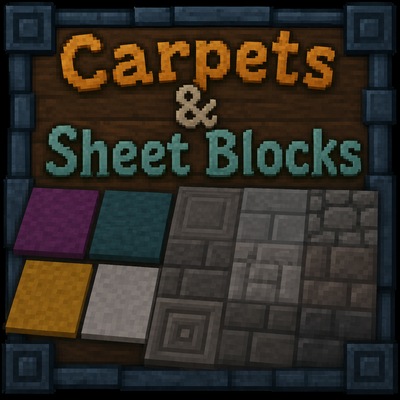
modAdds very thin craftable blocks .05 blocks thin. Can be used as carpets, wall facades, and much more. Includes variants of all slabs currently available in vanilla gameplay
 mod
modMob taming framework and asset patcher. Breeding, traits, leveling, tame management UI, easier interaction chains, capture/spawn items that store metadata, ownership/tamed status, lots of behavior components and more!