Danger Mouse 1.0.1
17 Feb 2026
Client Not supported Server Required Dependencies No extras listed Listed on Project page
Check the setup 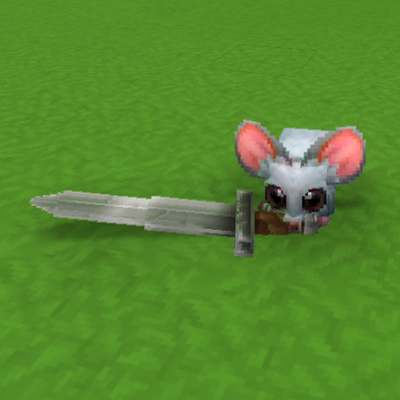
CurseForge · Hytale mod
They've got a knife and they're drunk on newfound power.
Quick answer
Danger Mouse 1.0.1 targets Hytale. Do not install it as a separate client mod. Enable it on the world host—the local server in singleplayer or the dedicated server in multiplayer. No required dependencies listed for this file.
Where it goes
Do not install it as a separate client mod. Enable it on the world host—the local server in singleplayer or the dedicated server in multiplayer.
Put Hytale mods on the world host or dedicated server. Singleplayer runs a local server too; Hytale does not use separate client mods.
Danger Mouse 1.0.1. Change the file and its required mods may change too.
This file does not list any required mods. Do not add a library just because a different file uses it.
This file does not list any required or optional project dependencies. Check the creator notes before changing an existing world.
Before you install it
Built for Danger Mouse 1.0.1. Pick another file and the loader, install side or required mods may change.
Use Danger Mouse 1.0.1. It targets Hytale; another release may target a different game build or dependency set.
This file does not list any required mods. Do not add a library just because a different file uses it.
Do not install it as a separate client mod. Enable it on the world host—the local server in singleplayer or the dedicated server in multiplayer.
Use the “Get this file” button beside Danger Mouse 1.0.1. It opens that exact file at the source.
About this project
Spawns mice with knives. They will group up with other mice and attack predators, including you.
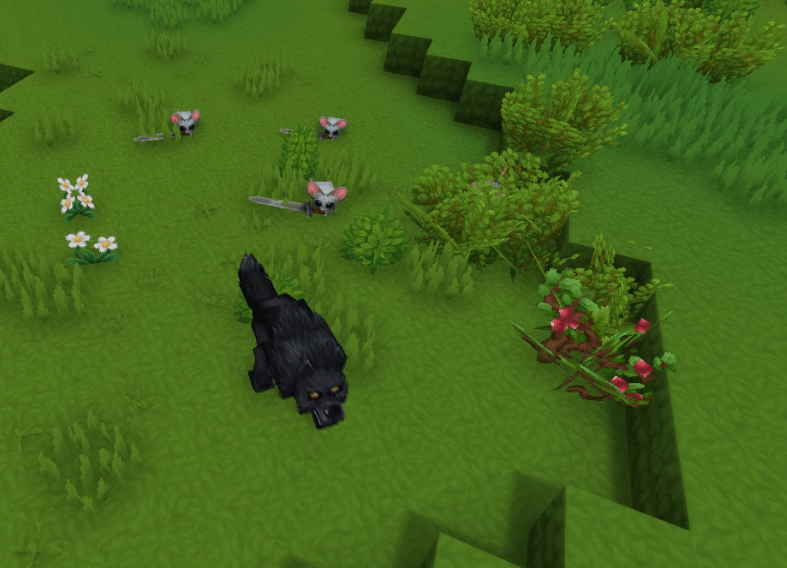
Add the zip file to your AppData\Roaming\Hytale\UserData\Mods folder then tick the enable box in the world settings to use.
This mod overwrites "Spawns_Zone1_Plains_Critter.json" and "Spawns_Zone3_Forrests_Critter.json". As long as no other mod tries to adjust spawns in those regions it should work fine with anything. It was also made on pre-release/2026.02.11-255364b8e but should work on any version (circa Feb 2026).
Project description from CurseForge.
Recent files
17 Feb 2026
15 Feb 2026
Looking for an older file? The official CurseForge project page is in Resources.
 mod
modMiddle-click a block while looking at it and it gets selected in your hotbar when that block is in your inventory or backpack.
 mod
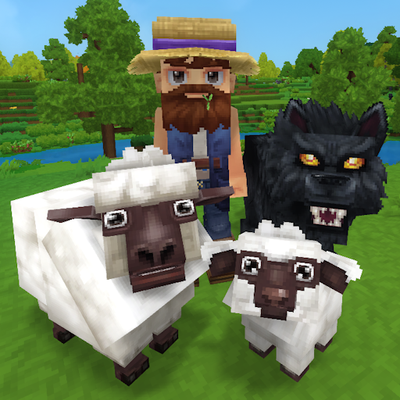
modTame, breed, care for, fight with, level up and more all vanilla animals. Train beasts as combat pets, breed livestock for the best harvesting efficiency, and so much more!
 mod
modMob taming framework and asset patcher. Breeding, traits, leveling, tame management UI, easier interaction chains, capture/spawn items that store metadata, ownership/tamed status, lots of behavior components and more!