

Hytale version
Back to mods 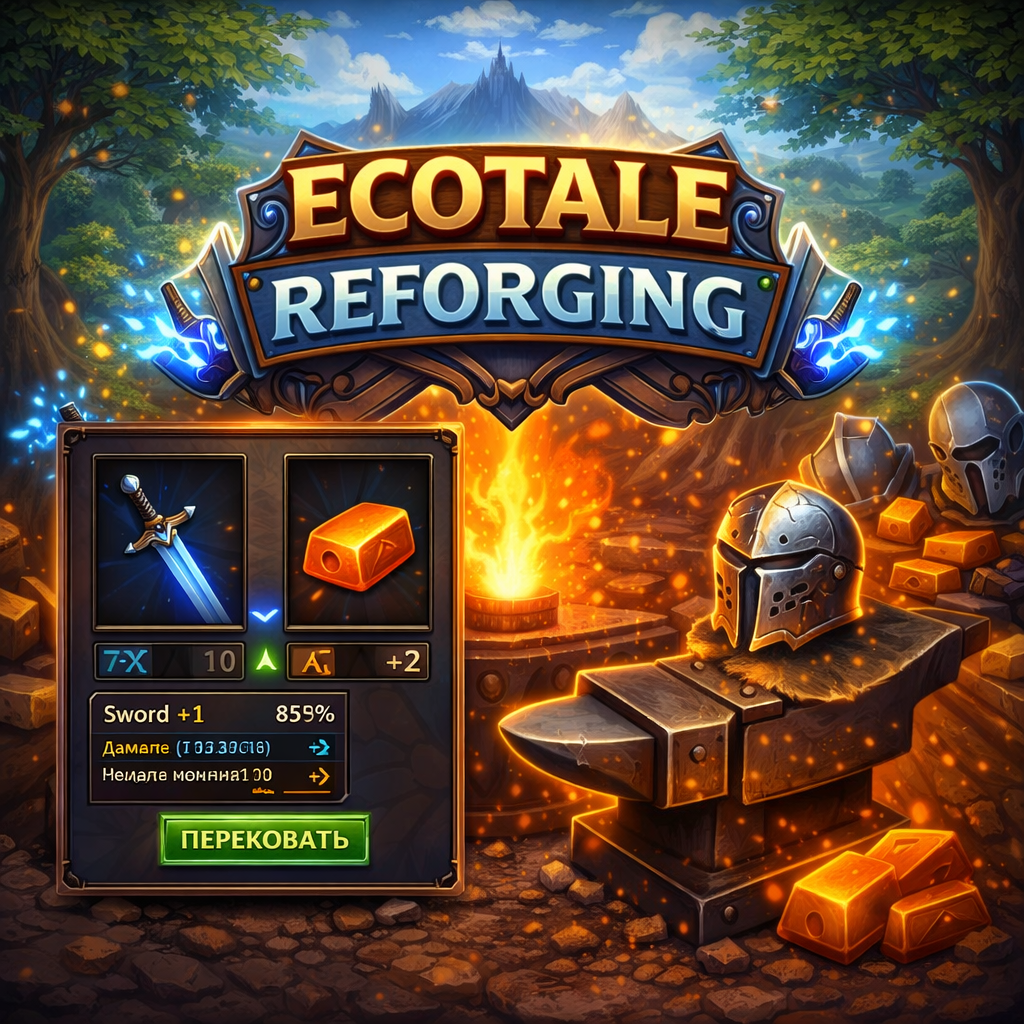
CurseForge · Hytale mod
EcoTale Reforging
Progressive weapon & armor upgrading system for Hytale servers
Choose a version Pick your version below, then grab the matching file.
Quick answer
Which EcoTale Reforging release should I use?
Latest stable file EcoTaleReforging-1.0.16.jar
Game version 0.5
Mod system Built-in Hytale mod system
EcoTale Reforging EcoTaleReforging-1.0.16.jar targets 0.5. Do not install it as a separate client mod. Enable it on the world host—the local server in singleplayer or the dedicated server in multiplayer. No required dependencies listed for this file.
Where it goes
Where should EcoTale Reforging be installed in Hytale?
Do not install it as a separate client mod. Enable it on the world host—the local server in singleplayer or the dedicated server in multiplayer.
Separate client mod Not supported
World host / dedicated server Required
Mod system for this release Built-in Hytale mod system
Required install it here Optional supported, not mandatory Not supported do not install here Source doesn’t say do not assume
Put Hytale mods on the world host or dedicated server. Singleplayer runs a local server too; Hytale does not use separate client mods.
What else does EcoTale Reforging EcoTaleReforging-1.0.16.jar need?
EcoTaleReforging-1.0.16.jar. Change the file and its required mods may change too.
This file does not list any required mods. Do not add a library just because a different file uses it.
This file does not list any required or optional project dependencies. Check the creator notes before changing an existing world.
Before you install it
Add EcoTale Reforging without breaking your instance.
Built for EcoTale Reforging EcoTaleReforging-1.0.16.jar. Pick another file and the loader, install side or required mods may change.
- 01
Stick to this file
Use EcoTaleReforging-1.0.16.jar. It targets 0.5; another release may target a different game build or dependency set.
- 02
Bring the mods it needs
This file does not list any required mods. Do not add a library just because a different file uses it.
- 03
Enable it on the world host
Do not install it as a separate client mod. Enable it on the world host—the local server in singleplayer or the dedicated server in multiplayer.
- 04
Pick the file you checked
Use the “Get this file” button beside EcoTaleReforging-1.0.16.jar. It opens that exact file at the source.
About this project
What does EcoTale Reforging add?
⚔️ EcoTaleReforging
Progressive weapon & armor upgrading system for Hytale servers
Place a Reforge Station block, press F — and upgrade your gear through 10 enhancement levels with rising risk, material costs, and powerful stat bonuses.



🌐 EcoTale Ecosystem
EcoTaleReforging is part of the EcoTale plugin suite — interconnected mods that together build a rich player-driven economy:
| Plugin | Description | Synergy with Reforging |
|---|---|---|
| Ecotale | Core economy — wallets, currency, transfers | 💰 Coin cost for each upgrade level |
| EcoTaleIncome | Earn money from mobs, mining, woodcutting, farming | 💵 Players earn → spend on reforging |
| EcoTaleBanking | Deposits, loans, credit rating | 🏦 Save up for expensive high-level reforges |
| EcoTaleQuests | Daily & weekly quests | 🎯 Quest rewards fund reforging materials |
| EcoTaleRewards | Login calendar & streak bonuses | 🎁 Daily rewards include reforging materials |
Tip: With all EcoTale plugins installed, players follow a natural loop: earn (Income) → save (Banking) → upgrade gear (Reforging) → complete harder quests (Quests).
✨ Features
| Feature | Description |
|---|---|
| ⚒️ Progressive Reforging | 10 enhancement levels with configurable success chances (90% → 5%) |
| ⚔️ Damage & Defense Bonuses | Weapons gain flat DMG bonus, armor gains flat DEF reduction — applied in combat via ECS damage system |
| 🪙 Material & Coin Costs | Each level requires specific ingot types and coin amounts |
| 💥 Failure Penalty | Item is destroyed on failure — configurable % of crafting materials returned |
| 🛡️ Protection Mode | Pay extra coins to save your item on failure (level resets to 0 instead of destruction) |
| 🔄 Reverse Recipes | 32 built-in item-to-material mappings for failure refunds |
| 🪨 Reforge Station Block | Placeable anvil-style block with custom 3D model — press F to open the reforging GUI |
| 🖥️ Player GUI | Insert item → see chance/cost → reforge — clean native Hytale UI |
| 🛠️ Admin Panel | Full settings editor — levels, allowed items, recipes, general config |
| ✏️ Character-by-Character Editor | Edit item patterns directly in the admin panel using arrow keys |
| 🎯 Wildcard Patterns | Weapon_*, Armor_* — supports custom mod items |
| � Exclusion List | Block specific item types from reforging via wildcard patterns (arrows, staffs, shields, etc.) |
| 🧩 Custom Items | Register any modded item with a display name — works in GUI and admin material cycle |
| 📦 Multiple Materials per Level | Each reforge level can require more than one material type |
| �🔧 Hot Reload | Save/Reload from admin panel — no server restart needed |
| 🌍 6 Languages | Full localization: English, Русский, Deutsch, Français, Español, Português (BR) |
| 🔐 LuckPerms | Permission-based access: ecotalereforging.use, ecotalereforging.admin |
| 📋 DynamicTooltipsLib | Reforge level and stat bonuses displayed in item tooltips |
| 🖼️ Material Icons | Ingot icons shown in reforge GUI and admin panel |
Admin Panel Sections
| Section | Description |
|---|---|
| General Settings | Debug mode, language, max level, failure return rate, protection toggle |
| Level Editor | Success chance, coin cost, DMG/DEF bonus, material type & count — with multi-material navigation |
| Allowed Items | Weapon & armor patterns with add/remove/character-level editing |
| Reverse Recipes | Browse, edit, add, remove crafting material return recipes |
| Plugin Stats | Plugin version, number of configured levels |
⚔️ How Bonuses Work
Damage Bonus (DMG) — flat additive damage added to every weapon attack.
- Each reforge level adds its configured
weaponDamageBonusto the total - The bonus is cumulative across all levels: a +3 weapon adds levels 1 + 2 + 3
- Formula:
finalDamage = baseDamage + totalDmgBonus - Example: Iron Sword base 10 dmg, reforged to +3 (bonus +7.5) → deals 17.5 per hit
Defense Bonus (DEF) — flat damage reduction applied to every incoming hit.
- Each reforged armor piece contributes its cumulative
armorDefenseBonus - All equipped reforged armor pieces stack together
- Minimum damage after reduction is always 1 (can't reduce to zero)
- Formula:
finalDamage = max(1, incomingDamage - totalDefBonus) - Example: Player wearing +2 helmet (DEF +3.5) and +1 chestplate (DEF +1.5) → total DEF reduction is 5.0. A hit of 20 dmg → takes 15.0 damage
[!NOTE] Reforge bonuses are flat values, not percentages. The "Defense 10%" shown in the vanilla Hytale HUD comes from the base armor item stats, not from reforging. Reforge DEF is an additional flat reduction applied on top of the base armor defense.
📦 Requirements
| Dependency | Version | Required | Description |
|---|---|---|---|
| Ecotale | ≥ 1.0.0 | ✅ | Economy — coin costs for reforging |
| LuckPerms | any | ✅ | Permission-based access control |
| DynamicTooltipsLib | any | ✅ | Reforge stats in item tooltips |
All dependencies are mandatory!!!
Added support | EconomyAPI |≥ 1.4.5 |✅ |Economy — coin costs for reforging |
🚀 Getting Started
# 1. Download the latest release
# 2. Drop into your server's mods/ folder
cp EcoTaleReforging-1.0.2.jar /server/mods/

# 3. Start the server — config and assets are extracted automatically
# 4. Place a Reforge Station block and press F to open the GUI
That's it. All 10 reforge levels are pre-configured with balanced costs and success rates.
🎮 Commands
| Command | Description | Permission |
|---|---|---|
/reforge info |
Show reforge info for the held item | ecotalereforging.use |
/reforge help |
Show available commands | ecotalereforging.use |
/reforgeadmin |
Open the admin settings panel | ecotalereforging.admin |
/reforgeadmin reload |
Reload configuration from file | ecotalereforging.admin |
Note: The reforge GUI opens exclusively by pressing F on the Reforge Station block — there is no command to open it.
🔐 Permissions
| Permission | Description | Default |
|---|---|---|
ecotalereforging.use |
Use the Reforge Station block and view item info | All players |
ecotalereforging.admin |
Admin panel and reload command | OP |
🌍 Supported Languages
| Language | Code | File |
|---|---|---|
| 🇬🇧 English | en |
lang/en.json |
| 🇷🇺 Русский | ru |
lang/ru.json |
| 🇩🇪 Deutsch | de |
lang/de.json |
| 🇫🇷 Français | fr |
lang/fr.json |
| 🇪🇸 Español | es |
lang/es.json |
| 🇧🇷 Português (BR) | pt_br |
lang/pt_br.json |
Set the language in config: "language": "ru". Each file contains ~140 translation keys covering all GUI text, messages, and admin panel labels.
⚙️ Configuration
Config file: mods/com.crystalrealm_EcoTaleReforging/EcoTaleReforging.json
Each reforge level is defined as a key ("1" through "10") under the levels object. You can add, remove, or modify levels freely.
| Field | Type | Description |
|---|---|---|
successChance |
double | Probability of success (0.0–1.0). 0.90 = 90% |
weaponDamageBonus |
double | Flat DMG bonus added at this level. Cumulative with all prior levels |
armorDefenseBonus |
double | Flat DEF bonus added at this level. Cumulative with all prior levels |
coinCost |
double | Ecotale currency cost. Set to 0.0 for free (or if Ecotale is not installed) |
materials |
array | One or more materials required. Each entry has itemId (string) and count (int) |
Default Level Table
| Level | Success | DMG (+this) | DMG (total) | DEF (+this) | DEF (total) | Coins | Materials |
|---|---|---|---|---|---|---|---|
| +1 | 90% | +2.0 | 2.0 | +1.5 | 1.5 | 100 | Iron ×2 |
| +2 | 85% | +2.5 | 4.5 | +2.0 | 3.5 | 200 | Iron ×4 |
| +3 | 75% | +3.0 | 7.5 | +2.5 | 6.0 | 350 | Iron ×6 |
| +4 | 65% | +3.5 | 11.0 | +3.0 | 9.0 | 500 | Cobalt ×4 |
| +5 | 55% | +4.0 | 15.0 | +3.5 | 12.5 | 750 | Cobalt ×6 |
| +6 | 45% | +5.0 | 20.0 | +4.0 | 16.5 | 1,000 | Cobalt ×8 |
| +7 | 35% | +6.0 | 26.0 | +5.0 | 21.5 | 1,500 | Mithril ×4 |
| +8 | 25% | +7.0 | 33.0 | +6.0 | 27.5 | 2,000 | Mithril ×6 |
| +9 | 15% | +9.0 | 42.0 | +7.5 | 35.0 | 3,000 | Adamantite ×4 |
| +10 | 5% | +12.0 | 54.0 | +10.0 | 45.0 | 5,000 | Onyxium ×4 |
Multiple Materials per Level
Each level supports multiple material requirements. The player must have all listed materials simultaneously. This allows for complex crafting demands at higher levels.
"7": {
    "successChance": 0.35,
    "weaponDamageBonus": 6.0,
    "armorDefenseBonus": 5.0,
    "coinCost": 1500.0,
    "materials": [
        { "itemId": "Ingredient_Bar_Mithril", "count": 4 },
        { "itemId": "Skull_Skeleton_Epic_Bar", "count": 2 }
    ]
}
The admin panel provides full navigation for multi-material levels — cycle through materials with < > arrows, add new materials with +, or remove with ×.
Adding More Levels
Simply add new keys beyond "10" and increase maxReforgeLevel:
"general": { "maxReforgeLevel": 12 },
"levels": {
    "11": { "successChance": 0.03, "weaponDamageBonus": 15.0, "armorDefenseBonus": 12.0, "coinCost": 8000.0, "materials": [{ "itemId": "Ingredient_Bar_Onyxium", "count": 8 }] },
    "12": { "successChance": 0.01, "weaponDamageBonus": 20.0, "armorDefenseBonus": 15.0, "coinCost": 15000.0, "materials": [{ "itemId": "Ingredient_Bar_Onyxium", "count": 12 }] }
}
Allowed Items
Controls which items can be placed into the reforge station. Uses wildcard pattern matching with prefix globs.
| Field | Type | Description |
|---|---|---|
weapons |
string[] | Patterns for items treated as weapons (receive DMG bonus) |
armor |
string[] | Patterns for items treated as armor (receive DEF bonus) |
excluded |
string[] | Patterns for items that should never be reforgeable, even if they match weapon/armor patterns |
Pattern syntax:
"Weapon_*"— matches any item starting withWeapon_(prefix glob)"*"— matches everything"Weapon_Sword_Iron"— exact match only
Evaluation order: An item is reforgeable if it matches any weapons or armor pattern AND does not match any excluded pattern. Exclusion always wins.
"allowedItems": {
    "weapons": [
        "Weapon_*"
    ],
    "armor": [
        "Armor_*"
    ],
    "excluded": [
        "Weapon_Arrow_*",
        "Weapon_Bolt_*",
        "Weapon_Shield_*",
        "Weapon_Staff_*",
        "Weapon_Crossbow_*",
        "Weapon_Shortbow_*"
    ]
}
Adding Custom Mod Items
To allow items from other mods:
"weapons": ["Weapon_*", "CoolMod_Blade_*", "ExoticWeapons_*"],
"armor": ["Armor_*", "CoolMod_Armor_*"]
Fine-Tuning Exclusions
The excluded list is evaluated after weapons/armor matching. This lets you use broad wildcards like Weapon_* while surgically blocking specific item types:
"excluded": [
    "Weapon_Arrow_*",
    "Weapon_Bolt_*",
    "Weapon_Shield_*",
    "Weapon_Staff_*",
    "Weapon_Crossbow_*",
    "Weapon_Shortbow_*",
    "Weapon_Bomb_*",
    "Weapon_Fishing_*",
    "Armor_Cosmetic_*"
]
[!NOTE] Exclusions are configured only via the JSON config file. The admin panel does not expose an exclusion editor — this is intentional to prevent accidental mass-exclusion of items during live gameplay.
Custom Items
The customItems section lets you register any item ID with a human-readable display name. This serves two purposes:
- Display Name Override — the registered name is shown in the player reforge GUI, admin panel, and anywhere the item name appears (instead of the raw ID or auto-generated Title Case)
- Admin Material Cycle — custom item IDs are automatically added to the material dropdown in the admin Level Editor, so you can select them with
<>arrows without losing them
| Key | Value | Description |
|---|---|---|
| Item ID (string) | Display name (string) | Maps the exact item ID to a human-readable name |
"customItems": {
    "Skull_Skeleton_Epic_Bar": "Skeleton Skull Bar",
    "MyMod_Crystal_Flame": "Flame Crystal",
    "Rare_Essence_Shadow": "Shadow Essence"
}
How Item Name Resolution Works
When the plugin needs to display an item name (in GUI, chat, tooltips), it checks in this order:
- Lang key
item.name.<ItemId>— checked first in the active language file (e.g.,item.name.Skull_Skeleton_Epic_Bar) customItemsmap — checked second in the config file- Structured parsing —
Weapon_<Type>_<Material>andArmor_<Material>_<Slot>are parsed and localized viaitem.type.*anditem.material.*lang keys - Ingredient parsing —
Ingredient_Bar_<Material>→ localized material name + "Ingot" - Title Case fallback — underscores replaced with spaces, each word capitalized:
Skull_Skeleton_Epic→ "Skull Skeleton Epic"
To add a translation for a custom item in a specific language, add the lang key to the appropriate language file:
// lang/es.json
"item.name.Skull_Skeleton_Epic_Bar": "Barra de Calavera Esqueleto"
If the lang key exists, it takes priority over customItems. This lets you provide per-language names while using customItems as the universal fallback.
Reverse Recipes
When reforging fails, the player's item is destroyed but a percentage of crafting materials is returned. The reverseRecipes map defines what materials each item type yields.
| Key | Value | Description |
|---|---|---|
| Item ID (string) | MaterialEntry[] | Array of { "itemId": string, "count": int } — what gets returned |
The actual amount returned is count × failureReturnRate (rounded down, minimum 1 if any materials are defined).
"reverseRecipes": {
    "Weapon_Sword_Iron":       [{ "itemId": "Ingredient_Bar_Iron", "count": 12 }],
    "Weapon_Sword_Cobalt":     [{ "itemId": "Ingredient_Bar_Cobalt", "count": 12 }],
    "Armor_Iron_Chest":        [{ "itemId": "Ingredient_Bar_Iron", "count": 28 }],
    "Armor_Adamantite_Head":   [{ "itemId": "Ingredient_Bar_Adamantite", "count": 14 }]
}
Example: A player reforges Weapon_Sword_Iron and fails with failureReturnRate: 0.30:
- Recipe defines 12 Iron Bars
- 12 × 0.30 = 3.6 → 3 Iron Bars returned to inventory
Auto-Generated Recipes
If an item has no explicit reverse recipe, the plugin attempts to auto-generate one based on its naming pattern:
Weapon_<Type>_<Material>→ looks upIngredient_Bar_<Material>, count varies by weapon type:- Battleaxe: 24, Longsword: 20, Daggers: 20, Mace: 18, Axe: 16, Spear: 14, Sword: 12
Armor_<Material>_<Slot>→ looks upIngredient_Bar_<Material>, count varies by slot:- Chest: 28, Legs: 20, Head: 14, Hands: 10, Feet: 10
Auto-generation only applies when no matching key exists in reverseRecipes. To disable material return for a specific item, add it with an empty array: "Weapon_Sword_Gold": [].
Adding Custom Reverse Recipes
For modded items or items with non-standard naming, add explicit entries:
"reverseRecipes": {
    "MyMod_Blade_Phoenix": [
        { "itemId": "Rare_Essence_Shadow", "count": 5 },
        { "itemId": "Ingredient_Bar_Adamantite", "count": 8 }
    ]
}
Full Config Example
Click to expand complete default configuration
{
  "general": {
    "language": "en",
    "messagePrefix": "<dark_gray>[<gold>Reforge<dark_gray>]",
    "maxReforgeLevel": 10,
    "debugMode": false,
    "failureReturnRate": 0.30,
    "protectionEnabled": true,
    "protectionCostMultiplier": 2.0
  },
  "levels": {
    "1":  { "successChance": 0.90, "weaponDamageBonus": 2.0,  "armorDefenseBonus": 1.5,  "coinCost": 100.0,  "materials": [{ "itemId": "Ingredient_Bar_Iron", "count": 2 }] },
    "2":  { "successChance": 0.85, "weaponDamageBonus": 2.5,  "armorDefenseBonus": 2.0,  "coinCost": 200.0,  "materials": [{ "itemId": "Ingredient_Bar_Iron", "count": 4 }] },
    "3":  { "successChance": 0.75, "weaponDamageBonus": 3.0,  "armorDefenseBonus": 2.5,  "coinCost": 350.0,  "materials": [{ "itemId": "Ingredient_Bar_Iron", "count": 6 }] },
    "4":  { "successChance": 0.65, "weaponDamageBonus": 3.5,  "armorDefenseBonus": 3.0,  "coinCost": 500.0,  "materials": [{ "itemId": "Ingredient_Bar_Cobalt", "count": 4 }] },
    "5":  { "successChance": 0.55, "weaponDamageBonus": 4.0,  "armorDefenseBonus": 3.5,  "coinCost": 750.0,  "materials": [{ "itemId": "Ingredient_Bar_Cobalt", "count": 6 }] },
    "6":  { "successChance": 0.45, "weaponDamageBonus": 5.0,  "armorDefenseBonus": 4.0,  "coinCost": 1000.0, "materials": [{ "itemId": "Ingredient_Bar_Cobalt", "count": 8 }] },
    "7":  { "successChance": 0.35, "weaponDamageBonus": 6.0,  "armorDefenseBonus": 5.0,  "coinCost": 1500.0, "materials": [{ "itemId": "Ingredient_Bar_Mithril", "count": 4 }] },
    "8":  { "successChance": 0.25, "weaponDamageBonus": 7.0,  "armorDefenseBonus": 6.0,  "coinCost": 2000.0, "materials": [{ "itemId": "Ingredient_Bar_Mithril", "count": 6 }] },
    "9":  { "successChance": 0.15, "weaponDamageBonus": 9.0,  "armorDefenseBonus": 7.5,  "coinCost": 3000.0, "materials": [{ "itemId": "Ingredient_Bar_Adamantite", "count": 4 }] },
    "10": { "successChance": 0.05, "weaponDamageBonus": 12.0, "armorDefenseBonus": 10.0, "coinCost": 5000.0, "materials": [{ "itemId": "Ingredient_Bar_Onyxium", "count": 4 }] }
  },
  "allowedItems": {
    "weapons": ["Weapon_*"],
    "armor": ["Armor_*"],
    "excluded": [
      "Weapon_Arrow_*",
      "Weapon_Bolt_*",
      "Weapon_Shield_*",
      "Weapon_Staff_*",
      "Weapon_Crossbow_*",
      "Weapon_Shortbow_*"
    ]
  },
  "reverseRecipes": {
    "Weapon_Sword_Iron":        [{ "itemId": "Ingredient_Bar_Iron", "count": 12 }],
    "Weapon_Sword_Cobalt":      [{ "itemId": "Ingredient_Bar_Cobalt", "count": 12 }],
    "Weapon_Sword_Mithril":     [{ "itemId": "Ingredient_Bar_Mithril", "count": 12 }],
    "Weapon_Sword_Adamantite":  [{ "itemId": "Ingredient_Bar_Adamantite", "count": 12 }],
    "Weapon_Axe_Iron":          [{ "itemId": "Ingredient_Bar_Iron", "count": 16 }],
    "Weapon_Axe_Cobalt":        [{ "itemId": "Ingredient_Bar_Cobalt", "count": 16 }],
    "Weapon_Axe_Mithril":       [{ "itemId": "Ingredient_Bar_Mithril", "count": 16 }],
    "Weapon_Axe_Adamantite":    [{ "itemId": "Ingredient_Bar_Adamantite", "count": 16 }],
    "Weapon_Daggers_Iron":      [{ "itemId": "Ingredient_Bar_Iron", "count": 20 }],
    "Weapon_Daggers_Cobalt":    [{ "itemId": "Ingredient_Bar_Cobalt", "count": 20 }],
    "Weapon_Daggers_Mithril":   [{ "itemId": "Ingredient_Bar_Mithril", "count": 20 }],
    "Weapon_Daggers_Adamantite":[{ "itemId": "Ingredient_Bar_Adamantite", "count": 20 }],
    "Armor_Iron_Head":          [{ "itemId": "Ingredient_Bar_Iron", "count": 14 }],
    "Armor_Iron_Chest":         [{ "itemId": "Ingredient_Bar_Iron", "count": 28 }],
    "Armor_Iron_Legs":          [{ "itemId": "Ingredient_Bar_Iron", "count": 20 }],
    "Armor_Iron_Hands":         [{ "itemId": "Ingredient_Bar_Iron", "count": 10 }],
    "Armor_Iron_Feet":          [{ "itemId": "Ingredient_Bar_Iron", "count": 10 }],
    "Armor_Cobalt_Head":        [{ "itemId": "Ingredient_Bar_Cobalt", "count": 14 }],
    "Armor_Cobalt_Chest":       [{ "itemId": "Ingredient_Bar_Cobalt", "count": 28 }],
    "Armor_Cobalt_Legs":        [{ "itemId": "Ingredient_Bar_Cobalt", "count": 20 }],
    "Armor_Cobalt_Hands":       [{ "itemId": "Ingredient_Bar_Cobalt", "count": 10 }],
    "Armor_Cobalt_Feet":        [{ "itemId": "Ingredient_Bar_Cobalt", "count": 10 }],
    "Armor_Mithril_Head":       [{ "itemId": "Ingredient_Bar_Mithril", "count": 14 }],
    "Armor_Mithril_Chest":      [{ "itemId": "Ingredient_Bar_Mithril", "count": 28 }],
    "Armor_Mithril_Legs":       [{ "itemId": "Ingredient_Bar_Mithril", "count": 20 }],
    "Armor_Mithril_Hands":      [{ "itemId": "Ingredient_Bar_Mithril", "count": 10 }],
    "Armor_Mithril_Feet":       [{ "itemId": "Ingredient_Bar_Mithril", "count": 10 }],
    "Armor_Adamantite_Head":    [{ "itemId": "Ingredient_Bar_Adamantite", "count": 14 }],
    "Armor_Adamantite_Chest":   [{ "itemId": "Ingredient_Bar_Adamantite", "count": 28 }],
    "Armor_Adamantite_Legs":    [{ "itemId": "Ingredient_Bar_Adamantite", "count": 20 }],
    "Armor_Adamantite_Hands":   [{ "itemId": "Ingredient_Bar_Adamantite", "count": 10 }],
    "Armor_Adamantite_Feet":    [{ "itemId": "Ingredient_Bar_Adamantite", "count": 10 }]
  },
  "customItems": {}
}
🧩 Advanced Customization Recipes
Scenario: Custom Modded Materials for Reforging
You want reforging to consume a special drop item from a boss mob — Skull_Skeleton_Epic_Bar — alongside standard ingots.
1. Register the custom item for display naming and admin support:
"customItems": {
    "Skull_Skeleton_Epic_Bar": "Skeleton Skull Bar"
}
2. Add it as a material requirement for high-level reforging:
"levels": {
    "9": {
        "successChance": 0.15,
        "weaponDamageBonus": 9.0,
        "armorDefenseBonus": 7.5,
        "coinCost": 3000.0,
        "materials": [
            { "itemId": "Ingredient_Bar_Adamantite", "count": 4 },
            { "itemId": "Skull_Skeleton_Epic_Bar", "count": 2 }
        ]
    }
}
3. (Optional) Add a reverse recipe so materials are refunded on failure:
"reverseRecipes": {
    "Weapon_Sword_Adamantite": [
        { "itemId": "Ingredient_Bar_Adamantite", "count": 12 },
        { "itemId": "Skull_Skeleton_Epic_Bar", "count": 1 }
    ]
}
Result: The player GUI shows "Skeleton Skull Bar ×2" with the item's icon, and the admin panel includes "Skeleton Skull Bar" in the material cycle dropdown.
Scenario: Restricting Reforging to Specific Tiers
Only allow Iron and Cobalt weapons/armor to be reforged — block higher tiers:
"allowedItems": {
    "weapons": ["Weapon_Sword_Iron", "Weapon_Sword_Cobalt", "Weapon_Axe_Iron", "Weapon_Axe_Cobalt"],
    "armor": ["Armor_Iron_*", "Armor_Cobalt_*"],
    "excluded": []
}
Scenario: Easy-Mode Server (No Failures)
"general": {
    "failureReturnRate": 1.0,
    "protectionEnabled": true,
    "protectionCostMultiplier": 1.0
},
"levels": {
    "1": { "successChance": 1.0, ... },
    "2": { "successChance": 0.95, ... }
}
Scenario: Hardcore Server (Severe Penalties)
"general": {
    "failureReturnRate": 0.0,
    "protectionEnabled": false
},
"levels": {
    "1": { "successChance": 0.50, ... }
}
Project description from CurseForge.
Pick your setup
EcoTale Reforging releases for each Hytale build.
Choose the version and loader you play, then open the matching release.
Check the dependencies, then try the file in a copied instance before changing a world you care about.
Recent files
EcoTale Reforging releases and Hytale builds
EcoTaleReforging-1.0.16.jar
7 Sept 2026
Client Not supported Server Required Dependencies No extras listed Listed on Project page
Check the 0.5 setup 0.5 release
EcoTaleReforging-1.0.15.jar
9 Aug 2026
Client Not supported Server Required Dependencies No extras listed Listed on Project page
Check the 0.5 setup 0.5 release
EcoTaleReforging-1.0.14.jar
24 Jul 2026
Client Not supported Server Required Dependencies No extras listed Listed on Project page
Check the 0.5 setup 0.5 release
EcoTaleReforging-1.0.13.jar
24 Jul 2026
Client Not supported Server Required Dependencies No extras listed Listed on Project page
Check the 0.5 setup 0.5 release
EcoTaleReforging-1.0.12.jar
1 Jun 2026
Client Not supported Server Required Dependencies No extras listed Listed on Project page
Check the 0.5 setup 0.5 release
EcoTaleReforging-1.0.11.jar
1 Jun 2026
Client Not supported Server Required Dependencies No extras listed Listed on Project page
Check the 0.5 setup 0.5 release
EcoTaleReforging-1.0.10.jar
10 May 2026
Client Not supported Server Required Dependencies No extras listed Listed on Project page
Check the setup EcoTaleReforging-1.0.9.jar
26 Mar 2026
Client Not supported Server Required Dependencies No extras listed Listed on Project page
Check the setup EcoTaleReforging-1.0.8.jar
11 Mar 2026
Client Not supported Server Required Dependencies No extras listed Listed on Project page
Check the setup EcoTaleReforging-1.0.7.jar
26 Feb 2026
Client Not supported Server Required Dependencies No extras listed Listed on Project page
Check the setup EcoTaleReforging-1.0.6.jar
24 Feb 2026
Client Not supported Server Required Dependencies No extras listed Listed on Project page
Check the setup Looking for an older file? The official CurseForge project page is in Resources.