Hytale version
Back to mods 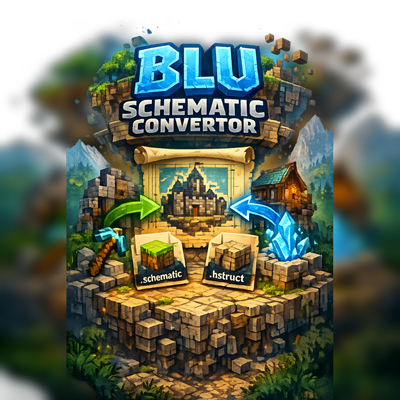
CurseForge · Hytale mod
Blu Schematic Converter
Convert your Minecraft Schematics to Hytale Prefabs! Get your builds from Minecraft into Hytale with simple commands!
Choose a version Pick your version below, then grab the matching file.
Quick answer
Which Blu Schematic Converter release should I use?
Latest stable file Blu-schem-converter-0.3.2
Game version 0.7
Mod system Built-in Hytale mod system
Blu Schematic Converter Blu-schem-converter-0.3.2 targets 0.7. Do not install it as a separate client mod. Enable it on the world host—the local server in singleplayer or the dedicated server in multiplayer. No required dependencies listed for this file.
Where it goes
Where should Blu Schematic Converter be installed in Hytale?
Do not install it as a separate client mod. Enable it on the world host—the local server in singleplayer or the dedicated server in multiplayer.
Separate client mod Not supported
World host / dedicated server Required
Mod system for this release Built-in Hytale mod system
Required install it here Optional supported, not mandatory Not supported do not install here Source doesn’t say do not assume
Put Hytale mods on the world host or dedicated server. Singleplayer runs a local server too; Hytale does not use separate client mods.
What else does Blu Schematic Converter Blu-schem-converter-0.3.2 need?
Blu-schem-converter-0.3.2. Change the file and its required mods may change too.
This file does not list any required mods. Do not add a library just because a different file uses it.
This file does not list any required or optional project dependencies. Check the creator notes before changing an existing world.
Before you install it
Add Blu Schematic Converter without breaking your instance.
Built for Blu Schematic Converter Blu-schem-converter-0.3.2. Pick another file and the loader, install side or required mods may change.
- 01
Stick to this file
Use Blu-schem-converter-0.3.2. It targets 0.7; another release may target a different game build or dependency set.
- 02
Bring the mods it needs
This file does not list any required mods. Do not add a library just because a different file uses it.
- 03
Enable it on the world host
Do not install it as a separate client mod. Enable it on the world host—the local server in singleplayer or the dedicated server in multiplayer.
- 04
Pick the file you checked
Use the “Get this file” button beside Blu-schem-converter-0.3.2. It opens that exact file at the source.
About this project
What does Blu Schematic Converter add?
Blu Schematic Convertor
This is a Hytale plugin designed to convert your Minecraft schematics into Hytale Prefabs!
Setup & Install
- Add BluSchematicConvertor to Hytale /mods folder
- Restart your server
- Add Minecraft schematic in the /online.blufantasy_BluSchematicConvertor/schematics
- Restart server (Reload command coming soon)
- Use /schematic list to view all your loaded schematics!
Commands
- /schematic list: List all available schematic files
- /schematic convert <filename>: Convert a Minecraft schematic to Hytale prefab to paste
- /schematic paste <filename>: Paste a converted prefab at your position
- /schematic undo: Undo the last paste operation
Updates to come:
- Block ID matching: Need to perform some mappings between Minecraft -> Hytale Blocks, Decorations, plants, and more. Bare with us because its a lot of mappings.
- Optimize for builds bigger then 750,000 blocks aka Builds 400x400+
- Setup conversion for instance of water & Lava: Currently mapping of this is disabled.
- Add features for in-game UI menu for viewing schematics and converting.
- Add Command /schematic reload: To reload the plugin after adding or removing schematics.
- Add Command /schematic prefab delete <filename>: To remove a converted prefab from the /schematics/prefab folder.
- Add conversion for .litematic files.
- Add conversion for .nbt files.
- Add conversion for Worlds files.
- Hook into Hytale tool paste.
Need support? Join our Community Discord
Or for instant support use our Issue tracker
Project description from CurseForge.
Pick your setup
Blu Schematic Converter releases for each Hytale build.
Choose the version and loader you play, then open the matching release.
Check the dependencies, then try the file in a copied instance before changing a world you care about.
Recent files
Blu Schematic Converter releases and Hytale builds
Blu-schem-converter-0.3.2
10 Nov 2026
Client Not supported Server Required Dependencies No extras listed Listed on Project page
Check the 0.7 setup 0.7 release
Blu Schem Converter 0 .1.1 Release
24 Feb 2026
Client Not supported Server Required Dependencies No extras listed Listed on Project page
Check the setup Blu Schematic Converter
16 Feb 2026
Client Not supported Server Required Dependencies No extras listed Listed on Project page
Check the setup Looking for an older file? The official CurseForge project page is in Resources.
 mod
CurseForge · Hytale
Experimental In-Game Wardrobe
Experimental UI for avatar customization in-game
 mod
CurseForge · Hytale
Qolaxis
Quality of life for Hytale: healing out of combat, a clock, what your crosshair is on, weapon damage and defence, any arrow in any bow, an item magnet, auto-sort and more, a QoL mod in place of a handful of small ones
 mod
CurseForge · Hytale
Alec's Animal Husbandry! - Taming, Breeding, Mounts, Combat Pets, Leveling, Hunger, Thirst, and more!
Tame, breed, care for, fight with, level up and more all vanilla animals. Train beasts as combat pets, breed livestock for the best harvesting efficiency, and so much more!