ExtraTooltips-1.1.3.jar
22 Feb 2026
Client Not supported Server Required Dependencies No extras listed Listed on Project page
Check the setup 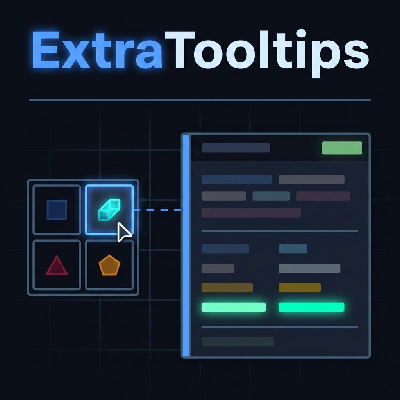
CurseForge · Hytale mod
Adds extra tooltips to items.
Quick answer
ExtraTooltips-1.1.3.jar targets Hytale. Do not install it as a separate client mod. Enable it on the world host—the local server in singleplayer or the dedicated server in multiplayer. No required dependencies listed for this file.
Where it goes
Do not install it as a separate client mod. Enable it on the world host—the local server in singleplayer or the dedicated server in multiplayer.
Put Hytale mods on the world host or dedicated server. Singleplayer runs a local server too; Hytale does not use separate client mods.
ExtraTooltips-1.1.3.jar. Change the file and its required mods may change too.
This file does not list any required mods. Do not add a library just because a different file uses it.
This file does not list any required or optional project dependencies. Check the creator notes before changing an existing world.
Before you install it
Built for ExtraTooltips-1.1.3.jar. Pick another file and the loader, install side or required mods may change.
Use ExtraTooltips-1.1.3.jar. It targets Hytale; another release may target a different game build or dependency set.
This file does not list any required mods. Do not add a library just because a different file uses it.
Do not install it as a separate client mod. Enable it on the world host—the local server in singleplayer or the dedicated server in multiplayer.
Use the “Get this file” button beside ExtraTooltips-1.1.3.jar. It opens that exact file at the source.
About this project

Know exactly where every item comes from — at a glance!

ExtraTooltips enhances your item experience by adding informative tooltips across the game. Every item now displays which mod it belongs to, so you always know the origin of what you're holding. It also adds dedicated tooltips to Swabs from MobFarmingTools, giving you detailed information right where you need it — no guessing required.
This list grows as new integrations are added!
Mod: ModName)ExtraTooltips-X.X.X.jar in your mods folderarmelin1_ExtraTooltips/config.json5 and restart to apply changes!Configuration Options:
showVanillaModLabel - If false, hides the "Mod: Hytale" label on base game items (default: true)showOnlyLastMod - If true, only shows the last mod label for items overridden by multiple mods. If false, all mod sources are listed (default: false)Example: Hovering over a Swab will now show relevant mob or farming data inline, without needing to open any external reference.
DynamicTooltipsLib - Download here
Found a bug? Report it on GitHub Issues!
If you enjoy this mod, consider:
Project description from CurseForge.
Recent files
22 Feb 2026
21 Feb 2026
21 Feb 2026
20 Feb 2026
20 Feb 2026
Looking for an older file? The official CurseForge project page is in Resources.