ReadyHud-1.1.9
31 May 2026
Client Not supported Server Required Dependencies No extras listed Listed on Project page
Check the setup 
CurseForge · Hytale mod
Hytale HUD Improvements! Day/Night Clock with 100% Accuracy! - Enemy Health Visual improvements - Health / Stamina bar Visual Improvements
Quick answer
ReadyHud-1.1.9 targets Hytale. Do not install it as a separate client mod. Enable it on the world host—the local server in singleplayer or the dedicated server in multiplayer. No required dependencies listed for this file.
Where it goes
Do not install it as a separate client mod. Enable it on the world host—the local server in singleplayer or the dedicated server in multiplayer.
Put Hytale mods on the world host or dedicated server. Singleplayer runs a local server too; Hytale does not use separate client mods.
ReadyHud-1.1.9. Change the file and its required mods may change too.
This file does not list any required mods. Do not add a library just because a different file uses it.
This file does not list any required or optional project dependencies. Check the creator notes before changing an existing world.
Before you install it
Built for ReadyHud-1.1.9. Pick another file and the loader, install side or required mods may change.
Use ReadyHud-1.1.9. It targets Hytale; another release may target a different game build or dependency set.
This file does not list any required mods. Do not add a library just because a different file uses it.
Do not install it as a separate client mod. Enable it on the world host—the local server in singleplayer or the dedicated server in multiplayer.
Use the “Get this file” button beside ReadyHud-1.1.9. It opens that exact file at the source.
About this project

! THIS MOD REQUIRES THE USE OF MULTIPLEHUD ADDON !
https://www.curseforge.com/hytale/mods/multiplehud
______________________________________________________________________________________________________________
This mod is specifically geared for those who would like a bit more information displayed on screen.
Hytale leaves out the Clock. Hytale also doesnt really give you NUMBERS on your bars for stamina or health. Enemy Health bar is lacking by default with the tiny little bars we get. This improves upon all of these things!
Everything is 100% Module, Moveable. Defaults are preset but not forced. You can change settings at anytime using /ready
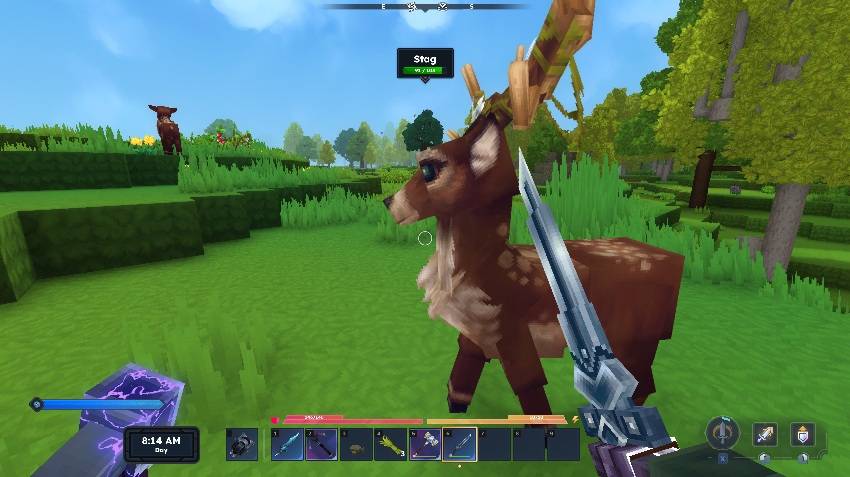
BONUS! -- Works with SimpleEnchantments! BUT NOT REQUIRED. It will only show these features if you have the mod running on your server / client.
I personally use the SimpleEnchaments Mod on my servers. So as a bonus since tooltip information was missing for enchantments, we added a HUD that will display your currently equipped items and their enchantments. Includes Shield and your selected Hotbar weapon. For a full list you can type /enchants and another menu will display all of your inventory. This is also viewable from /ready at the bottom of the list.
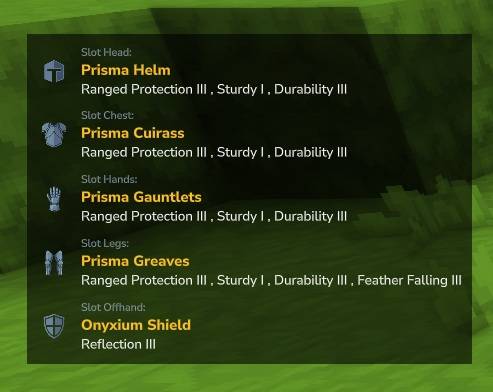
This was a personal mod, but now it is being released for anyone to use.
Enjoy!
This mod uses HStats to collect anonymous server and player count data — nothing else. This helps me understand how many servers run the mod and prioritize development. Fully open-source, following the official HytaleModding guide.
To opt out, edit
hstats-server-uuid.txtin your server root and setenable=false
Project description from CurseForge.
Recent files
31 May 2026
27 Mar 2026
4 Mar 2026
4 Mar 2026
25 Feb 2026
Looking for an older file? The official CurseForge project page is in Resources.
 mod
modAdds advanced, fuel-powered quarries that automatically mine large areas when properly configured with fuel and storage.
 mod
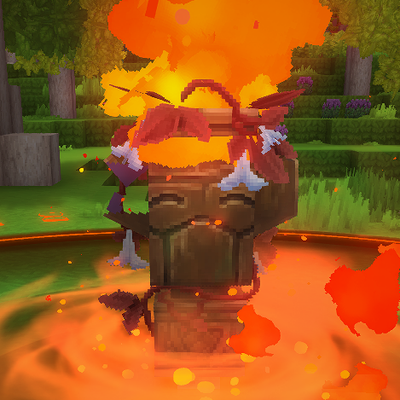
modAdds more totems to the game (Fire, Watering (sprinkler), Void, ...)
 mod
modSet which recipes are enabled or disabled based on world type + world name mapping you set