More Floor Signs - 1.0.1
28 Mar 2026
Client Not supported Server Required Dependencies No extras listed Listed on Project page
Check the setup 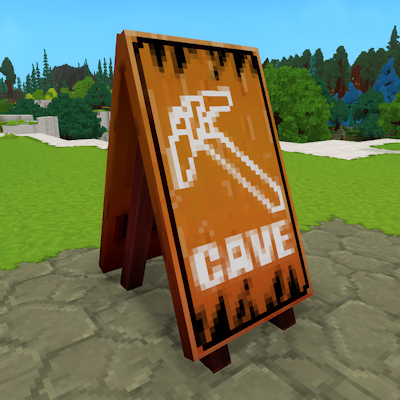
CurseForge · Hytale mod
This mod adds lots of new colorful signs that you can craft, including the original WIP sign! You'll need to make the new Signs Workbench and with just a few materials, you'll be able to craft multiple colorful signs.
Quick answer
New Floor Signs More Floor Signs - 1.0.1 targets Hytale. Do not install it as a separate client mod. Enable it on the world host—the local server in singleplayer or the dedicated server in multiplayer. No required dependencies listed for this file.
Where it goes
Do not install it as a separate client mod. Enable it on the world host—the local server in singleplayer or the dedicated server in multiplayer.
Put Hytale mods on the world host or dedicated server. Singleplayer runs a local server too; Hytale does not use separate client mods.
More Floor Signs - 1.0.1. Change the file and its required mods may change too.
This file does not list any required mods. Do not add a library just because a different file uses it.
This file does not list any required or optional project dependencies. Check the creator notes before changing an existing world.
Before you install it
Built for New Floor Signs More Floor Signs - 1.0.1. Pick another file and the loader, install side or required mods may change.
Use More Floor Signs - 1.0.1. It targets Hytale; another release may target a different game build or dependency set.
This file does not list any required mods. Do not add a library just because a different file uses it.
Do not install it as a separate client mod. Enable it on the world host—the local server in singleplayer or the dedicated server in multiplayer.
Use the “Get this file” button beside More Floor Signs - 1.0.1. It opens that exact file at the source.
About this project
This mod adds lots of new colorful signs that you can craft, including the original WIP sign! You'll need to make the new Signs Workbench and with just a few materials, you'll be able to craft multiple colorful signs.
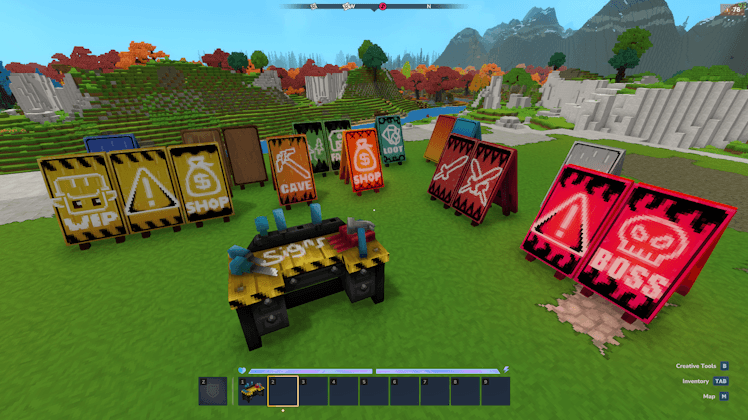
To craft any of the new signs, including the original "Under Construction" sign, you'll need to craft the Signs Workbench, which can be crafted using the basic Workbench, using wood, rocks, and yellow flower petals.
Crafting signs is simple. Craft a template, add a color, decorate it, and finish it off with an icon. The crafting recipes aren't too complicated. The four tabs in the Signs Workbench are for each of the four stages.
To craft a template, you just need wood and tree sap. This will make you an empty wooden sign.
For the next stage, use flower petals to color the sign. The Quality of the sign depends on the type and amount of petals. Single colored signs are Common, gradient signs are Uncommon, and glowing signs are Rare.
Next, using charcoal, you'll add a nice decorative border to the sign.
To finish it off, you'll need Chalk, that you can find in the Emerald Groves to add the icon to the sign. No, you can't mix and match border decorations, colors, and icons, each sign is their own block!
You can also scrape signs in the Signs Workbench using Rubble to turn it back into a Template sign! This will let you recolor it again to create a fully different sign.
Important: When scraping, the sign that's closest to the first slot in your inventory will be used. (Top left)
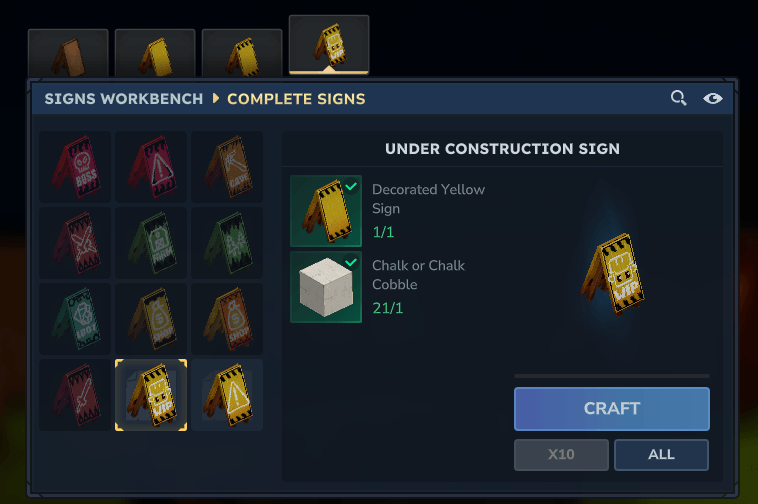
Tip: Kweebec Villages can contain many different types of flowers! You can also craft colored petals in the Furniture Workbench!
I will be adding many more signs in the future, including more gradient and glowing signs! Let me know any ideas or thoughts you have. If there's something you'd like to change, for example the crafting system, let me know too!
If you'd like to support me, my Creator Code is PatoRey #Ad
Project description from CurseForge.
Recent files
28 Mar 2026
26 Feb 2026
Looking for an older file? The official CurseForge project page is in Resources.