
PlayerRangeFinder-1.0.2.jar
1 Jun 2026
Client Not supported Server Required Dependencies No extras listed Listed on Project page
Check the setup 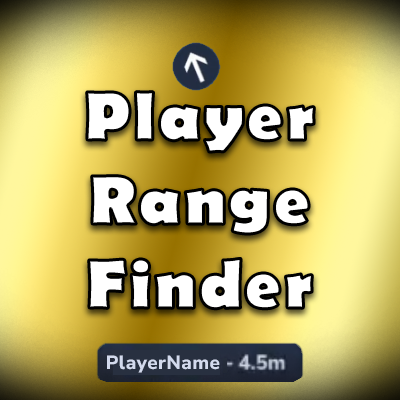
CurseForge · Hytale mod
Check how far away other players are, get their direction, and track them with a live compass arrow - all without needing line of sight.
Quick answer
Player Range Finder PlayerRangeFinder-1.0.2.jar targets Hytale. Do not install it as a separate client mod. Enable it on the world host—the local server in singleplayer or the dedicated server in multiplayer. No required dependencies listed for this file.
Where it goes
Do not install it as a separate client mod. Enable it on the world host—the local server in singleplayer or the dedicated server in multiplayer.
Put Hytale mods on the world host or dedicated server. Singleplayer runs a local server too; Hytale does not use separate client mods.
PlayerRangeFinder-1.0.2.jar. Change the file and its required mods may change too.
This file does not list any required mods. Do not add a library just because a different file uses it.
This file does not list any required or optional project dependencies. Check the creator notes before changing an existing world.
Before you install it
Built for Player Range Finder PlayerRangeFinder-1.0.2.jar. Pick another file and the loader, install side or required mods may change.
Use PlayerRangeFinder-1.0.2.jar. It targets Hytale; another release may target a different game build or dependency set.
This file does not list any required mods. Do not add a library just because a different file uses it.
Do not install it as a separate client mod. Enable it on the world host—the local server in singleplayer or the dedicated server in multiplayer.
Use the “Get this file” button beside PlayerRangeFinder-1.0.2.jar. It opens that exact file at the source.
About this project
Check how far away other players are, get their direction, and track them with a live compass arrow - all without needing line of sight.
Player Range Finder gives you tools to locate other players on your server. Aim at someone to see their distance, run a command to get a full breakdown, or enable a persistent direction arrow that points you toward a specific player in real-time.
When you aim at another player, a floating tooltip appears showing their name and distance in meters. This works automatically - just look at someone.
Customizable per-player:
Track a specific player with a persistent arrow that rotates to show their direction relative to where you're looking. The arrow snaps to 16 compass directions (N, NNE, NE, ENE, E, etc.) based on YOUR camera angle, not world coordinates.
How it works:
/rangef <player> dir to start tracking/rangef dir off to stopSwitching targets: If you try to track a new player while already tracking someone, a confirmation UI pops up asking "Already tracking [current]. Switch to [new]?" with Switch and Cancel buttons. Enable auto-switch mode to skip this dialog.
Customizable:
Entities you aim at get a colored glow effect. Works on players and NPCs.
Run /rangef to open the interactive settings menu. Everything you can do with commands, you can do from the GUI instead.
Display Settings (main page):
Highlight Settings (navigate from Display page):
Privacy List (navigate from Display page):
All pages link to each other with navigation buttons - no need to close and reopen.
Distance:
/rangef <player> - Show distance to a player/rangef <player> full - Distance + compass direction + height differenceDirection Arrow:
/rangef <player> dir - Start tracking a player with the direction arrow/rangef dir off - Stop direction tracking/rangef dir auto - Toggle auto-switch (skip confirmation when switching targets)/rangef arrow on/off - Toggle arrow display/rangef arrow bg on/off - Toggle arrow background/rangef arrow opacity <0-100> - Arrow background opacity/rangef arrowalign - Show/set arrow positionDisplay Settings:
/rangef on/off - Toggle distance tooltip/rangef opacity <0-100> - Set tooltip opacity/rangef opacity bg/text <0-100> - Background or text opacity separately/rangef color <hex> - Set text color/rangef align - Show/set tooltip position/rangef align <preset> - Use a preset (center-top, center-right, above-stamina, etc.)/rangef fade - Toggle fade animationsEntity Highlight:
/rangef hl - Show current highlight settings/rangef hl on/off - Toggle highlight/rangef hl once/loop - Set highlight mode/rangef hl col <name> - Set color (or 'reset')/rangef hl st <0.0-1.0> - Set strength (or 'reset')/rangef hl dr <0.2-3.0> - Set duration (or 'reset')/rangef hl once cd <0.0-20.0> - ONCE mode cooldown (or 'reset')/rangef hl loop cd <0.0-20.0> - LOOP mode cooldown (or 'reset')/rangef hl reset - Reset all highlight settings to defaultsPrivacy:
/rangef deny all - Block everyone from tracking you/rangef allow all - Allow everyone (default)/rangef deny <player> - Block a specific player/rangef allow <player> - Whitelist a specific player/rangef deny list / /rangef allow list - View your listsOther:
/rangef - Open settings GUI/rangef help - Full command list/rangef debug - Toggle distance tooltip for NPCs/entities (testing)Every setting is saved per-player and persists across sessions. Nothing is global - each player customizes their own experience.
%APPDATA%\Hytale\UserData\Mods\Created by BeyondSmash
Found a bug or have a suggestion? Join our Discord!
Project description from CurseForge.
Recent files
1 Jun 2026
27 Mar 2026
28 Feb 2026
Looking for an older file? The official CurseForge project page is in Resources.