Hytale version
Back to mods 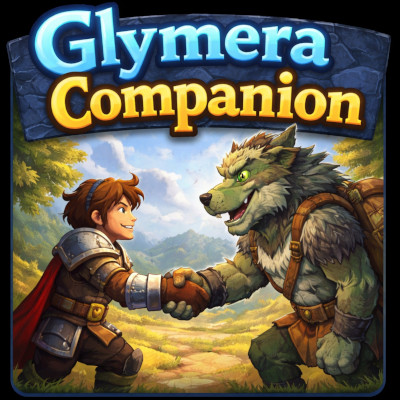
CurseForge · Hytale mod
GlymeraCompanion
Recruit wild NPCs as loyal companions! They follow you, defend you in combat, and persist across sessions. Over 80 recruitable creatures with /gc commands. Transfer companions between players.
Choose a version Pick your version below, then grab the matching file.
Quick answer
Which GlymeraCompanion release should I use?
Latest stable file GlymeraCompanion-16.0.0.jar
Game version 0.5
Mod system Built-in Hytale mod system
GlymeraCompanion-16.0.0.jar targets 0.5. Do not install it as a separate client mod. Enable it on the world host—the local server in singleplayer or the dedicated server in multiplayer. No required dependencies listed for this file.
Where it goes
Where should GlymeraCompanion be installed in Hytale?
Do not install it as a separate client mod. Enable it on the world host—the local server in singleplayer or the dedicated server in multiplayer.
Separate client mod Not supported
World host / dedicated server Required
Mod system for this release Built-in Hytale mod system
Required install it here Optional supported, not mandatory Not supported do not install here Source doesn’t say do not assume
Put Hytale mods on the world host or dedicated server. Singleplayer runs a local server too; Hytale does not use separate client mods.
What else does GlymeraCompanion-16.0.0.jar need?
GlymeraCompanion-16.0.0.jar. Change the file and its required mods may change too.
This file does not list any required mods. Do not add a library just because a different file uses it.
This file does not list any required or optional project dependencies. Check the creator notes before changing an existing world.
Before you install it
Add GlymeraCompanion without breaking your instance.
Built for GlymeraCompanion-16.0.0.jar. Pick another file and the loader, install side or required mods may change.
- 01
Stick to this file
Use GlymeraCompanion-16.0.0.jar. It targets 0.5; another release may target a different game build or dependency set.
- 02
Bring the mods it needs
This file does not list any required mods. Do not add a library just because a different file uses it.
- 03
Enable it on the world host
Do not install it as a separate client mod. Enable it on the world host—the local server in singleplayer or the dedicated server in multiplayer.
- 04
Pick the file you checked
Use the “Get this file” button beside GlymeraCompanion-16.0.0.jar. It opens that exact file at the source.
About this project
What does GlymeraCompanion add?
GlymeraCompanion - Recruit NPCs as Your Personal Companions
Recruit wild NPCs with a Glymera Sword, build your personal squad, and fight together. Your companions follow you, defend you, and join your attacks. Manage them through a visual UI or chat commands.
What is GlymeraCompanion?
GlymeraCompanion lets you recruit almost any humanoid NPC in the game as a permanent companion. Hit a wild NPC with the craftable Glymera Sword to recruit it. Your companions follow you around, teleport to you when you get too far away, and fight alongside you in combat. Manage your squad through a visual UI page or classic chat commands.
Recruit, fight, conquer.
How It Works
- Craft a Glymera Sword at an Arcanebench — recipe: 1x Iron Sword + 1x Greater Essence of Life
- Find a wild NPC you want to recruit
- Hit it with the Glymera Sword - it joins your squad
- Open
/gcto manage your companions through the UI - Dismiss companions you don't need right now (they stay in your roster)
- Call them back whenever you want
Combat System
Your companions fight for you in three ways:
| Trigger | Behavior |
|---|---|
| You get hit | All active companions attack your attacker |
| Companion gets hit | That companion fights back |
| You attack a mob | All active companions join the fight |
Companions deal configurable melee damage with hit effects and sound. They return to following you after combat ends (10s timeout).
Commands
| Command | Who | Description |
|---|---|---|
/gc |
Everyone | Open the companion management UI |
/gc call <name> |
Everyone | Summon a companion to your side |
/gc dismiss <name> |
Everyone | Send a companion away (stays in roster) |
/gc release <name> |
Everyone | Release a companion permanently (frees slot) |
/gc list |
Everyone | List all your companions with status |
/gc status |
Everyone | Show slot and cooldown overview |
/gc transfer <name> <player> |
Everyone | Give a companion to another player |
/gc admin slots <player> <amount> |
OP | Set companion slots for a player |
Companion Management UI
Type /gc to open a visual page showing all your companions as cards:
- Green = Active (following you)
- Yellow = Idle (dismissed, ready to call)
- Red = Dead (on respawn cooldown with timer)
Each card has action buttons: Call, Dismiss, Release. The page updates live after every action.
Recruitable NPCs
Over 100 NPC types across 25+ groups can be recruited:
| Group | Examples |
|---|---|
| Trork | Hunter, Warrior, Brawler, Chieftain, Shaman… |
| Outlander | Hunter, Berserker, Brute, Marauder, Stalker… |
| Kweebec | Razorleaf, Elder, Sapling, Seedling… |
| Goblin | Scrapper, Scavenger, Miner, Duke, Ogre… |
| Feran | Burrower, Civilian, Longtooth, Windwalker… |
| Skeleton | 40 variants (Normal, Burnt, Frost, Sand, Pirate…) |
| Zombie | Normal, Burnt, Frost, Sand, Aberrant… |
| Dragon | Fire, Frost |
| Golem | Crystal (5 types), Firesteel, Guardian… |
| Wolf | Black, White, Outlander, Trork variants… |
| Bear | Grizzly, Polar |
| + many more | Werewolf, Wraith, Yeti, Scorpion, Spider, Hyena… |
NPCs with patrol/dungeon/temple prefixes are also matched automatically.
Death and Cooldown
When a companion dies in combat:
- It is removed from the world
- A configurable cooldown starts (default: 10 minutes)
- After the cooldown, you can call it again at full health
Features
- Glymera Sword recruitment - Immersive recruitment by hitting wild NPCs with a craftable sword
- Visual UI - Manage all companions through a clickable page (
/gc) - 3 combat systems - Defend, self-defense, and offense (companions join your attacks)
- Follow + teleport - Companions follow you and teleport when too far away (50 blocks)
- Persistent roster - Companions survive server restarts and player disconnects
- Transfer system - Give companions to other players
- Slot system - Configurable total slots and max active companions per player
- Death cooldown - Prevents instant respawn after companion death
- Original appearance - Recruited NPCs keep their wild appearance
- Per-type health - Each companion type has configurable max health
- Configurable everything - Damage, range, intervals, slots, cooldowns, recruit item
Configuration
File: config.json (created on first start in plugin data directory)
| Setting | Default | Description |
|---|---|---|
maxCompanionsPerPlayer |
10 | Maximum companions in a player's roster |
maxActiveCompanions |
3 | Maximum companions active at the same time |
defaultSlots |
5 | Starting slots for new players |
deathCooldownSeconds |
600 | Respawn cooldown after companion death (10 min) |
followTeleportDistance |
50 | Distance before companion teleports to owner |
followCheckIntervalMs |
2000 | How often follow/teleport is checked |
companionAttackDamage |
15.0 | Melee damage per companion attack |
companionAttackRange |
3.0 | Attack range in blocks |
companionAttackIntervalMs |
1500 | Time between companion attacks |
recruitItem |
Weapon_Sword_Glymera | Item used to recruit NPCs |
swordCraftable |
true | Whether the Glymera Sword recipe is available |
swordConsumeOnUse |
false | Whether the sword is consumed on each recruitment |
companionTypes |
(see config) | Per-type settings: role, health, wild roles |
Installation
- Place
GlymeraCompanion-9.0.0.jarin your server'smods/folder - Start (or restart) the server
- Done!
Good to Know
- Companions are despawned when you disconnect and respawned when you rejoin (with 2s delay)
- Companions cannot attack other players - they only target NPCs/mobs
- Hitting your own companion does nothing (player attacks are ignored)
- The Glymera Sword does not damage NPCs during recruitment (damage is cancelled)
- Companions keep their original wild appearance (a Trork Warrior still looks like a Trork Warrior)
- Admins can adjust slots per player with
/gc admin slots <player> <amount> - All companion data is stored as JSON files per player in the plugin data directory
Made with care by Glymera for the Hytale community
Project description from CurseForge.
Pick your setup
GlymeraCompanion releases for each Hytale build.
Choose the version and loader you play, then open the matching release.
Check the dependencies, then try the file in a copied instance before changing a world you care about.
Recent files
GlymeraCompanion releases and Hytale builds
GlymeraCompanion-16.0.0.jar
6 Jul 2026
Client Not supported Server Required Dependencies No extras listed Listed on Project page
Check the 0.5 setup 0.5 release
GlymeraCompanion-15.0.0.jar
28 May 2026
Client Not supported Server Required Dependencies No extras listed Listed on Project page
Check the 0.5 setup 0.5 release
GlymeraCompanion-9.0.0.jar
15 Apr 2026
Client Not supported Server Required Dependencies No extras listed Listed on Project page
Check the setup GlymeraCompanion-7.0.0.jar
6 Apr 2026
Client Not supported Server Required Dependencies No extras listed Listed on Project page
Check the setup GlymeraCompanion-6.0.0.jar
30 Mar 2026
Client Not supported Server Required Dependencies No extras listed Listed on Project page
Check the setup GlymeraCompanion-5.0.0.jar
17 Mar 2026
Client Not supported Server Required Dependencies No extras listed Listed on Project page
Check the setup GlymeraCompanion-4.0.0.jar
16 Mar 2026
Client Not supported Server Required Dependencies No extras listed Listed on Project page
Check the setup GlymeraCompanion-3.0.0.jar
14 Mar 2026
Client Not supported Server Required Dependencies No extras listed Listed on Project page
Check the setup GlymeraCompanion-2.1.0.zip
9 Mar 2026
Client Not supported Server Required Dependencies No extras listed Listed on Project page
Check the setup Looking for an older file? The official CurseForge project page is in Resources.