com.ngccorp.difficulty-0.3.1.jar
11 Mar 2026
Client Not supported Server Required Dependencies No extras listed Listed on Project page
Check the setup 
CurseForge · Hytale mod
Scale mob and environment damage server-wide with named presets or fine-grained sliders.
Quick answer
Difficulty com.ngccorp.difficulty-0.3.1.jar targets Hytale. Do not install it as a separate client mod. Enable it on the world host—the local server in singleplayer or the dedicated server in multiplayer. No required dependencies listed for this file.
Where it goes
Do not install it as a separate client mod. Enable it on the world host—the local server in singleplayer or the dedicated server in multiplayer.
Put Hytale mods on the world host or dedicated server. Singleplayer runs a local server too; Hytale does not use separate client mods.
com.ngccorp.difficulty-0.3.1.jar. Change the file and its required mods may change too.
This file does not list any required mods. Do not add a library just because a different file uses it.
This file does not list any required or optional project dependencies. Check the creator notes before changing an existing world.
Before you install it
Built for Difficulty com.ngccorp.difficulty-0.3.1.jar. Pick another file and the loader, install side or required mods may change.
Use com.ngccorp.difficulty-0.3.1.jar. It targets Hytale; another release may target a different game build or dependency set.
This file does not list any required mods. Do not add a library just because a different file uses it.
Do not install it as a separate client mod. Enable it on the world host—the local server in singleplayer or the dedicated server in multiplayer.
Use the “Get this file” button beside com.ngccorp.difficulty-0.3.1.jar. It opens that exact file at the source.
About this project
⚠️ This plugin is developed for the latest pre-release. I can't guarantee that it is currently compatible to the stable branch.
⚠️ This plugin requires HyUI installed and activated on the server.
A Hytale server plugin that scales damage across four independent axes: mob damage, environment damage (fire, void, drowning, suffocation, etc.), fall damage, and player damage (damage players deal to mobs). PvP damage is always left unmodified.
Settings persist across restarts and can be changed live — without reloading the server.
| Preset | Mob damage | Environment damage | Fall damage | Player damage |
|---|---|---|---|---|
| Normal | ×1.0 | ×1.0 | ×1.0 | ×1.0 |
| Medium | ×1.5 | ×1.25 | ×1.25 | ×1.0 |
| Hard | ×2.0 | ×1.5 | ×1.75 | ×1.0 |
| Nightmare | ×3.0 | ×2.5 | ×2.0 | ×1.0 |
The player damage multiplier is intentionally not part of any preset — it is only adjustable via the admin UI slider or by editing the config directly. This keeps preset behavior predictable while still allowing server-specific tuning.
| Command | Description |
|---|---|
/difficulty |
Show the current multipliers |
/difficulty normal |
Apply the Normal preset |
/difficulty medium |
Apply the Medium preset |
/difficulty hard |
Apply the Hard preset |
/difficulty nightmare |
Apply the Nightmare preset |
/difficulty ui |
Open the admin UI with sliders |
Ellie:HyUI — used for the in-game admin UIBuuz135:MultipleHUD — additional HUD integrationMIT
Project description from CurseForge.
Recent files
11 Mar 2026
10 Mar 2026
10 Mar 2026
9 Mar 2026
Looking for an older file? The official CurseForge project page is in Resources.
 mod
modExplore the seas: shipwrecks and ruins on the ocean floor, loot chests, floating pirate ships, treasure maps, and diving gear for deep dives.
 mod
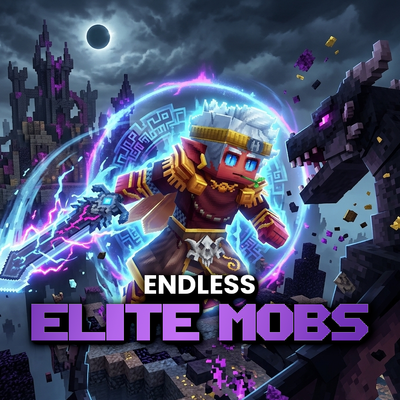
modAdds elite RPG mobs with 13 unique abilities all with custom interactions and cool visual effects, all very dangerous.
 mod
modAdds a brand-new Labyrinth Dimension featuring a vast desert surface and an endless maze stretching deep below. Discover unique locations and face a variety of dangerous new enemies as you explore its depths!