Valtheris.MyceliumGrowth.zip
20 Mar 2026
Client Not supported Server Required Dependencies No extras listed Listed on Project page
Check the setup 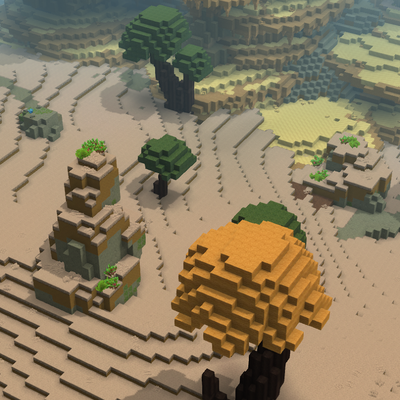
CurseForge · Hytale mod
mushrooms... MUSHROOMS! everywhere!!1
Quick answer
Mycelium Growth Valtheris.MyceliumGrowth.zip targets Hytale. Do not install it as a separate client mod. Enable it on the world host—the local server in singleplayer or the dedicated server in multiplayer. No required dependencies listed for this file.
Where it goes
Do not install it as a separate client mod. Enable it on the world host—the local server in singleplayer or the dedicated server in multiplayer.
Put Hytale mods on the world host or dedicated server. Singleplayer runs a local server too; Hytale does not use separate client mods.
Valtheris.MyceliumGrowth.zip. Change the file and its required mods may change too.
This file does not list any required mods. Do not add a library just because a different file uses it.
This file does not list any required or optional project dependencies. Check the creator notes before changing an existing world.
Before you install it
Built for Mycelium Growth Valtheris.MyceliumGrowth.zip. Pick another file and the loader, install side or required mods may change.
Use Valtheris.MyceliumGrowth.zip. It targets Hytale; another release may target a different game build or dependency set.
This file does not list any required mods. Do not add a library just because a different file uses it.
Do not install it as a separate client mod. Enable it on the world host—the local server in singleplayer or the dedicated server in multiplayer.
Use the “Get this file” button beside Valtheris.MyceliumGrowth.zip. It opens that exact file at the source.
About this project
This mod adds a new mushroom biome to the game using hytale's World Gen v2!
Download the “Valtheris.MyceliumGrowth.zip” file and place it in your Hytale mods folder. Then enable it for your chosen world
Join your world and run the command /op self
Use the /instances command and select Valtheris.MyceliumGrowth/MyceliumGrowth
Project description from CurseForge.
Recent files
20 Mar 2026
Looking for an older file? The official CurseForge project page is in Resources.
 mod
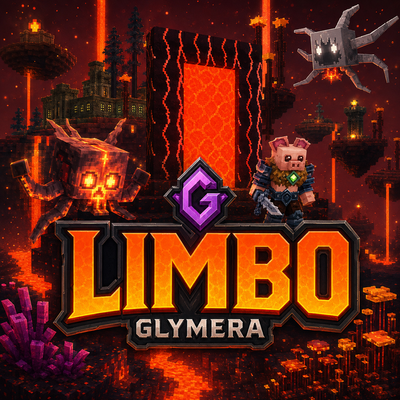
modMissing the Nether? Limbo is Hytale's burning dimension: floating islands over a lava sea, armed pig-folk, splitting salamanders, fortress loot, three plant lines and a gold economy. Server-side only, zero setup.
 mod
modAdds a brand-new Labyrinth Dimension featuring a vast desert surface and an endless maze stretching deep below. Discover unique locations and face a variety of dangerous new enemies as you explore its depths!