 mod
mod CurseForge · Hytale
GlymeraBlueStone
A complete redstone-style automation system for Hytale — wires, pistons, hoppers, repeaters, observers, torches, pressure plates, ejectors, applicators and more.
CurseForge · Hytale mod
Bring external images into Hytale by direct URL or local file: place Canvas blocks in a rectangle, run /canvas set, and everyone sees the same picture. Admin-only, fixed pool — up to 1024 image blocks shown at once.
Quick answer
We could not find enough file information to pick a stable Hytale setup for project-1563653.
Where it goes
Do not install it as a separate client mod. Enable it on the world host—the local server in singleplayer or the dedicated server in multiplayer.
Put Hytale mods on the world host or dedicated server. Singleplayer runs a local server too; Hytale does not use separate client mods.
Choose a release before relying on this list.
This file does not give us a dependency list. Check the creator notes before installing.
This file does not list any required or optional project dependencies. Check the creator notes before changing an existing world.
Before you install it
We could not pick a file, so treat this as a checklist—not a compatibility promise.
We could not pick a stable file here. Check the game version and loader on the official project page before installing anything.
This file does not give us a dependency list. Check the creator notes before installing.
Do not install it as a separate client mod. Enable it on the world host—the local server in singleplayer or the dedicated server in multiplayer.
There is no download page for this exact file. Open the project page in Resources and choose the matching release there.
About this project
Bring external images into your world and put them on a wall. Drop a picture in a folder or paste a direct image link, place a few blocks, and the image appears in-game — and everyone sees the same picture.
Don't miss my other exciting projects — take a look at GlymeraCraft's Profile Discord: https://discord.gg/s5NRFWfxgy
GlymeraCanvas is an admin tool, made for things like info boards, rules, maps, event posters or artwork at spawn.
GlymeraCanvas ships a fixed pool of 1024 image-slot blocks. Every image you place is cut into 32×32 tiles, and each tile occupies one slot from that pool.
That means: an admin can have at most 1024 image-blocks placed at the same time, across the whole server.
/canvas remove or by breaking a block), its slots free up immediately and can be reused for new images.So you are not limited in how many images over time, only in how many distinct tiles are placed at once — and that ceiling is 1024.
/canvas give — get a stack of Canvas blocks./canvas set <url-or-filename>.The Canvas blocks turn into the image. Done.
By link — a direct image URL (must point at the image itself, not a web page):
/canvas set https://example.com/picture.png
By file — drop the image into the plugin's image folder and use just its name:
mods/de.glymera_GlymeraCanvas/images/
/canvas set logo.png
The file extension is optional — /canvas set logo finds logo.png automatically. No server restart is needed after adding a file.
PNG, JPG and GIF work out of the box. WebP/AVIF are supported if ffmpeg is available on the server (configurable); if it isn't, you'll get a clear message and PNG/JPG keep working. No third-party libraries are bundled.
| Command | Description |
|---|---|
/canvas give |
Get a stack of Canvas blocks |
/canvas set <url|file> |
Fill the Canvas blocks you're looking at with an image |
/canvas remove |
Remove the canvas you're looking at (frees its slots) |
/canvas list |
List placed canvases and slot usage |
/canvas info |
Info about the canvas you're looking at |
/canvas reload |
Reload the config |
All management commands are OP-only by default.
/canvas set (so build your boards before players arrive, and they'll never notice).mods/de.glymera_GlymeraCanvas/config.json
| Key | Default | Meaning |
|---|---|---|
poolSize |
1024 |
Number of image-slot blocks (fixed by the asset pack — see the limit section above) |
requireOp |
true |
If true, only OPs may manage canvases |
ffmpegPath |
"ffmpeg" |
Path to ffmpeg for WebP/AVIF decoding; set to "" to disable |
Requires Hytale Stable-5 or newer.
Project description from CurseForge.
Recent files
No release information is currently available.
Looking for an older file? The official CurseForge project page is in Resources.
modA complete redstone-style automation system for Hytale — wires, pistons, hoppers, repeaters, observers, torches, pressure plates, ejectors, applicators and more.
 mod
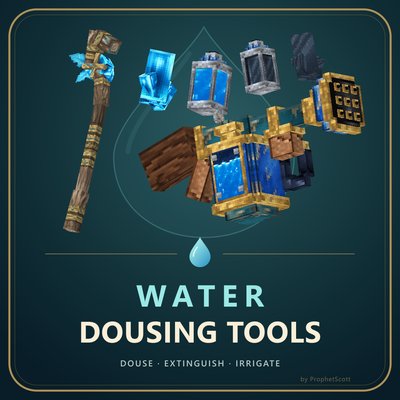
modWater your crops, extinguish fires, cool lava, and tinker with tools and machinery.
 mod
modEasy Homes adds a clean /home GUI for setting and teleporting to your home, bed, or spawn, with overwrite protection, saved coordinates, persistent homes, and no permission setup required.