Hytale version
Back to mods 
CurseForge · Hytale mod
Orbitech
Orbitech is an automation mod for Hytale that combines kinetic, magic and other systems together to bring an immersive, technology to automate your world
Choose a version Pick your version below, then grab the matching file.
Quick answer
Which Orbitech release should I use?
beta file Orbitech-Plugin-0.5.21.jar
Game version 0.5
Mod system Built-in Hytale mod system
Orbitech-Plugin-0.5.21.jar targets 0.5. Do not install it as a separate client mod. Enable it on the world host—the local server in singleplayer or the dedicated server in multiplayer. No required dependencies listed for this file.
Where it goes
Where should Orbitech be installed in Hytale?
Do not install it as a separate client mod. Enable it on the world host—the local server in singleplayer or the dedicated server in multiplayer.
Separate client mod Not supported
World host / dedicated server Required
Mod system for this release Built-in Hytale mod system
Required install it here Optional supported, not mandatory Not supported do not install here Source doesn’t say do not assume
Put Hytale mods on the world host or dedicated server. Singleplayer runs a local server too; Hytale does not use separate client mods.
What else does Orbitech-Plugin-0.5.21.jar need?
Orbitech-Plugin-0.5.21.jar. Change the file and its required mods may change too.
This file does not list any required mods. Do not add a library just because a different file uses it.
This file does not list any required or optional project dependencies. Check the creator notes before changing an existing world.
Before you install it
Add Orbitech without breaking your instance.
Built for Orbitech-Plugin-0.5.21.jar. Pick another file and the loader, install side or required mods may change.
- 01
Stick to this file
Use Orbitech-Plugin-0.5.21.jar. It targets 0.5; another release may target a different game build or dependency set.
- 02
Bring the mods it needs
This file does not list any required mods. Do not add a library just because a different file uses it.
- 03
Enable it on the world host
Do not install it as a separate client mod. Enable it on the world host—the local server in singleplayer or the dedicated server in multiplayer.
- 04
Pick the file you checked
Use the “Get this file” button beside Orbitech-Plugin-0.5.21.jar. It opens that exact file at the source.
About this project
What does Orbitech add?
Orbitech is currently in beta, which means it is a work in progress, and with time, more content and features will be added.
Always remember to make backups of your worlds!
Any suggestion or bug reports can be posted in our discord server
Check out the Wiki!

Quick overview
Workbenches
New Workbenches are introduced to obtain the content included in Orbitech.
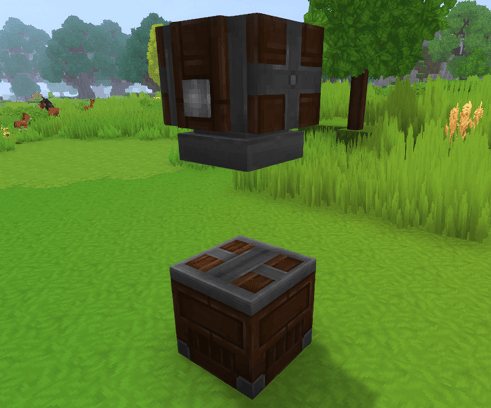
The Mortar and Pestle allows you to turn ores into dust, and flax flowers into seeds for planting, later useful to create treated wood.
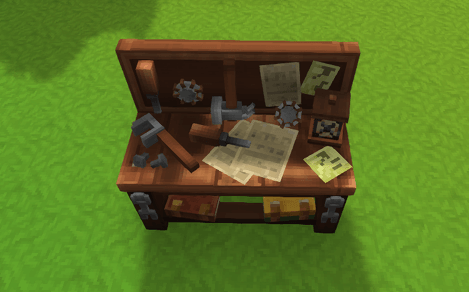
The Engineering Bench unlocks the recipes for most of the content in the mod: Kinetics, Item Management and Tools.
The Woodcutter's Bench allows you to obtain every hardwood trunk as their Stripped version, later used to craft gears in that same workbench.
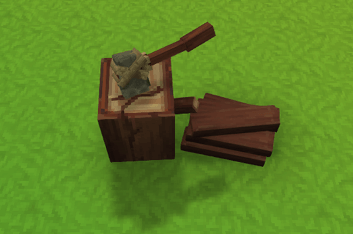
Kinetics
The kinetic system allows players to power machines to manage items and process recipes.
There are 3 tiers of gears available: Wood, Refined and Metal; Each of which supports more top speed than the previous one, but is also harder to obtain.
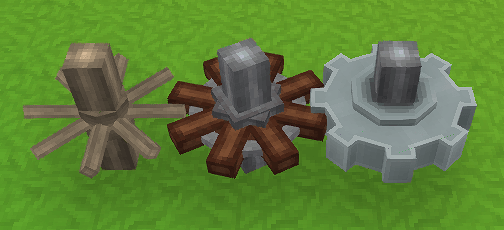
Gears come in different shapes and sizes, while also introducing a new feature: Multilevel Shafts; Which allows placement of gears close together without interaction, giving room for more complex and compact machines.
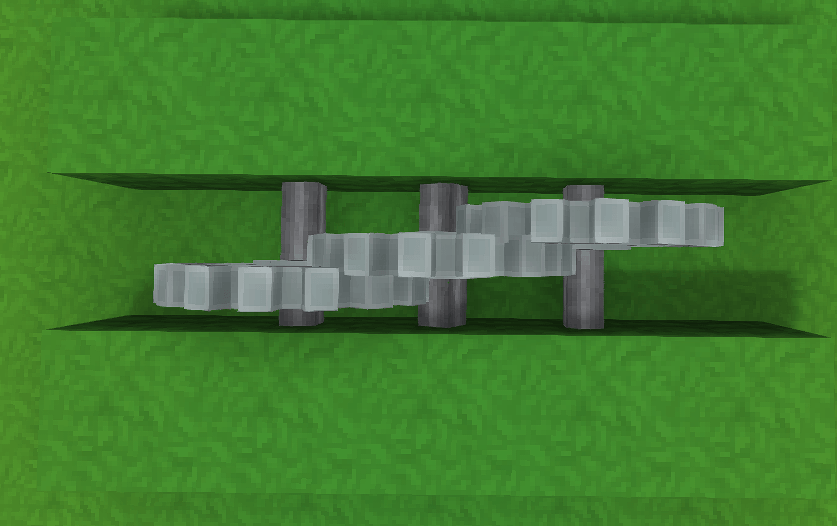
There are currently a few machines available powered by kinetics, each of them introducing new recipes and possibilities to the game.
The Mechanical Press allows you to compact items or press them into new ones.
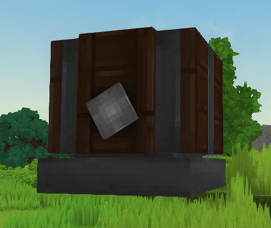
The Mechanical Mixer allows you to combine items together.
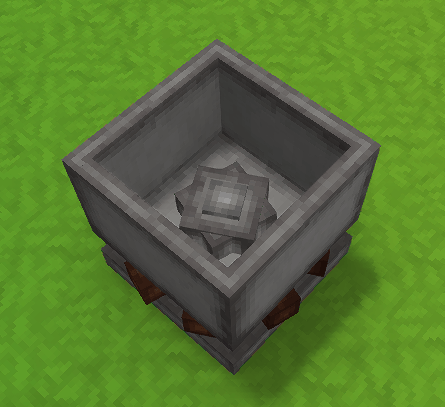
The Milling Stone allows you to mill or separate items.
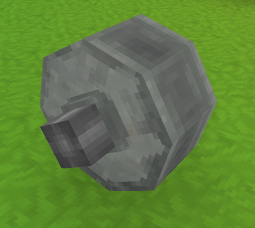
The Packager along with its Storage, will allow you to fill up Portable crates with the contents of the storage - Can be filtered with Projectors
Item management
Items can be transferred and filtered using chutes, projectors and conveyor belts.
The Chutes transfer items downwards between containers (Chests, other chutes..) and can insert or drop items in the world.
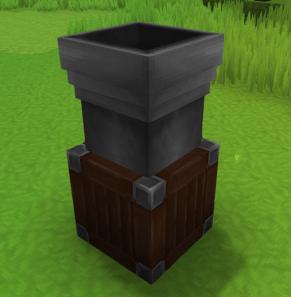
The Projectors act like filters, place them to the side of a Chute or Conveyor Belt to filter the items allowed to pass; or upgrade it with Void essences to block items instead.
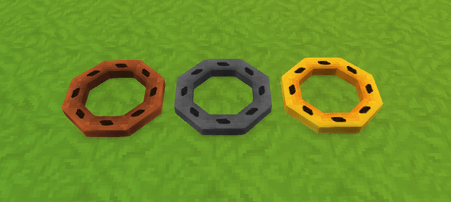
Conveyor belts move items horizontally, but they require kinetic energy to function - Conveyor belts can also move entities.
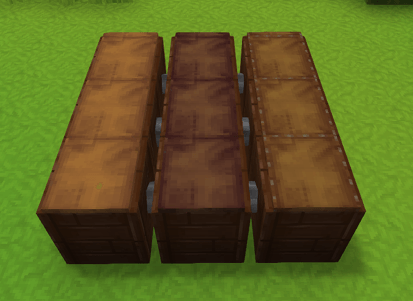
Pack your items in a Portable crate, allowing you to transfer large amount of items in a single slot of your inventory!
Portable crates can be automatically filled with the Packager; The Packager supports item filtering using projectors, allowing you to pack Portable crates only when the item list and amount matches the connected projector.
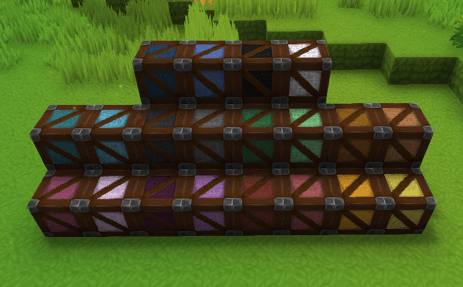
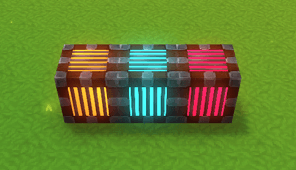
Keep your secrets with the Soul bind crates - Binded with magic to your soul, this crate stores items that only you can access, every crate binded to the same element will store the same items.
Tools
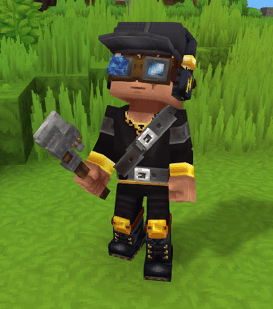
Manage and modify your components using the Wrench, allowing you to modify blocks with special interactions, or change shapes similar to the Iron Hammer Tool.
Inspect your creations with the Magic Goggles, they display important information about your buildings, allowing you to see the values and limits of components.
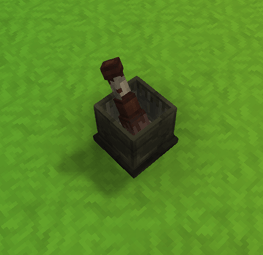
Capture wild entities with the Adamantite Cage, Living Spark and the new entity "Frozen Spark" can be captured inside the cage; Allowing you to place it below Mechanical Mixers to transform them into their Fire and Frozen variants unlocking more recipes.
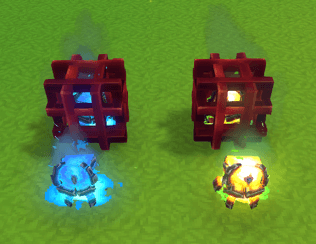
Project description from CurseForge.
Pick your setup
Orbitech releases for each Hytale build.
Choose the version and loader you play, then open the matching release.
Check the dependencies, then try the file in a copied instance before changing a world you care about.
Recent files
Orbitech releases and Hytale builds
Orbitech-Plugin-0.5.21.jar
30 Jul 2026
Client Not supported Server Required Dependencies No extras listed Listed on Project page
Check the 0.5 setup Orbitech-Plugin-0.5.20.jar
28 Jul 2026
Client Not supported Server Required Dependencies No extras listed Listed on Project page
Check the 0.5 setup Orbitech-Plugin-0.5.19.jar
22 Jul 2026
Client Not supported Server Required Dependencies No extras listed Listed on Project page
Check the 0.5 setup Orbitech-Plugin-0.5.18.jar
21 Jul 2026
Client Not supported Server Required Dependencies No extras listed Listed on Project page
Check the 0.5 setup Looking for an older file? The official CurseForge project page is in Resources.
 mod
mod CurseForge · Hytale
DiscordWebhook
Displays chat and events in Discord using only a webhook. Multi channel support!
 mod
mod CurseForge · Hytale
PathForge
Pathforge adds PoE-inspired RPG progression to Hytale — leveling, attributes, a passive skill tree, and gear crafting with rarity and affixes — all in one hub UI.
 mod
mod CurseForge · Hytale
Fullmetal Labyrinth
Adds a brand-new Labyrinth Dimension featuring a vast desert surface and an endless maze stretching deep below. Discover unique locations and face a variety of dangerous new enemies as you explore its depths!