Hytale version
Back to mods 
CurseForge · Hytale mod
LifeCrops: Automation
Adds Auto Harvesters, Auto Crop Pots, and upgrades for automating crops farms. Inherently designed to support the Life Crops Mod.
Choose a version Pick your version below, then grab the matching file.
Quick answer
Which LifeCrops: Automation release should I use?
Latest stable file LifeCrops-Automation(0.1.6).jar
Game version 0.5
Mod system Built-in Hytale mod system
LifeCrops: Automation LifeCrops-Automation(0.1.6).jar targets 0.5. Do not install it as a separate client mod. Enable it on the world host—the local server in singleplayer or the dedicated server in multiplayer. No required dependencies listed for this file.
Where it goes
Where should LifeCrops: Automation be installed in Hytale?
Do not install it as a separate client mod. Enable it on the world host—the local server in singleplayer or the dedicated server in multiplayer.
Separate client mod Not supported
World host / dedicated server Required
Mod system for this release Built-in Hytale mod system
Required install it here Optional supported, not mandatory Not supported do not install here Source doesn’t say do not assume
Put Hytale mods on the world host or dedicated server. Singleplayer runs a local server too; Hytale does not use separate client mods.
What else does LifeCrops: Automation LifeCrops-Automation(0.1.6).jar need?
LifeCrops-Automation(0.1.6).jar. Change the file and its required mods may change too.
This file does not list any required mods. Do not add a library just because a different file uses it.
This file does not list any required or optional project dependencies. Check the creator notes before changing an existing world.
Before you install it
Add LifeCrops: Automation without breaking your instance.
Built for LifeCrops: Automation LifeCrops-Automation(0.1.6).jar. Pick another file and the loader, install side or required mods may change.
- 01
Stick to this file
Use LifeCrops-Automation(0.1.6).jar. It targets 0.5; another release may target a different game build or dependency set.
- 02
Bring the mods it needs
This file does not list any required mods. Do not add a library just because a different file uses it.
- 03
Enable it on the world host
Do not install it as a separate client mod. Enable it on the world host—the local server in singleplayer or the dedicated server in multiplayer.
- 04
Pick the file you checked
Use the “Get this file” button beside LifeCrops-Automation(0.1.6).jar. It opens that exact file at the source.
About this project
What does LifeCrops: Automation add?
LifeCrops Automation
Short Summary
LifeCrops: Automation is the official automation companion for Life Crops. It adds Auto Harvesters, upgrades, Life Essence fuel, and configurable harvesting systems so players can build larger resource farms with less manual work.
Description
LifeCrops Automation is a standalone automation expansion designed to pair with the LifeCrops mod. It adds machines that use Life Essence fuel, reservoirs, and upgrades to reduce repeated farm work while still requiring the player to build, fuel, fill, and tune their setup.
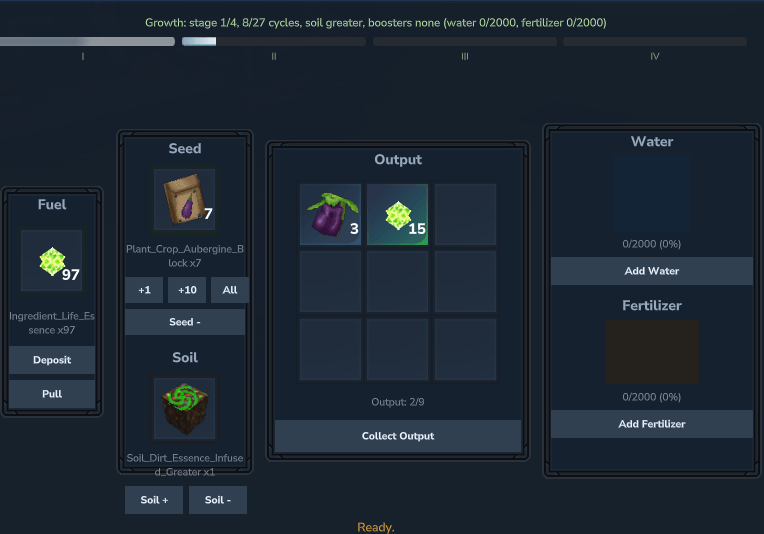
The Auto Harvester harvests mature nearby crops and stores the output internally. The Auto Crop Pot grows crops internally from inserted seed bags and soil, with optional water and fertilizer boosters for faster growth. Sprinklers and Fertilizer Spreaders maintain world farmland coverage, while the Auto Tree Planter grows base-game saplings internally and produces simulated tree outputs.
Features
Auto Harvester block for automated mature-crop harvesting
Auto Crop Pot block for internal seed-bag crop growing and harvesting
Auto Tree Planter block for internal base-game sapling growing and tree drops
Basic, Standard, and Advanced Sprinklers for watering world farmland
Basic, Standard, and Advanced Fertilizer Spreaders for fertilizing world farmland
Output, Transfer, and Input Item Pipes for first-pass item logistics
One-slot exact item filters on Output and Input pipes
Chest-to-chest routing through connected pipe networks
Chest-to-machine routing into legal fuel and seed or sapling slots
Radius and forward coverage modes for world service blocks
Life Essence fuel slots and internal output storage
Soil requirements for Auto Crop Pot and Auto Tree Planter growth
Optional water and fertilizer reservoirs for internal growth boosts
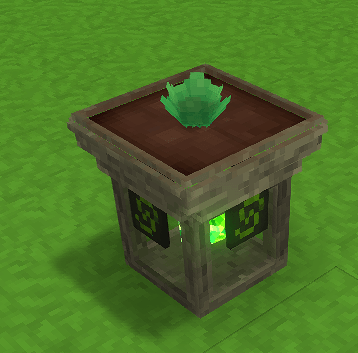
Generic external Auto Crop Pot growth-stage visuals
Generic external Auto Tree Planter growth-stage visuals
Two-page custom UIs with main controls and upgrade tabs
Simple Sprinkler and Fertilizer Spreader UIs
Tiered Automation upgrades: Basic, Refined, Advanced, and Masterwork
Shared Speed, Fuel Efficiency, and Yield upgrade behavior across compatible machines
Range upgrades for the Auto Harvester
Water Efficiency and Fertilizer Efficiency upgrades for the Auto Crop Pot
Sapling Recovery upgrades for the Auto Tree Planter
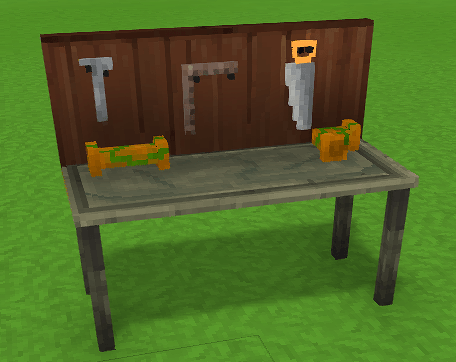
Automations Workbench recipe tabs for Machines, Sprinklers, and Upgrades
Runtime configuration for scan interval, range, harvest limits, output mode, fuel item ID, upgrade behavior, catch-up caps, and world service block behavior

How It Works
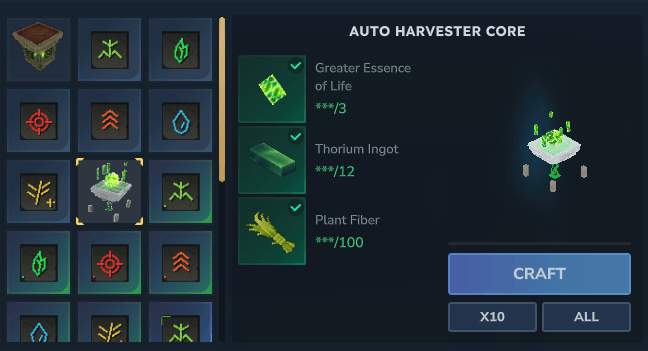
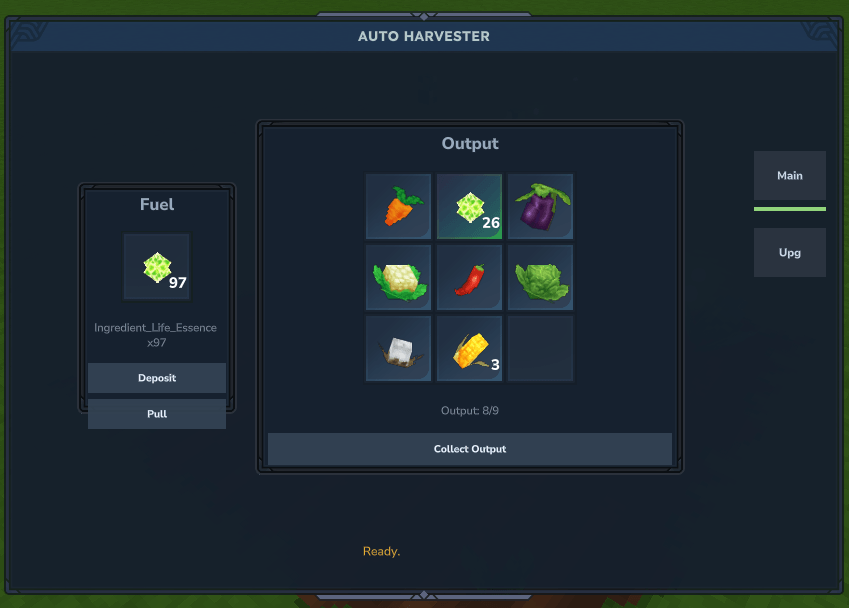
Place an Auto Harvester near mature crops. Add Life Essence fuel, then let the harvester scan nearby crops. Harvested output is stored in the harvester output slots.
Place an Auto Crop Pot when you want an internal growing machine. Add fuel, a supported seed bag, and soil. Normal seed bags are consumed one per successful harvest, while eternal seed bags act as reusable templates. Water and fertilizer are optional boosters and drain slowly while active.
Place Sprinklers or Fertilizer Spreaders near tilled soil when you want world farmland support. Choose radius coverage or forward coverage, fill the reservoir for Basic and Standard tiers, and let the machine update covered farmland. Advanced tiers do not consume water or fertilizer.
Place an Auto Tree Planter when you want internal tree growing. Add fuel, a base-game sapling, and soil. Water and fertilizer are optional boosters. The machine consumes saplings per harvest, can recover saplings with a base chance, and can improve recovery with tree-planter-specific upgrades.
Use Item Pipes when you want machine output or storage output to move automatically. Output Pipes pull from Automation machine output slots or adjacent normal inventories, Transfer Pipes connect a 3D network, and Input Pipes insert into adjacent normal inventories or legal Automation machine fuel and seed or sapling inputs. Output and Input pipes each have a one-slot exact item filter; empty means unfiltered. Soil slots are deliberately not pipe-managed.
Use the custom UI to:
- Deposit Life Essence fuel
- Pull fuel back out
- Collect output
- Add seed bags, soil, water, fertilizer, and upgrades where supported
- Pull upgrades back out
If the player inventory is full, pull and collect actions stop safely and leave remaining items in the machine.
Upgrades
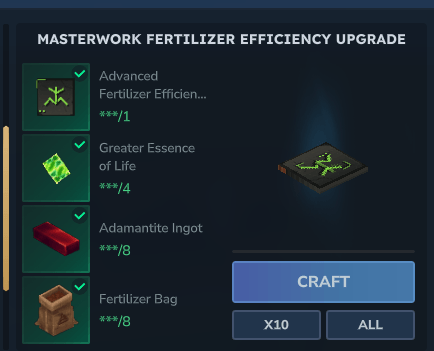
Upgrades use four tiers:
- Basic
- Refined
- Advanced
- Masterwork
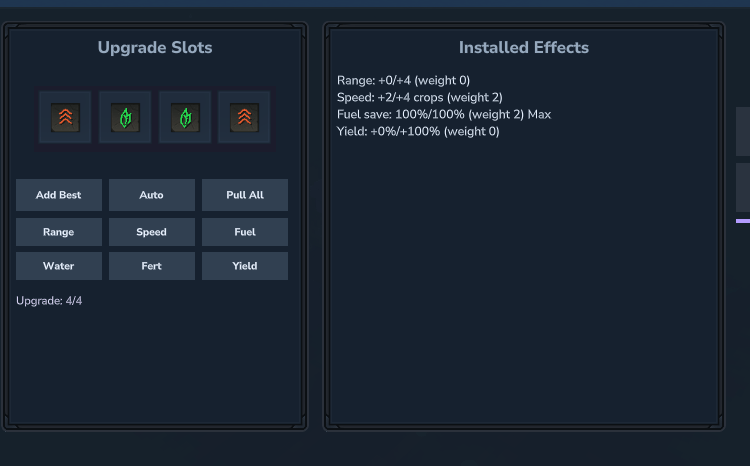
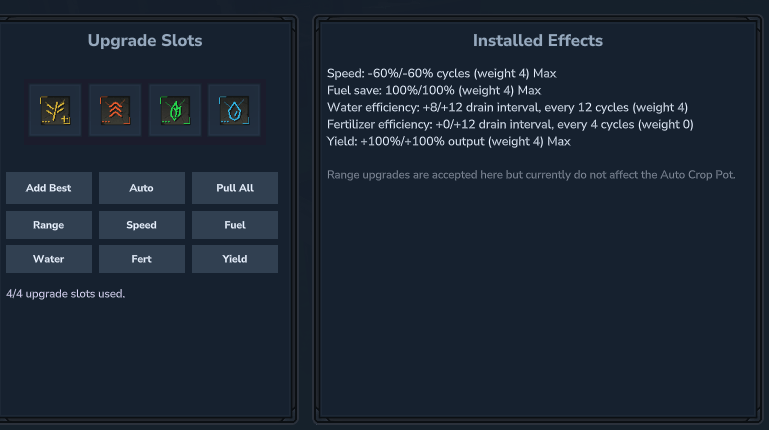
Higher tiers count as more upgrade weight. Machine effects clamp at their configured caps, and the machine UIs show current values, caps, and unused extra weight.
Current upgrade types:
- Range: increases Auto Harvester range.
- Speed: improves Auto Harvester throughput and reduces Auto Crop Pot growth cycle targets.
- Fuel Efficiency: gives a chance to preserve fuel after a successful harvest.
- Yield: increases expected harvest output in both machines.
- Water Efficiency: slows Auto Crop Pot water drain.
- Fertilizer Efficiency: slows Auto Crop Pot fertilizer drain.
- Sapling Recovery: raises Auto Tree Planter sapling recovery chance.
Known Notes
- The Auto Crop Pot currently uses generic staged crop visuals rather than crop-specific plant models.
- The Auto Tree Planter currently uses generic staged tree-planter visuals rather than sapling-specific tree models.
- The Auto Harvester is intended for crop automation, not general-purpose block harvesting.
- Sprinklers and Fertilizer Spreaders service world tilled soil; they do not refill internal machine reservoirs.
- The Auto Tree Planter grows trees internally and does not place or harvest world trees.
- Server owners can tune machine behavior through the generated
LifeCropsAutomationAutoHarvesterconfig.
Links
Project description from CurseForge.
Pick your setup
LifeCrops: Automation releases for each Hytale build.
Choose the version and loader you play, then open the matching release.
Check the dependencies, then try the file in a copied instance before changing a world you care about.
Recent files
LifeCrops: Automation releases and Hytale builds
LifeCrops-Automation(0.1.6).jar
16 Jul 2026
Client Not supported Server Required Dependencies No extras listed Listed on Project page
Check the 0.5 setup 0.5 release
LifeCrops-Automation(0.1.5).jar
15 Jul 2026
Client Not supported Server Required Dependencies No extras listed Listed on Project page
Check the 0.5 setup 0.5 release
LifeCrops-Automation-0.1.5.jar
7 Jul 2026
Client Not supported Server Required Dependencies No extras listed Listed on Project page
Check the 0.5 setup LifeCrops-Automation(0.1.4).jar
24 Jun 2026
Client Not supported Server Required Dependencies No extras listed Listed on Project page
Check the 0.5 setup 0.5 release
LifeCrops-Automation(0.1.3).jar
19 Jun 2026
Client Not supported Server Required Dependencies No extras listed Listed on Project page
Check the 0.5 setup 0.5 release
LifeCrops-Automation(0.1.2).jar
13 Jun 2026
Client Not supported Server Required Dependencies No extras listed Listed on Project page
Check the 0.5 setup 0.5 release
LifeCrops-Automation(0.1.1).jar
13 Jun 2026
Client Not supported Server Required Dependencies No extras listed Listed on Project page
Check the 0.5 setup 0.5 release
LifeCrops-Automation(0.1.0).jar
11 Jun 2026
Client Not supported Server Required Dependencies No extras listed Listed on Project page
Check the 0.5 setup 0.5 release
Looking for an older file? The official CurseForge project page is in Resources.
 mod
mod CurseForge · Hytale
Dynamic Seasons
Adds 4 Seasons to the world, Greenhouse blocks, Seasonal Farming, Seasonal Fishing, Customizable Weather. It also adds Snow, (WIP) temperature system, Blood Moon ,Configurable Settings, and an optional Seasons Spellbook.
 mod
mod CurseForge · Hytale
Fullmetal Labyrinth
Adds a brand-new Labyrinth Dimension featuring a vast desert surface and an endless maze stretching deep below. Discover unique locations and face a variety of dangerous new enemies as you explore its depths!
 mod
mod CurseForge · Hytale
Endless Elite Mobs V3 (RPG Mobs)
Adds elite RPG mobs with 13 unique abilities all with custom interactions and cool visual effects, all very dangerous.