HyDownedRevival-1.2.3.jar
14 Jun 2026
Client Not supported Server Required Dependencies No extras listed Listed on Project page
Check the setup 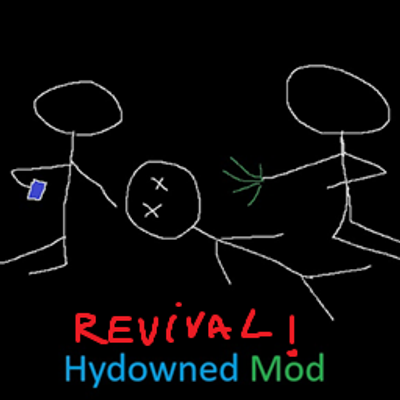
CurseForge · Hytale mod
Fork of the original Hydowned mod by Bonfyre_, updated for Hytale update 5. Replaces player death with a knocked-out state that teammates can revive before a countdown expires.
Quick answer
Hydowned Revival HyDownedRevival-1.2.3.jar targets Hytale. Do not install it as a separate client mod. Enable it on the world host—the local server in singleplayer or the dedicated server in multiplayer. No required dependencies listed for this file.
Where it goes
Do not install it as a separate client mod. Enable it on the world host—the local server in singleplayer or the dedicated server in multiplayer.
Put Hytale mods on the world host or dedicated server. Singleplayer runs a local server too; Hytale does not use separate client mods.
HyDownedRevival-1.2.3.jar. Change the file and its required mods may change too.
This file does not list any required mods. Do not add a library just because a different file uses it.
This file does not list any required or optional project dependencies. Check the creator notes before changing an existing world.
Before you install it
Built for Hydowned Revival HyDownedRevival-1.2.3.jar. Pick another file and the loader, install side or required mods may change.
Use HyDownedRevival-1.2.3.jar. It targets Hytale; another release may target a different game build or dependency set.
This file does not list any required mods. Do not add a library just because a different file uses it.
Do not install it as a separate client mod. Enable it on the world host—the local server in singleplayer or the dedicated server in multiplayer.
Use the “Get this file” button beside HyDownedRevival-1.2.3.jar. It opens that exact file at the source.
About this project
This mod wasn't created by me but by Bonfyre_ I propose this update since the original mod makes the game crash and the original autor isn't around anymore. I'll try to update it in the time the best I can and maybe add features if I have any ideas
Link to the original mod: https://www.curseforge.com/hytale/mods/hydowned
Replaces instant death with a downed state where your teammates can revive you. When you take fatal damage, you're downed instead of dying - giving your team a chance to bring you back.
When you take fatal damage:
/giveup command to respawn immediatelyEdit plugins/HyDowned/config.json:
{
  "downed": {
    "timerSeconds": 300,           // 5 minutes until death
    "deathOnTimeout": true,        // Die when timer expires (false = auto-revive)
    "healthWhenDowned": 0.30,      // 30% health when downed
    "allowMovement": true,         // Allow horizontal movement while downed
    "applySlow": true,             // Apply slowness effect
    "jumpForce": 0.0,              // Jump force while downed (0 = disabled)
    "aiRetargetRange": 16.0,       // Detection range for nearby players (blocks)
    "allowedDamage": {
      "player": {
        "enabled": true,           // PvP damage enabled
        "damageMultiplier": 0.6    // 40% damage reduction
      },
      "ai": {
        "enabled": true,           // AI/mob damage enabled
        "damageMultiplier": 0.6    // 40% damage reduction
      },
      "environment": {
        "enabled": false,          // Environmental damage disabled
        "damageMultiplier": 0.6
      },
      "lava": {
        "enabled": true,           // Lava kills (prevents being stuck)
        "damageMultiplier": 1.0    // Full lava damage
      }
    }
  }
}
Downed Health:
healthWhenDowned sets health percentage when entering downed state0.30 = 30% of max HP (player with 100 HP → 30 HP when downed)Movement and Physics:
allowMovement - Enable/disable horizontal movement while downedapplySlow - Apply slowness effect while downed (stacks with allowMovement=true for crawling)jumpForce - Jump force while downed (0.0 = no jumping, 11.8 = normal)Fine-grained control over what can damage downed players:
player - Player-to-player (PvP) damageai - AI/mob damageenvironment - Fall damage, fire, drowning, suffocationlava - Lava damage (enabled by default to prevent being stuck)Each damage type has:
enabled - Whether this damage type affects downed playersdamageMultiplier - Damage reduction (0.6 = 40% reduction, 1.0 = full damage)AI Targeting Behavior:
aiRetargetRange) for non-downed playersaiRetargetRange - Detection radius in blocks for scanning nearby players (default: 16.0){
"revive": {
"timerSeconds": 10, // 10 seconds to complete revive
"maxRange": 2.0, // Must be within 2 blocks
"healOnReviveEnabled": false, // Restore health on revive
"healOnReviveHealth": 0.30 // Health to restore (30%)
}
}
{
  "camera": {
    "enabled": false,              // Enable custom camera
    "defaultCamera": true,         // Use default overhead view
    "firstPerson": false,          // First-person view
    "positionX": 0.0,              // Camera X offset
    "positionY": 0.8,              // Camera Y offset (height)
    "positionZ": 0.0               // Camera Z offset
  }
}
{
  "ui": {
    "enableSounds": true,          // Sound effects
    "enableProgressBar": true,     // HUD progress bars
    "showChatMessages": false      // Chat notifications
  }
}
enableSounds - Play audio feedback for downed eventsenableProgressBar - Show HUD with progress bars and countdownsshowChatMessages - Send chat messages for downed/revive events (HUD is recommended)/giveup - Instantly die while downed if you don't want to wait for the timer
Logout/Reconnect Behavior:
DownedComponent stores remaining time in entity dataDeath Handling:
HUD System:
HyDowned includes built-in translations for multiple languages. All player-facing messages automatically display in the player's client language.
Included Languages:
How It Works:
The mod automatically detects each player's language preference from their Hytale client and shows messages in their language. No configuration needed!
Translation Coverage:
Adding Your Own Translations:
jar xf HyDowned.jarServer/Languages/en-US)es-ES for Spanish)hydowned.lang file with your translationsjar cf HyDowned.jar *Translation File Format:
# Comments start with #
state.knocked_out = You've been knocked out! Wait for a teammate...
state.player_knocked_out = {playerName} is knocked out
timer.knocked_out_remaining = Knocked out - {time}s remaining
hud.press_to_revive = Press {key} to revive {user}
hud.downed_time = You will die in {time}
Parameters:
{playerName} / {user} - Player's display name{reviverName} - Name of player doing the reviving{time} - Time remaining (formatted){count} - Number of players{key} - Keybind referenceSee en-US/hydowned.lang for all available translation keys.
Server:
mods folderplugins/HyDowned/config.jsonSingle Player / Local:
Saves/<YourWorld>/mods/plugins/HyDowned/config.jsonOriginal mod available on GitHub: https://github.com/BenDol/HyDowned This mod: https://github.com/Bassaltent/HyDowned-Revival
Report bugs on the GitHub issues page.
MIT License
Project description from CurseForge.
Recent files
14 Jun 2026
Looking for an older file? The official CurseForge project page is in Resources.
 mod
modTales of Shinobi is a Hytale RPG mod centered around ninja arts and elemental manipulation. Become a master of the shadows, weave ancient hand seals, and control nature to dominate the battlefield.
 mod
modThe Armory aims to add all new armors and weapons to increase your arsenal!
 mod
modRemoves hostile mob spawns while preserving peaceful wildlife for relaxed exploration and uninterrupted building.