WeaponCustomHUD-1.0.0.jar
20 Jun 2026
Client Not supported Server Required Dependencies No extras listed Listed on Project page
Check the setup 
CurseForge · Hytale mod
Configurable weapon input HUD system for Hytale item assets.
Quick answer
WeaponCustomHUD-1.0.0.jar targets Hytale. Do not install it as a separate client mod. Enable it on the world host—the local server in singleplayer or the dedicated server in multiplayer. No required dependencies listed for this file.
Where it goes
Do not install it as a separate client mod. Enable it on the world host—the local server in singleplayer or the dedicated server in multiplayer.
Put Hytale mods on the world host or dedicated server. Singleplayer runs a local server too; Hytale does not use separate client mods.
WeaponCustomHUD-1.0.0.jar. Change the file and its required mods may change too.
This file does not list any required mods. Do not add a library just because a different file uses it.
This file does not list any required or optional project dependencies. Check the creator notes before changing an existing world.
Before you install it
Built for WeaponCustomHUD-1.0.0.jar. Pick another file and the loader, install side or required mods may change.
Use WeaponCustomHUD-1.0.0.jar. It targets Hytale; another release may target a different game build or dependency set.
This file does not list any required mods. Do not add a library just because a different file uses it.
Do not install it as a separate client mod. Enable it on the world host—the local server in singleplayer or the dedicated server in multiplayer.
Use the “Get this file” button beside WeaponCustomHUD-1.0.0.jar. It opens that exact file at the source.
About this project
WeaponCustomHUD is a configurable weapon input HUD system for Hytale item assets.
It allows asset creators and plugin developers to build custom weapon HUDs without replacing the entire default interface. Each weapon can define its own visible actions, icons, cooldowns, states, scale, placement, and screen position directly through JSON.
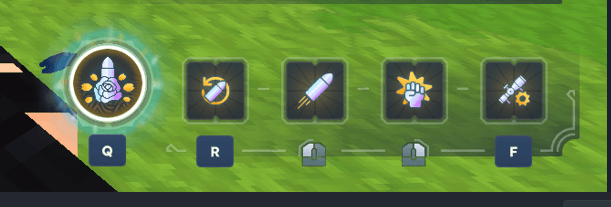
If you create weapon assets or asset packs, you can include a preconfigured WeaponCustomHUD block directly in your item JSON.
When WeaponCustomHUD is installed, the weapon will automatically use the configured HUD.
When WeaponCustomHUD is not installed, the additional JSON block is simply ignored. It will not prevent the item from loading or affect its normal behavior.
This allows asset creators to ship weapons with optional WeaponCustomHUD support without making the plugin a hard dependency.
Do not add the standard weapon category: "Categories": ["Weapons"]
Hytale uses this category to display its built-in weapon ability UI. When it is present, the default Hytale UI will be rendered on top of WeaponCustomHUD.
There is currently no other way to disable the built-in weapon UI. To use WeaponCustomHUD without overlapping interfaces, the item must not include the standard Weapons category.
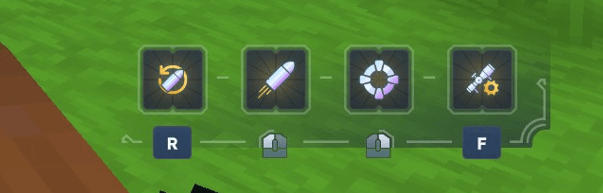
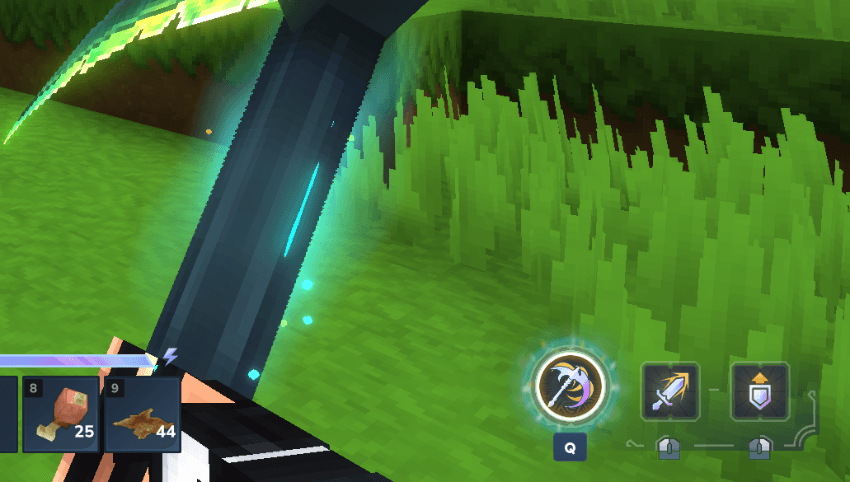
Most HUD behavior can be configured directly inside item JSON files.
WeaponCustomHUD also provides custom interactions for:
This means many custom weapon interfaces can be created without writing an additional plugin.
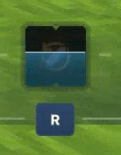
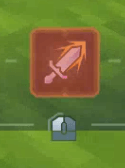
Other plugins can register their own dynamic HUD states and cooldown providers through the public WeaponCustomHUD API.
This can be used to display information such as:
Full configuration reference, JSON examples, interaction documentation, presets, and API usage:
{
  "WeaponCustomHUD": {
    "Enabled": true,
    "Preset": "MyWeaponHUD",
    "Scale": 1.0,
    "Placement": "BottomRight",
    "Position": [50, 40]
  }
}
WeaponCustomHUD is designed to work as a standalone HUD system and can also be integrated with larger weapon plugins and custom asset packs.
Project description from CurseForge.
Recent files
20 Jun 2026
Looking for an older file? The official CurseForge project page is in Resources.