Hytale version
Back to mods 
CurseForge · Hytale mod
Creature Compass
Native creature markers for Hytale's world map, that scans nearby NPC entities and adds creature markers to each player's built-in world map.
Choose a version Pick your version below, then grab the matching file.
Quick answer
Which Creature Compass release should I use?
Latest stable file CreatureCompass-1.0.0.jar
Game version 0.5
Mod system Built-in Hytale mod system
Creature Compass CreatureCompass-1.0.0.jar targets 0.5. Do not install it as a separate client mod. Enable it on the world host—the local server in singleplayer or the dedicated server in multiplayer. No required dependencies listed for this file.
Where it goes
Where should Creature Compass be installed in Hytale?
Do not install it as a separate client mod. Enable it on the world host—the local server in singleplayer or the dedicated server in multiplayer.
Separate client mod Not supported
World host / dedicated server Required
Mod system for this release Built-in Hytale mod system
Required install it here Optional supported, not mandatory Not supported do not install here Source doesn’t say do not assume
Put Hytale mods on the world host or dedicated server. Singleplayer runs a local server too; Hytale does not use separate client mods.
What else does Creature Compass CreatureCompass-1.0.0.jar need?
CreatureCompass-1.0.0.jar. Change the file and its required mods may change too.
This file does not list any required mods. Do not add a library just because a different file uses it.
This file does not list any required or optional project dependencies. Check the creator notes before changing an existing world.
Before you install it
Add Creature Compass without breaking your instance.
Built for Creature Compass CreatureCompass-1.0.0.jar. Pick another file and the loader, install side or required mods may change.
- 01
Stick to this file
Use CreatureCompass-1.0.0.jar. It targets 0.5; another release may target a different game build or dependency set.
- 02
Bring the mods it needs
This file does not list any required mods. Do not add a library just because a different file uses it.
- 03
Enable it on the world host
Do not install it as a separate client mod. Enable it on the world host—the local server in singleplayer or the dedicated server in multiplayer.
- 04
Pick the file you checked
Use the “Get this file” button beside CreatureCompass-1.0.0.jar. It opens that exact file at the source.
About this project
What does Creature Compass add?
Creature Compass
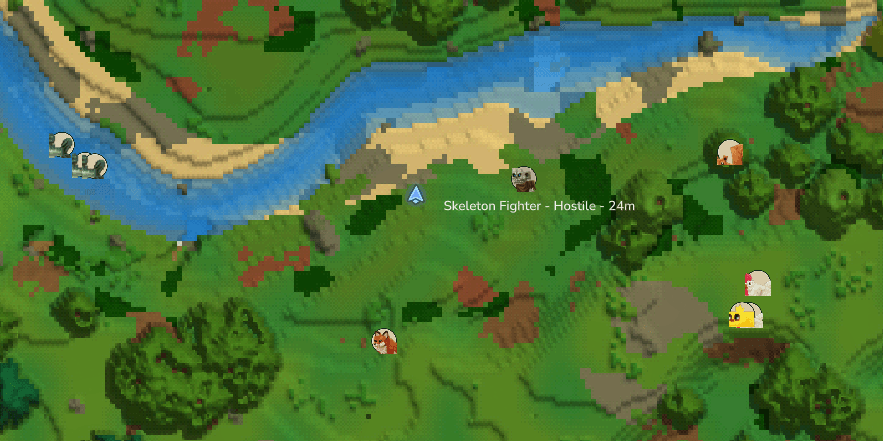
Creature Compass adds clean creature markers to Hytale's native world map.
It helps players spot nearby wildlife, threats, NPCs, and special creatures without turning exploration into a noisy minimap clone. Markers use Hytale's built-in world map system, server-side range limits, category filters, player toggles, and performance-safe update throttling.

Features
- Native world-map creature markers.
- Configurable scan radius, update interval, marker count, labels, height indicators, and categories.
- Player commands for toggling markers and choosing marker size presets.
Commands
/creaturecompass toggle
/creaturecompass size <100|130|160>
/creaturecompass status
/creaturecompass reload
toggle, size, and status are available to normal players by default. reload requires the admin permission.
Safe Defaults
Creature Compass is built for survival-friendly servers. It uses a modest default radius, caps markers per player, updates on a throttle instead of every tick, and never tracks other players as creature markers.
Project description from CurseForge.
Pick your setup
Creature Compass releases for each Hytale build.
Choose the version and loader you play, then open the matching release.
Check the dependencies, then try the file in a copied instance before changing a world you care about.
Recent files
Creature Compass releases and Hytale builds
CreatureCompass-1.0.0.jar
20 Jun 2026
Client Not supported Server Required Dependencies No extras listed Listed on Project page
Check the 0.5 setup 0.5 release
Looking for an older file? The official CurseForge project page is in Resources.
 mod
mod CurseForge · Hytale
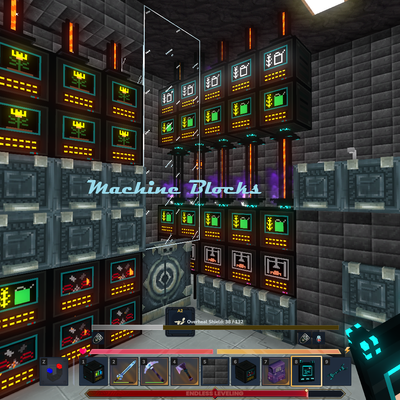
Machine Blocks
Make your Hytale Factory dream come true using technology through a tiered discovery system. Mostly Single block machines (this is not for the faint of heart, they are expensive). Tech, furnace, crusher, plant, fuel, alloy, miner, crop, farm, ore
 mod
mod CurseForge · Hytale
Skylight - Gimme Da' Loot (Plug-In) (0.1.3)
The Skylight Zone: Gimme Da' Loot is a Drop-List Addon for (Drops/Lootbags). - It Adds 3 New 'Lootbags' that have the chance to reward the player with Gemstones & Fragment Drops from The Skylight Gemstones Mod to NPCs and Containers.
 mod
mod CurseForge · Hytale
Salmakia Kitchen Furniture
Adds kitchen furniture and decor to your gatherings