Hytale version
Back to mods 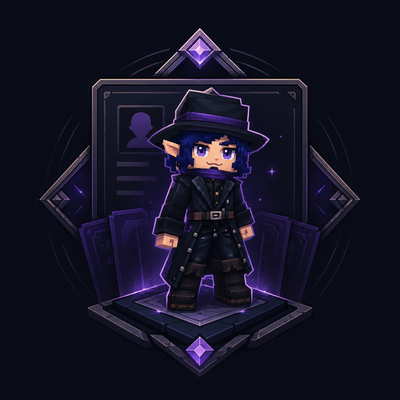
CurseForge · Hytale mod
DarkCharacter
Adds an initial screen when joining the server to create and choose characters with a first name, last name, backstory, and personality, ideal for MMORPG and RP servers.
Choose a version Pick your version below, then grab the matching file.
Quick answer
Which DarkCharacter release should I use?
Latest stable file DarkCharacter-0.1.0.jar
Game version 0.5
Mod system Built-in Hytale mod system
DarkCharacter-0.1.0.jar targets 0.5. Do not install it as a separate client mod. Enable it on the world host—the local server in singleplayer or the dedicated server in multiplayer. No required dependencies listed for this file.
Where it goes
Where should DarkCharacter be installed in Hytale?
Do not install it as a separate client mod. Enable it on the world host—the local server in singleplayer or the dedicated server in multiplayer.
Separate client mod Not supported
World host / dedicated server Required
Mod system for this release Built-in Hytale mod system
Required install it here Optional supported, not mandatory Not supported do not install here Source doesn’t say do not assume
Put Hytale mods on the world host or dedicated server. Singleplayer runs a local server too; Hytale does not use separate client mods.
What else does DarkCharacter-0.1.0.jar need?
DarkCharacter-0.1.0.jar. Change the file and its required mods may change too.
This file does not list any required mods. Do not add a library just because a different file uses it.
This file does not list any required or optional project dependencies. Check the creator notes before changing an existing world.
Before you install it
Add DarkCharacter without breaking your instance.
Built for DarkCharacter-0.1.0.jar. Pick another file and the loader, install side or required mods may change.
- 01
Stick to this file
Use DarkCharacter-0.1.0.jar. It targets 0.5; another release may target a different game build or dependency set.
- 02
Bring the mods it needs
This file does not list any required mods. Do not add a library just because a different file uses it.
- 03
Enable it on the world host
Do not install it as a separate client mod. Enable it on the world host—the local server in singleplayer or the dedicated server in multiplayer.
- 04
Pick the file you checked
Use the “Get this file” button beside DarkCharacter-0.1.0.jar. It opens that exact file at the source.
About this project
What does DarkCharacter add?
DarkCharacters is a mod focused on MMORPG, RP, and immersive adventure servers, adding a complete character creation and selection system when joining the server. With this mod, players can create characters by setting details such as first name, last name, backstory, and personality, making the gameplay experience much deeper and more personalized.
When entering the server, the player is welcomed by a special screen where they can choose which character to play or create a new one. Each character has its own profile, allowing roleplay servers to better organize stories, identities, and progression within the world.
The mod also includes a Guide Book button on the character screen. This guide can already be configured directly in the mod folder by editing the corresponding .txt file. You can add any information you want there, such as rules, welcome messages, explanations, instructions, world lore, player tips, and more. The player can open this Guide Book at any time while they are on the character screen.
Additionally, DarkCharacters includes native translation support for Brazilian Portuguese, while the default language of the mod is English.
Commands
- /profile
Shows the current character’s information, including main details and playtime. - /exit, /sair, or /logout
Logs out of the current account or character easily.
Permissions
darkcharacter.exit
Allows the use of /sair, /exit, and /logout.
This permission is enabled by default for hytale:Adventurer.
darkcharacter.profile
Allows the use of /profile to open the player’s own character profile.
This permission is enabled by default for hytale:Adventurer.
darkcharacter.profile.other
Allows the use of /profile <nickname> to view the profile of another online player.
This permission is not enabled by default for hytale:Adventurer; it is intended as a special permission for staff or operators.
Note: Currently, only one character per account can be created. The multiple-character system is still under development, and its configuration will be made available in the future.
Additionally, DarkCharacters was designed to be compatible with all mods from the same series, working seamlessly with other systems and expanding the possibilities for custom servers.
Project description from CurseForge.
Pick your setup
DarkCharacter releases for each Hytale build.
Choose the version and loader you play, then open the matching release.
Check the dependencies, then try the file in a copied instance before changing a world you care about.
Recent files
DarkCharacter releases and Hytale builds
DarkCharacter-0.1.0.jar
23 Jun 2026
Client Not supported Server Required Dependencies No extras listed Listed on Project page
Check the 0.5 setup 0.5 release
Looking for an older file? The official CurseForge project page is in Resources.
 mod
mod CurseForge · Hytale
QuestLines Icons
Adds animated icons to NPC enities. Extention Plugin for QuestLines
 mod
mod CurseForge · Hytale
QuestLines GUI
Build custom in-game interfaces for your Hytale server — no Java, no rebuilds, no restarts
 mod
mod CurseForge · Hytale
QuestLines Claims
Allows players to Claim chunks and Admins to claim Regions. Regions can be sold/rented. Protections for practically every event.