Hytale version
Back to mods 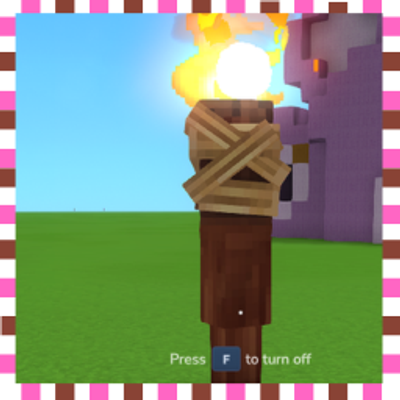
CurseForge · Hytale mod
Mega Torch
Add Mega Torch. Holding light a big space around u. place down little buggy this more of ider test will work more on in V2 if want big Torch this for u
Choose a version Pick your version below, then grab the matching file.
Quick answer
Which Mega Torch release should I use?
Latest stable file Octarock.Mega Torch.zip
Game version 0.5
Mod system Built-in Hytale mod system
Mega Torch Octarock.Mega Torch.zip targets 0.5. Do not install it as a separate client mod. Enable it on the world host—the local server in singleplayer or the dedicated server in multiplayer. No required dependencies listed for this file.
Where it goes
Where should Mega Torch be installed in Hytale?
Do not install it as a separate client mod. Enable it on the world host—the local server in singleplayer or the dedicated server in multiplayer.
Separate client mod Not supported
World host / dedicated server Required
Mod system for this release Built-in Hytale mod system
Required install it here Optional supported, not mandatory Not supported do not install here Source doesn’t say do not assume
Put Hytale mods on the world host or dedicated server. Singleplayer runs a local server too; Hytale does not use separate client mods.
What else does Mega Torch Octarock.Mega Torch.zip need?
Octarock.Mega Torch.zip. Change the file and its required mods may change too.
This file does not list any required mods. Do not add a library just because a different file uses it.
This file does not list any required or optional project dependencies. Check the creator notes before changing an existing world.
Before you install it
Add Mega Torch without breaking your instance.
Built for Mega Torch Octarock.Mega Torch.zip. Pick another file and the loader, install side or required mods may change.
- 01
Stick to this file
Use Octarock.Mega Torch.zip. It targets 0.5; another release may target a different game build or dependency set.
- 02
Bring the mods it needs
This file does not list any required mods. Do not add a library just because a different file uses it.
- 03
Enable it on the world host
Do not install it as a separate client mod. Enable it on the world host—the local server in singleplayer or the dedicated server in multiplayer.
- 04
Pick the file you checked
Use the “Get this file” button beside Octarock.Mega Torch.zip. It opens that exact file at the source.
About this project
What does Mega Torch add?
Mega Torch
Make the game Torch Megs an Put out more light.
There also 6 diffrent colors to chose from by hit the main Mega Torch with the Build hammer.
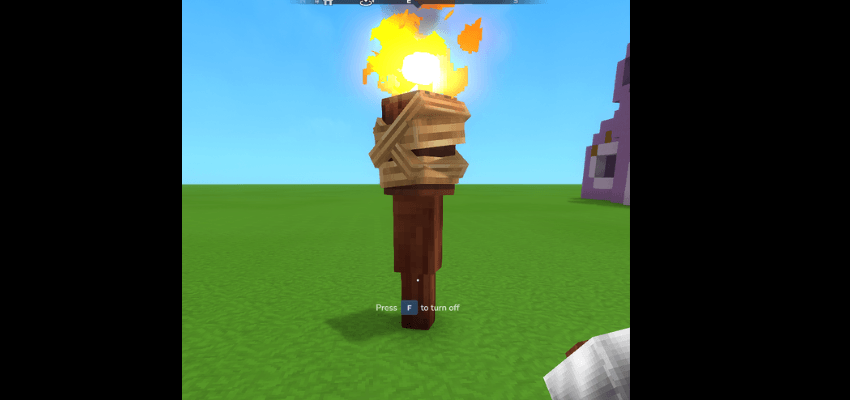
How to install: 1) Just drop .zip file to your mods folder: %appdata%\Hytale\user_data\mods 2) In your world settings check the box next to the "Octarock.Mega Torch.zip" For servers: Just drop .zip file to your mods folder: %mods/server/mods
Enjoy the Mod this was made like all other mods over on My Twitch channel drop in some time i stream every day.!
Project description from CurseForge.
Pick your setup
Mega Torch releases for each Hytale build.
Choose the version and loader you play, then open the matching release.
Check the dependencies, then try the file in a copied instance before changing a world you care about.
Recent files
Mega Torch releases and Hytale builds
Octarock.Mega Torch.zip
2 Jul 2026
Client Not supported Server Required Dependencies No extras listed Listed on Project page
Check the 0.5 setup 0.5 release
Looking for an older file? The official CurseForge project page is in Resources.
 mod
mod CurseForge · Hytale
Endless Leveling - V11
Hytale RPG Leveling Mod - Endless Leveling adds full character progression: levels, stats, classes, races, augments, skills/abilities, dungeons & dynamic events. Solo Leveling inspired endless growth for singleplayer & servers.
 mod
mod CurseForge · Hytale
Japanese Things
Authentic Japanese props and items for Creative and Exploration mode
 mod
mod CurseForge · Hytale
pillows n' plushies
weaponised femboy body pillows (dakimakura), cozy cushion blocks, plushie characters, silly fumo, futon bed, lain onesie mage robes (kigurumi), pillow hexstaff + hexbook + glyph guide for hexcode magic via patchly! anime ref: astolfo, ferris, rimuru, lain!