Hytale version
Back to mods 
CurseForge · Hytale mod
MysticEssentials
MysticEssentials is a modular essentials system for Hytale servers designed around one goal: Essentials done right.
Choose a version Pick your version below, then grab the matching file.
Quick answer
Which MysticEssentials release should I use?
Latest stable file MysticEssentials-1.0.2.jar
Game version 0.5
Mod system Built-in Hytale mod system
MysticEssentials-1.0.2.jar targets 0.5. Do not install it as a separate client mod. Enable it on the world host—the local server in singleplayer or the dedicated server in multiplayer. No required dependencies listed for this file.
Where it goes
Where should MysticEssentials be installed in Hytale?
Do not install it as a separate client mod. Enable it on the world host—the local server in singleplayer or the dedicated server in multiplayer.
Separate client mod Not supported
World host / dedicated server Required
Mod system for this release Built-in Hytale mod system
Required install it here Optional supported, not mandatory Not supported do not install here Source doesn’t say do not assume
Put Hytale mods on the world host or dedicated server. Singleplayer runs a local server too; Hytale does not use separate client mods.
What else does MysticEssentials-1.0.2.jar need?
MysticEssentials-1.0.2.jar. Change the file and its required mods may change too.
This file does not list any required mods. Do not add a library just because a different file uses it.
This file does not list any required or optional project dependencies. Check the creator notes before changing an existing world.
Before you install it
Add MysticEssentials without breaking your instance.
Built for MysticEssentials-1.0.2.jar. Pick another file and the loader, install side or required mods may change.
- 01
Stick to this file
Use MysticEssentials-1.0.2.jar. It targets 0.5; another release may target a different game build or dependency set.
- 02
Bring the mods it needs
This file does not list any required mods. Do not add a library just because a different file uses it.
- 03
Enable it on the world host
Do not install it as a separate client mod. Enable it on the world host—the local server in singleplayer or the dedicated server in multiplayer.
- 04
Pick the file you checked
Use the “Get this file” button beside MysticEssentials-1.0.2.jar. It opens that exact file at the source.
About this project
What does MysticEssentials add?
Mystic Essentials
The modular, API-first essentials foundation for Hytale servers.
Mystic Essentials provides the everyday systems a server needs—teleportation, homes, warps, private messages, mail, chat channels, moderation utilities, kits, player vaults, notifications, playtime tracking, and much more—in one configurable mod.
Every major feature is modular, so you can enable only what your server needs.
Highlights
- Teleport requests, direct teleportation, random teleportation, and cross-world teleportation
- Homes, server warps, player warps, spawn management, and portals
- Private messages, replies, mail, chat channels, mentions, and social spy
- Notification Center with history, filters, actions, priorities, and multiple display styles
- Rich item previews and secure item links in chat
- AFK detection, AFK zones, greetings, announcements, and playtime tracking
- Kits, flight controls, inventory inspection, nicknames, and player vaults
- Patch notes, tutorials, custom commands, and configurable server utilities
- LuckPerms, PlaceholderAPI, VaultUnlocked, MysticVanish, and MysticModeration integration
- JSON or MySQL/MariaDB storage, with optional Redis synchronization
- A public API for developers building integrations and addons
Notification Center
Mystic Essentials includes a unified notification system for server and addon messages.
Notifications can include:
- Categories and low, normal, important, or critical priorities
- Chat, title, subtitle, action bar, toast, banner, sound, and history delivery
- Interactive actions and targeted audiences
- Per-player filters and notification history
- Extensible categories, audience resolvers, and delivery filters for addons
Players can open the Notification Center with:
/notifications
/notifs
Staff can send categorized broadcasts and alerts using /broadcast and /alert.
Mentions and Chat Channels
Mention players by using their exact name in chat:
@PlayerName
Players can manage mention history and preferences with:
/mentions
/mentionsettings
Mention controls include cooldowns, blocking, Do Not Disturb, mass mentions, configurable scopes, and addon-provided scopes.
Chat channels support detailed member rosters, roles, tags, activity information, locking, moderation, ownership transfer, succession, audit history, and optional voice-provider integration.
Item Previews and Links
Mystic Essentials can safely display item information without trusting mutable inventory data.
The item system supports:
- Immutable item snapshots
- Item classifications and configurable detail sections
- Provider APIs for addon-supplied item information
- Hoverable or clickable item links in chat
- Item inspection commands for players and staff
Useful commands include:
/itemlinks
/itemview
/iteminspect
Installation
- Download the latest Mystic Essentials
.jar. - Place it in your server’s
modsdirectory. - Start the server once to generate the configuration files.
- Configure the modules you want to use.
- Run
/mystic reloador restart the server.
Mystic Essentials currently targets Hytale Server 0.5.6 and declares compatibility with server versions >=0.5.0 <0.6.0.
Configuration files are generated under:
mods/MysticEssentials/
Use /mystic to open the administration interface and /mystic reload to reload supported configuration changes.
CustomContent and CustomDialogs
The optional customcontent module provides declarative custom interfaces using .gui.html files.
It supports:
- Custom windows and HUDs
- Rows, columns, grids, panels, buttons, inputs, and selects
- Item displays, images, progress indicators, and player portraits
- Requirements, actions, and automatic placeholder refresh
- The CustomDialogs builder
- QuestLines compatibility and import support
- Included example layouts
- Build-time and runtime validation
CustomContent license requirements
CustomContent is a licensed premium module and is disabled by default. To receive access:
- Join the Hyzion Discord and become an approved partner.
- Purchase an eligible Hyzion membership on Patreon.
- Sign in to the Hyzion license portal using Discord to link your account.
- Run
/mystic licenseto find your server licensing ID. - Download your
license.mclicensefile and place it in:
mods/MysticEssentials/license.mclicense
- Run:
/mystic license reload
/mystic reload
If the license is missing, invalid, or expired, only the CustomContent module is disabled. The rest of Mystic Essentials continues to operate normally.
Popular Commands
| Command | Description |
|---|---|
/mystic |
Open the administration interface |
/mystic reload |
Reload supported configuration |
/notifications |
Open notification history and settings |
/tpa <player> |
Request to teleport to another player |
/tp world <player> <world> |
Teleport a player between worlds |
/rtp |
Randomly teleport within configured bounds |
/spawn |
Teleport to spawn |
/home |
Open the homes interface |
/warp |
Open the server warps interface |
/pwarp |
Open the player warps interface |
/portal |
Manage portals |
/msg <player> <message> |
Send a private message |
/mail |
Open the mail interface |
/channel |
Manage chat channels |
/mentions |
View mention history |
/itemlinks |
Configure item-link preferences |
/broadcast |
Send a server broadcast |
/alert |
Send an important server alert |
/afk |
Toggle AFK status |
/kit |
Open the kits interface |
/fly |
Toggle flight |
/pv |
Open player vaults |
/patchnotes |
View server patch notes |
Permissions, aliases, cooldowns, limits, formats, and module behavior are configurable.
Migration Support
Moving from another essentials mod? Mystic Essentials can scan and import supported data from:
- EssentialsPlus
- Hyssentials
- EliteEssentials
- Essentials
- HyEssentialsX
Migration can include homes, global and per-world spawns, server warps, player warps, and kits.
/mystic migrate scan <provider|auto>
/mystic migrate import <provider|auto> [--dry-run] [--replace]
Imports create backups and merge with existing Mystic Essentials data by default. Use --dry-run to preview an import before making changes.
Read the migration guide before migrating a production server.
Storage and Network Support
Mystic Essentials uses JSON storage by default and can also use MySQL or MariaDB.
Optional Redis support enables cross-server synchronization for compatible systems such as:
- Private messages and replies
- Staff chat
- Social spy
- Vanish state
- AFK state
- Teleport requests
Integrations
Mystic Essentials can integrate with:
- LuckPerms for prefixes, suffixes, ranks, and permissions
- PlaceholderAPI for shared placeholders and late-registration support
- VaultUnlocked for economy features
- MysticVanish for vanish-aware behavior
- MysticModeration for moderation-aware utilities
- Redis for cross-server synchronization
Optional integrations degrade safely when their dependency is unavailable.
Developer API
Mystic Essentials is designed as a platform as well as a server utility mod.
Developers can integrate with services and extension points for:
- Notifications and custom audiences
- Item inspection and custom item sections
- Playtime information
- Custom UI registration
- Mention scopes
- Chat-channel events and voice presence
- Economy providers
- Placeholders and module discovery
Support and Documentation
For installation help, configuration questions, partnership approval, licensing support, or bug reports, join the Discord server.
Project description from CurseForge.
Pick your setup
MysticEssentials releases for each Hytale build.
Choose the version and loader you play, then open the matching release.
Check the dependencies, then try the file in a copied instance before changing a world you care about.
Recent files
MysticEssentials releases and Hytale builds
MysticEssentials-1.0.2.jar
3 Aug 2026
Client Not supported Server Required Dependencies No extras listed Listed on Project page
Check the 0.5 setup 0.5 release
MysticEssentials-1.0.1.jar
20 Jul 2026
Client Not supported Server Required Dependencies No extras listed Listed on Project page
Check the 0.5 setup 0.5 release
MysticEssentials-1.0.0.jar
14 Jul 2026
Client Not supported Server Required Dependencies No extras listed Listed on Project page
Check the 0.5 setup 0.5 release
Looking for an older file? The official CurseForge project page is in Resources.
 mod
mod CurseForge · Hytale
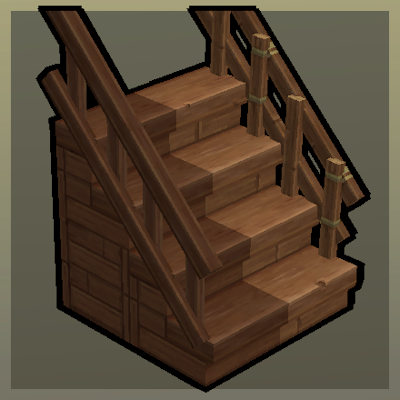
Step Up
Upgradable Stairs with Railings!
 mod
mod CurseForge · Hytale
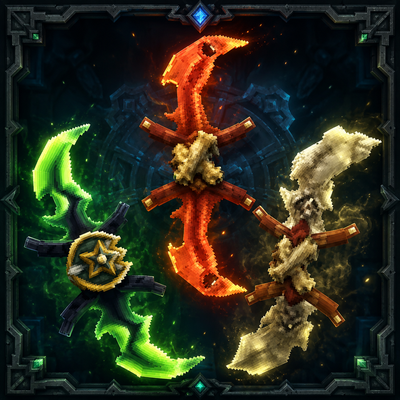
Twinfang Glaives
**Twinfang Glaives** adds a growing collection of dual-wielded glaives to Hytale.
 mod
mod CurseForge · Hytale
Vandoria - Job Board Economy
Vandoria Contract Board+ adds a complete profession-based contract system to Hytale.