Hytale version
Back to mods 
CurseForge · Hytale mod
Violet’s Wardrobe Update
A standalone compatibility update for Violet’s Wardrobe, featuring a unified clothes workshop, armor reinforcement, optional colored lighting, recipes, and Violet’s original designs. The original release is not required.
Choose a version Pick your version below, then grab the matching file.
Quick answer
Which Violet’s Wardrobe Update release should I use?
Latest stable file Violets_Wardrobe_1.1.29.jar
Game version 0.7
Mod system Built-in Hytale mod system
Violet’s Wardrobe Update Violets_Wardrobe_1.1.29.jar targets 0.7. Do not install it as a separate client mod. Enable it on the world host—the local server in singleplayer or the dedicated server in multiplayer. No required dependencies listed for this file.
Where it goes
Where should Violet’s Wardrobe Update be installed in Hytale?
Do not install it as a separate client mod. Enable it on the world host—the local server in singleplayer or the dedicated server in multiplayer.
Separate client mod Not supported
World host / dedicated server Required
Mod system for this release Built-in Hytale mod system
Required install it here Optional supported, not mandatory Not supported do not install here Source doesn’t say do not assume
Put Hytale mods on the world host or dedicated server. Singleplayer runs a local server too; Hytale does not use separate client mods.
What else does Violet’s Wardrobe Update Violets_Wardrobe_1.1.29.jar need?
Violets_Wardrobe_1.1.29.jar. Change the file and its required mods may change too.
This file does not list any required mods. Do not add a library just because a different file uses it.
This file does not list any required or optional project dependencies. Check the creator notes before changing an existing world.
Before you install it
Add Violet’s Wardrobe Update without breaking your instance.
Built for Violet’s Wardrobe Update Violets_Wardrobe_1.1.29.jar. Pick another file and the loader, install side or required mods may change.
- 01
Stick to this file
Use Violets_Wardrobe_1.1.29.jar. It targets 0.7; another release may target a different game build or dependency set.
- 02
Bring the mods it needs
This file does not list any required mods. Do not add a library just because a different file uses it.
- 03
Enable it on the world host
Do not install it as a separate client mod. Enable it on the world host—the local server in singleplayer or the dedicated server in multiplayer.
- 04
Pick the file you checked
Use the “Get this file” button beside Violets_Wardrobe_1.1.29.jar. It opens that exact file at the source.
About this project
What does Violet’s Wardrobe Update add?
Violet’s Wardrobe
A community-made update that keeps Violet’s Wardrobe working smoothly on current Hytale versions.
Installation
This is a standalone replacement, so the original mod is not required.
Remove the original version before installing this one. Both versions should not be installed at the same time.
About
This update combines clothing creation and reinforcement into one redesigned workshop. Create the original design, reinforce it with armor, and optionally add colored light from one unified interface.
Reinforced clothing keeps Violet’s original appearance while providing balanced protection and durability based on the selected material tier. The original clothing remains available and unchanged.
No new artwork or clothing designs have been added. All original artwork, models, textures, and designs belong to Violet.
Creditor is included.
Existing asset IDs and saved-world compatibility are preserved. Clothing and workshop items already in your world should remain compatible.
Original Project
https://www.curseforge.com/hytale/mods/violets-wardrobe
Note
This is an unofficial community update. If Violet releases an official compatible version or asks for this project to be removed, this version will be retired.
Project description from CurseForge.
Pick your setup
Violet’s Wardrobe Update releases for each Hytale build.
Choose the version and loader you play, then open the matching release.
Hytale version
0.6
1 loader buildHytale version
0.5
1 loader buildCheck the dependencies, then try the file in a copied instance before changing a world you care about.
Recent files
Violet’s Wardrobe Update releases and Hytale builds
Violets_Wardrobe_1.1.29.jar
12 Oct 2026
Client Not supported Server Required Dependencies No extras listed Listed on Project page
Check the 0.7 setup 0.7 release
Violets_Wardrobe_1.0.28.jar
29 Aug 2026
Client Not supported Server Required Dependencies No extras listed Listed on Project page
Check the 0.6 setup 0.6 release
Violet’s Wardrobe — 1.0.27 Hotfix
1 Aug 2026
Client Not supported Server Required Dependencies No extras listed Listed on Project page
Check the 0.5 setup 0.5 release
Violets Wardrobe
24 Jul 2026
Client Not supported Server Required Dependencies No extras listed Listed on Project page
Check the 0.5 setup 0.5 release
Looking for an older file? The official CurseForge project page is in Resources.
 mod
mod CurseForge · Hytale
Sloc Gorm (Core)
The core mod for many of my future Hytale modding and adventure map-making endeavors, featuring many custom magic items, potions, explosives, and more.
 mod
mod CurseForge · Hytale
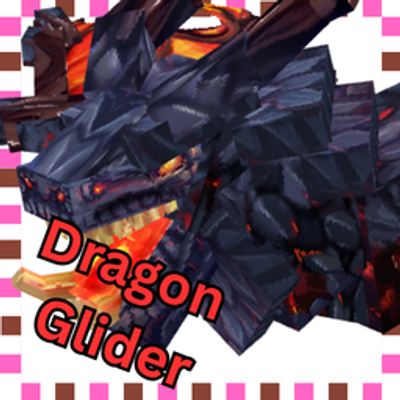
Dragon Gliders
Add more Better Glider Base On the Hytale Dragons
 mod
mod CurseForge · Hytale
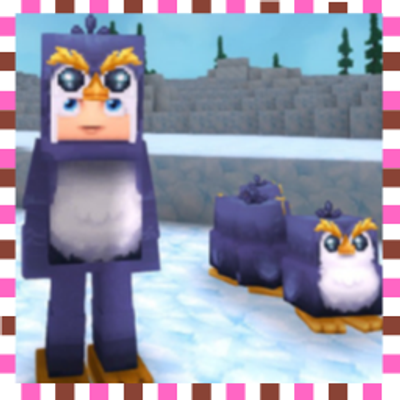
Kigurumi Land Armor Pack
Adds Adorable Kigurumi/Onesie that base on the games Mobs & Extra ones. V3 now add 30+ sets an also set base on anime Kuma Kuma Bear & BuddhaCat, Simon_Hypixel, Sketch Macaw, Perry the Platypus,Endman,Jake the dog an so Much MORE!!