Hytale version
Back to mods 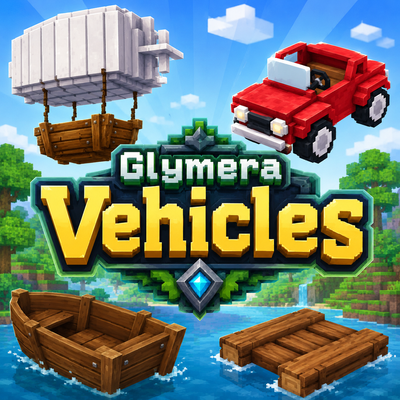
CurseForge · Hytale mod
GlymeraVehicles
Car, airship, boat & raft - 14 rideable vehicles in many colors. Park them as blocks, hop in and drive at 2x speed; the airship truly flies. Craftable in survival, recipes & speeds configurable. No dependencies.
Choose a version Pick your version below, then grab the matching file.
Quick answer
Which GlymeraVehicles release should I use?
Latest stable file GlymeraVehicles-1.0.0.jar
Game version 0.5
Mod system Built-in Hytale mod system
GlymeraVehicles-1.0.0.jar targets 0.5. Do not install it as a separate client mod. Enable it on the world host—the local server in singleplayer or the dedicated server in multiplayer. No required dependencies listed for this file.
Where it goes
Where should GlymeraVehicles be installed in Hytale?
Do not install it as a separate client mod. Enable it on the world host—the local server in singleplayer or the dedicated server in multiplayer.
Separate client mod Not supported
World host / dedicated server Required
Mod system for this release Built-in Hytale mod system
Required install it here Optional supported, not mandatory Not supported do not install here Source doesn’t say do not assume
Put Hytale mods on the world host or dedicated server. Singleplayer runs a local server too; Hytale does not use separate client mods.
What else does GlymeraVehicles-1.0.0.jar need?
GlymeraVehicles-1.0.0.jar. Change the file and its required mods may change too.
This file does not list any required mods. Do not add a library just because a different file uses it.
This file does not list any required or optional project dependencies. Check the creator notes before changing an existing world.
Before you install it
Add GlymeraVehicles without breaking your instance.
Built for GlymeraVehicles-1.0.0.jar. Pick another file and the loader, install side or required mods may change.
- 01
Stick to this file
Use GlymeraVehicles-1.0.0.jar. It targets 0.5; another release may target a different game build or dependency set.
- 02
Bring the mods it needs
This file does not list any required mods. Do not add a library just because a different file uses it.
- 03
Enable it on the world host
Do not install it as a separate client mod. Enable it on the world host—the local server in singleplayer or the dedicated server in multiplayer.
- 04
Pick the file you checked
Use the “Get this file” button beside GlymeraVehicles-1.0.0.jar. It opens that exact file at the source.
About this project
What does GlymeraVehicles add?
GlymeraVehicles
Car, airship, boat and raft — 14 rideable vehicles for your Hytale server.
Park any vehicle as a block in the world, hop in with a single use, and go. Cars cruise over land with a real engine sound, boats and rafts glide across the water, and the airship takes you anywhere — no flying permissions required. All vehicles come in multiple colors, are fully craftable in survival, and everything important is configurable.
The fleet
| Type | Variants |
|---|---|
| Car | Red, Green, Yellow, Blue, Wood |
| Airship | White, Grey, Light Blue |
| Boat | Natural, Green, Red |
| Raft | Natural, Green, Red |
How it works
- Place a vehicle item to park it as a block — it faces the way you look.
- Use the parked vehicle to board it.
- Drive with your movement keys and view. Vehicles ride at 2x walking speed (configurable).
- Leave the vehicle and it parks itself as a block again, facing your view. Break the parked block to pick the vehicle back up — hulls are indestructible, so you can never lose one.
- Cars are land vehicles: they cannot enter water (driving in ends the ride at the shoreline). Boats and rafts are the opposite — they strand on land.
Flying the airship
- Climb: tap Space — the airship glides up 10 blocks and hovers rock-stable.
- Descend: scroll your hotbar — each notch sinks 10 blocks.
- Cruise: fly in any direction with your movement keys. You can board and leave the airship anywhere, even mid-air.
Crafting
All recipes are crafted at the Builders bench, in the Decorative category — that's where you'll find every vehicle. Pick the crystal color, get the matching ride. Every ingredient is obtainable in survival: Greater Essence of Life is itself craftable from 100x Essence of Life at the Farming bench.
| Vehicle | Recipe |
|---|---|
| Car | 2x Greater Essence of Life + 10x Iron Bar + 1x Crystal Block (car color) |
| Car (Wood) | 2x Greater Essence of Life + 10x Iron Bar + 10x Softwood Planks |
| Airship | 2x Greater Essence of Life + 30x Light Feathers + 1x Wool Block (balloon color) |
| Boat | 1x Greater Essence of Life + 100x Sticks + 1x Crystal Block (boat color) |
| Raft | 25x Essence of Life + 100x Sticks + 1x Crystal Block (raft color) |
Each vehicle family's recipes can be disabled individually in the config.
Commands (admin, OP only)
/gvehicles give <type>— hand out any vehicle (car,boat,raft,airship, a color variant likecarwoodorboatgreen, orall)/gvehicles exit— emergency dismount/gvehicles clean— remove all vehicle blocks near you (radius 16)
Configuration
mods/Glymera_GlymeraVehicles/config.json:
| Key | Default | Meaning |
|---|---|---|
speedFactorCar |
2.0 |
Car speed as a multiple of walking speed |
speedFactorBoatRaft |
2.0 |
Boat and raft speed as a multiple of walking speed |
engineSoundEnabled |
true |
Engine sound while someone is driving a car |
recipeCarEnabled |
true |
Car recipes craftable |
recipeAirshipEnabled |
true |
Airship recipes craftable |
recipeBoatEnabled |
true |
Boat recipes craftable |
recipeRaftEnabled |
true |
Raft recipes craftable |
Notes
- No dependencies — one self-contained jar.
- Vehicles are invulnerable as entities; the only way to remove one is breaking its parked block, which returns the item.
- Before uninstalling the plugin, pick up all placed vehicles (or run
/gvehicles clean) so no orphaned blocks remain in your world. - Engine sound based on CC0 audio from OpenGameArt.
Short summary (211 chars, for the CurseForge listing)
Car, airship, boat & raft - 14 rideable vehicles in many colors. Park them as blocks, hop in and drive at 2x speed; the airship truly flies. Craftable in survival, recipes & speeds configurable. No dependencies.
Project description from CurseForge.
Pick your setup
GlymeraVehicles releases for each Hytale build.
Choose the version and loader you play, then open the matching release.
Check the dependencies, then try the file in a copied instance before changing a world you care about.
Recent files
GlymeraVehicles releases and Hytale builds
GlymeraVehicles-1.0.0.jar
18 Jul 2026
Client Not supported Server Required Dependencies No extras listed Listed on Project page
Check the 0.5 setup 0.5 release
Looking for an older file? The official CurseForge project page is in Resources.
 mod
mod CurseForge · Hytale
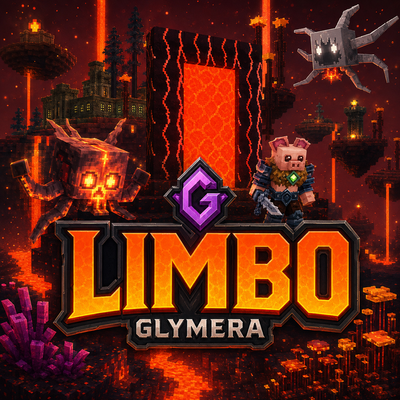
GlymeraLimbo
Missing the Nether? Limbo is Hytale's burning dimension: floating islands over a lava sea, armed pig-folk, splitting salamanders, fortress loot, three plant lines and a gold economy. Server-side only, zero setup.
 mod
mod CurseForge · Hytale
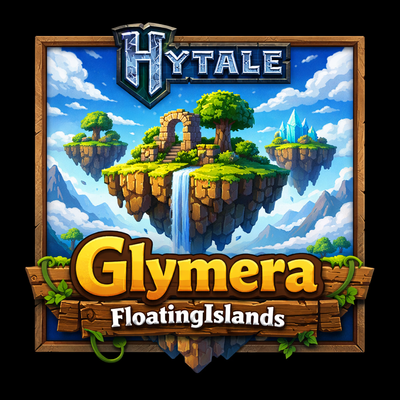
GlymeraFloatingIslands
Floating sky-islands worlds for Hytale. 6 biome presets with native Hytale vegetation, structures and mobs. Configurable island size and density.
 mod
mod CurseForge · Hytale
Custom Enchants
A Custom Enchants plugin that adds cool enchants applyable to armor and weapons.